

Cursor vs Copilot vs Windsurf — pricing, Composer mode, multi-file editing, and where it actually falls short. Real dev review for 2026.
Cursor AI is shaking up the coding world. Here's what you need to know:
- Built on VS Code with advanced AI capabilities
- Runs on the current frontier model lineup: Claude 4.x (Sonnet, Opus), Gemini 2.5, GPT-4o, and o1 reasoning models
- Ships Composer for multi-file edits, Agent mode for background tasks, native MCP support, and in-editor PR review
- Works with multiple languages, excels in JavaScript, Python, and TypeScript
- Free tier (limited completions + slow requests), Pro at $20/month, Business at $40/user/month
Key benefits:
- Speeds up coding tasks and boosts productivity
- Acts as a pair-programming partner
- Helps with documentation and refactoring
How it works:
- Analyzes your codebase for context
- Uses natural language processing for plain English commands
- Provides smart code completion and generation
To get started:
- Download and install Cursor AI
- Set up your environment and API key
- Start with simple tasks to learn the interface
While powerful, Cursor AI has some limits:
- May struggle with complex bug detection
- Can misplace generated code
- Occasional context "forgetfulness" after breaks
Multi-file editing, agent autonomy, and stronger context retention have shipped; the open frontier now is longer-horizon autonomous agents and deeper repo-wide reasoning.
Quick Comparison:
Feature
Cursor
Windsurf
Aider
Claude Code
Price
Free / $20 Pro / $40 Business
$10/mo Pro, $19 Business
Free / $15 Pro
Open source (you pay model API)
Usage-based via Claude API
AI Model
Claude 4.x, Gemini 2.5, GPT-4o, o1
GPT-4o, Claude, o1 (mixed)
Claude, GPT-4o
Any model via API
Claude 4.x
Multi-file / Agent
Composer + Agent mode
Copilot Workspace (preview)
Cascade agent
Yes (CLI-driven)
Yes (terminal agent)
Form Factor
VS Code fork
VS Code / JetBrains extension
VS Code fork
CLI
CLI
MCP Support
Yes (native)
No
Partial
No
Yes (native)
Related video from YouTube
What is Cursor AI?
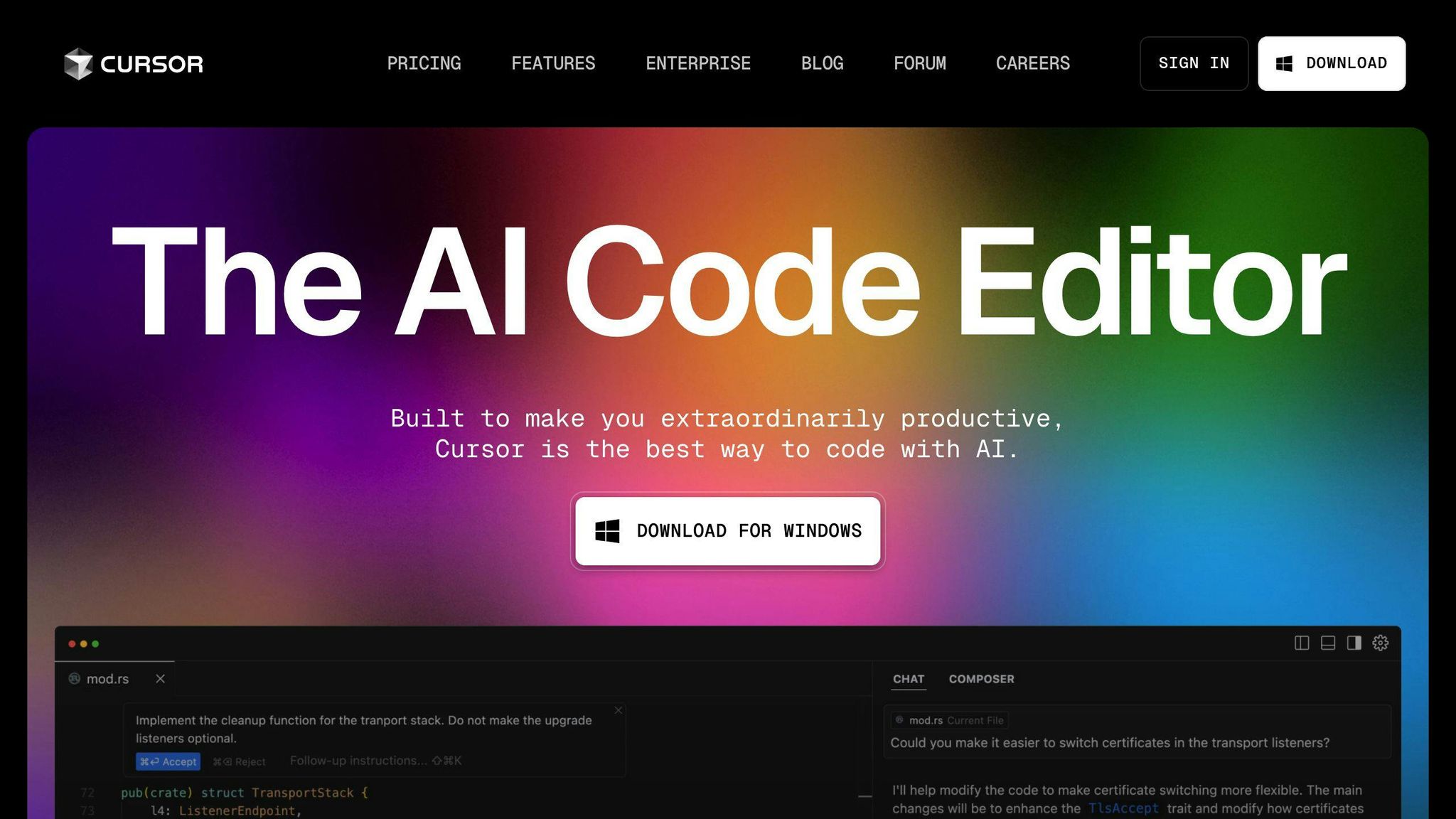
Cursor AI is a smart code editor that's turning heads. It's not just another text editor - it's a coding assistant that helps you work faster and smarter.
Basic concept
Cursor AI is built on Visual Studio Code but supercharged with AI. It understands your code, suggests improvements, and can even write code for you.
Think of Cursor AI as your coding buddy. It's there to help, whether you're a pro or just starting out.
Main features
Cursor AI packs a punch:
- AI code completion: Writes entire functions for you
- Error correction: Spots and fixes bugs
- Natural language commands: Tell it what you want in plain English
- Documentation help: Drafts docs for you
- Refactoring assistance: Cleans up and improves existing code
Creation story
Cursor AI comes from Anysphere, founded by Michael Truell, Sualeh Asif, Arvid Lunnemark, and Aman Sanger. They raised $8 million in seed funding from the OpenAI Startup Fund.
It's not just for pros. Ricky Robinett, VP of developer relations at Cloudflare, shared:
"My eight-year-old daughter built a chatbot in just 45 minutes using Cursor AI."
Big names are using it too. Engineers at Samsung, Replicate, Midjourney, Shopify, and Perplexity are on board.
Jordan Singer from Figma summed it up:
"All this talk of Claude + Cursor and becoming capable of building anything you put your mind to (no matter your skill set) is warranted. If this is the future, I want to live in it."
Cursor AI is changing how we think about coding. It's a glimpse into the future of software development.
How Cursor AI works
Cursor AI is a smart coding companion that uses advanced AI to help developers work faster and smarter.
Core technology
Built on Visual Studio Code, Cursor lets you route requests across the current frontier lineup:
- Claude 4.x Sonnet (default for most users; strong code + tool use)
- Claude 4.x Opus (heavier reasoning, long-horizon agent runs)
- GPT-4o and OpenAI o1 (multimodal + chain-of-thought reasoning)
- Gemini 2.5 (long-context refactors)
- Cursor's own fast in-house model for low-latency tab completions
You pick the model per-chat or per-Composer session. The Agent mode runs longer-horizon tasks in the background, and MCP servers let Cursor pull in your own tools, docs, and data sources at inference time.
Working with other tools
Cursor AI fits into your existing workflow:
- Works with Git and other version control systems
- Compatible with many VS Code extensions
- Maintains full AI functionality when connected to remote servers via SSH
Code analysis method
Cursor AI's code analysis is its standout feature:
- Context Understanding: Analyzes your entire codebase for deep project insight
- Natural Language Processing: Use Ctrl+K to describe code changes in plain English
- Smart Code Completion: Suggests complex, multi-line code structures and refactors
Example:
Task
Cursor AI Action
Write a Python function to poll messages from AWS SQS
Generates complete function, including client setup and message retrieval logic
Refactor a function
Understands context, applies best practices, implements requested changes
Generate documentation
Analyzes code and creates appropriate comments and docs
Key features of Cursor AI
Cursor AI boosts coding speed and quality with these standout features:
AI code completion
Cursor AI finishes your code, not just your sentences. It might suggest:
import requests

def get_api_data(url, params=None):
    response = requests.get(url, params=params)
    response.raise_for_status()
    return response.json()
This saves time and reduces errors.
Smart code improvement
Cursor AI can refactor and optimize your code, suggesting:
- Converting loops to list comprehensions
- Simplifying complex conditionals
- Removing unused variables
Plain language commands
Generate code from natural language descriptions. Type:
"Create a function to calculate the Fibonacci sequence up to n terms"
And Cursor might generate:
def fibonacci(n):
    sequence = [0, 1]
    while len(sequence) < n:
        sequence.append(sequence[-1] + sequence[-2])
    return sequence[:n]
In-context help
Cursor AI provides on-the-fly explanations and documentation as you code.
Debugging help
Cursor AI steps in as your debugging buddy, highlighting issues and suggesting fixes.
Feature
Benefit
AI code completion
Faster coding, fewer typos
Smart code improvement
Cleaner, more efficient code
Plain language commands
Quick implementation of new concepts
In-context help
Reduced need for external documentation
Debugging help
Faster error resolution
These features create a smoother, more efficient coding experience, letting developers focus on solving problems and building great software.
Setting up Cursor AI
Getting Cursor AI running is straightforward:
What you need to run it
- Windows, Mac, or Linux (Ubuntu)
- Internet connection
- Minimum 4GB RAM (8GB recommended)
- 1GB free disk space
How to install
Download from the official Cursor website
Run the installer for your OS
For Linux, make the AppImage executable:
chmod +x cursor-0.8.5.AppImage
Setup options
- Provide your ChatGPT API key or Azure host for the free version
- Set AI coding preferences in settings
- Cursor works with multiple programming languages out of the box
Feature
Description
Command K
Edit and write code with AI assistance
Copilot++
Enhanced autocomplete functionality
Chat
Interact with AI familiar with your codebase
Using Cursor AI in your work
Getting started
- Download and install Cursor
- Set up your environment
- Familiarize yourself with key features
- Start with simple tasks
Advanced use
- Use Cursor for code review
- Ask the AI for debugging assistance
- Generate code snippets with natural language prompts
- Leverage Copilot++ for predictive editing
Best ways to use
- Integrate with your workflow
- Use the chat feature for context-aware answers
- Combine AI and human expertise
- Explore language support (excels in JavaScript, Python, and TypeScript)
- Use privacy mode for sensitive projects
Cursor AI vs. regular code editors
Cursor AI brings a new dimension to coding:
Feature comparison
Feature
Cursor AI
Standard Editors
Code completion
AI-powered, context-aware
Basic autocomplete
Code generation
Can create entire functions
Limited to snippets
Language support
Multiple languages, excels in JavaScript, Python, TypeScript
Varies by editor
Debugging assistance
AI-powered bug detection
Manual debugging tools
Natural language commands
Supports plain English instructions
Not available
Code explanation
Can explain complex code blocks
Not available
Work speed differences
Cursor AI can speed up coding tasks:
- Code generation cuts development time
- AI-powered debugging reduces troubleshooting time
- Initial learning curve, but boosts productivity once mastered
A developer reported: "After using Cursor AI for a month, I've seen my coding speed increase by about 30% for routine tasks."
How hard it is to learn
- Familiar interface eases transition
- Natural language input makes it accessible
- Gradual adoption possible
A senior developer noted: "It took me about two weeks to get comfortable with Cursor AI's advanced features, but the productivity gains were worth it."
Cursor AI and coding languages
Cursor AI supports many programming languages:
Languages it works with
Language
Support Level
Python
Excellent
JavaScript
Excellent
TypeScript
Excellent
Java
Good
C++
Good
Rust
Good
PHP
Moderate
Special language features
- Python: Can generate entire functions
- TypeScript: Experimental interface agent for tests and implementations
- JavaScript: Excels in context-aware code completion and generation
The AI linter highlights suspicious code parts in blue (pro version).
Future language support
While no specific plans are announced, Cursor AI's adaptability suggests potential support for more niche or emerging languages in the future.
Privacy and security
Cursor AI takes user privacy and data security seriously:
How it handles data
- Privacy Mode prevents code storage on servers
- Only 100-300 lines of code sent when using AI features
- Sent code not stored at-rest
Keeping code private
Feature
Description
SOC 2 certification
Demonstrates commitment to data security
Privacy Mode
Prevents code storage on servers
No-storage mode
Can be activated without payment or API key
Local/Ghost mode
Ensures no code storage
Following privacy rules
- Complies with GDPR
- Uses SSL encryption
- Follows Standard Contractual Clauses for US data transfers
OpenAI agreement:
- Prompts not used for training
- Retained for 30 days for trust and safety monitoring
To maximize security:
- Enable Privacy Mode
- Turn off indexing by default
- Use Local/Ghost mode for sensitive projects
How Cursor AI affects coding
Cursor AI is changing coding practices:
Changes in coding habits
- Faster code writing: 126% productivity increase reported
- Less time on repetitive tasks
- Improved code quality
Task
Without AI
With AI
Implementing an HTTP server in JavaScript
160.89 minutes
71.17 minutes
Problems solved in a 40-hour work week
14.9
33.7
Working in teams
- Real-time collaboration
- Shared understanding of complex codebases
- Streamlined code reviews
Long-term industry changes
- Skill focus shift to high-level problem-solving
- Growing demand for automation in software engineering
- Lower barriers to entry for less experienced programmers
Cursor AI is enhancing, not replacing, human developers, helping coders work more efficiently and focus on complex aspects of software development.
Current limits and problems
Cursor AI faces some challenges:
What it can't do
- Accurately predict user actions
- Make changes across several files at once
- Detect bugs in complicated codebases
Issues in some projects
- Misplaced generated code
- Context "forgetfulness" after long breaks
- Incomplete code snippets
A user shared:
"If I select a block of code in my IDE, then pop up the cursor prompt with command+k and ask for a reasonable unit test to be generated, then, believe it or not, I don't want that unit test generated directly inside my application code, breaking my entire file as it sprays itself across functions and comments."
Room for improvement
Area
Current Issue
Potential Improvement
Bug detection
False positives due to limited understanding
Enhance codebase comprehension
User interaction
Lack of follow-up questions
Implement smarter context-aware prompts
Performance
Slowdowns on certain OS versions
Optimize for different operating systems
Project complexity
Decreased capacity for complex tasks over time
Improve AI model's ability to handle large-scale projects
The Cursor AI team is working on these issues, exploring better reasoning models and improved bug detection systems.
What's next for Cursor AI
What's shipping now in Cursor:
Already shipped
- Composer: multi-file edits scoped to a prompt, with diff review before apply
- Agent mode: longer-horizon background tasks (run a test suite, fix the failures, open the diff)
- Native MCP: connect Cursor to your own tools, internal docs, ticket systems
- In-editor PR review: AI-assisted diff review without leaving the editor
On the roadmap
- More autonomous agents (background work measured in minutes, not seconds)
- Stronger repo-wide reasoning across large monorepos
- Tighter loops with CI, code review bots, and issue trackers
Michael Truell, CEO of Anysphere, stated:
"Our mission is to create a magical tool that will one day write all the world's software."
Possible new connections
Potential Integration
Expected Benefit
GitHub
Seamless version control
Jira
Better project management
Slack
With over 30,000 customers and $71 million in funding, Cursor AI is well-positioned to transform how software is written.
Wrap-up
Cursor AI is reshaping software development:
- Speed boost: Generates project files and code in under 2 minutes
- Smart assistance: Understands context, fixes bugs, generates new code
- Language support: Covers Python, JavaScript, Java, and more
- Growing user base: Over 30,000 customers
- Solid backing: $60 million Series A funding round
Pros and cons:
Pros
Cons
Improves productivity
Requires OpenAI API Key
Easy to communicate with
Can be costly for teams
Supports multiple languages
Needs infrastructure for self-hosting
The features once on the roadmap have landed: Composer handles multi-file edits, Agent mode runs longer background tasks, and MCP plus native PR review wire Cursor into the rest of a dev's stack. The next bet is autonomous agents that can own a ticket end-to-end.
Michael Truell, CEO of Anysphere, envisions:
"Our mission is to create a magical tool that will one day write all the world's software."
While ambitious, AI-powered code editors like Cursor are already making waves. A Stack Overflow survey found 33% of developers see improved productivity as a key benefit of AI in coding workflows.
Integrating Cursor AI into your workflow could give you an edge in the fast-paced world of software development. It's not about replacing human coders—it's about augmenting our abilities and making coding more efficient.
Cursor AI is still evolving, and its impact on the coding world is just beginning. Whether you're a seasoned pro or just starting out, keeping an eye on tools like Cursor AI could give you a serious advantage in software development.
FAQs
How to use cursor AI code editor?
To use Cursor AI code editor:
- Edit existing code: Select code, click "Edit", describe changes
- Generate new code: Type Ctrl K without selecting anything
Cursor's AI understands your codebase, making it easy to ask questions like "Is there a bug here?" for quick debugging.
What is the cursor edit feature?
The cursor edit feature is Cursor's advanced autocomplete tool. It:
- Predicts your next edit
- Suggests changes across multiple lines
- Adapts based on your recent changes
- Stays on continuously
This feature speeds up coding by anticipating what you'll type next.
Feature
Description
Edit existing code
Select code, click "Edit", describe changes
Generate new code
Type Ctrl K without selection
Autocomplete
Always on, predicts next edit
Multi-line suggestions
Offers edits across several lines
Adaptive
Learns from recent changes


