The YARA Language Server now supports a metadataValidation configuration that lets teams enforce metadata standards for YARA rules directly in the editor. Configured via VS Code's settings.json, it defines required fields (like author or version) and expected data types (string, integer, float, bool) for metadata identifiers. The language server then flags missing required fields or type mismatches in real time as rules are written, improving consistency, collaboration, onboarding, and automation across shared YARA rule corpora.
Questions this post answers
How do I enforce required metadata fields like author or version in YARA rules?
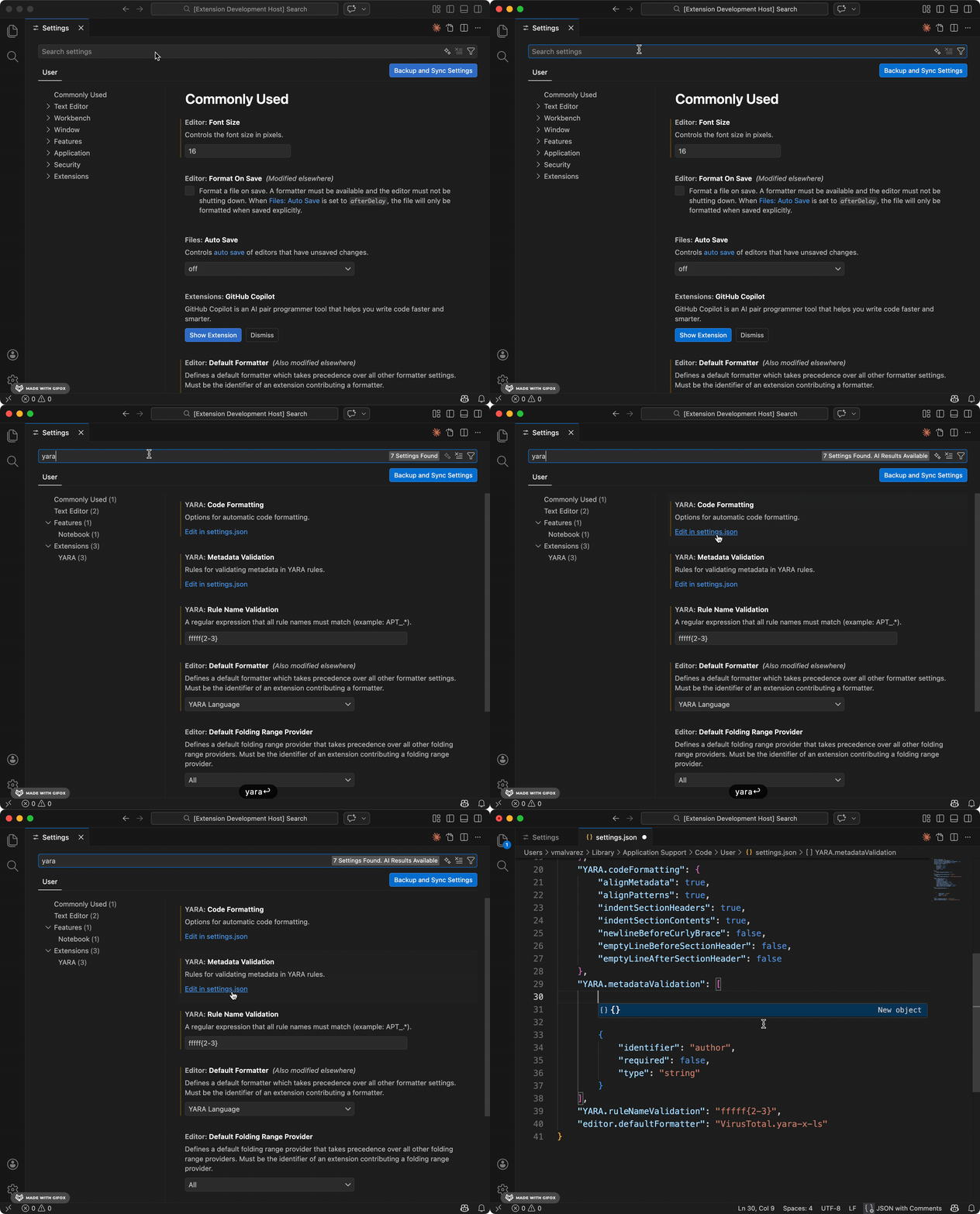
The YARA Language Server supports a metadataValidation setting configured in VS Code's settings.json. Each entry specifies an identifier (the metadata field name), an optional required boolean that triggers a warning when the field is missing, and an optional type field (string, integer, float, or bool) that flags type mismatches in real time as rules are edited. Teams standardizing YARA rule metadata can follow tooling updates like this on daily.dev.
What data types can I validate for YARA rule metadata fields?
Metadata values in YARA rules can be validated against four types using the language server's metadataValidation configuration: string, integer, float, and bool. If a rule's metadata value does not match the specified type, the editor shows a warning immediately, before the rule is committed. Developers configuring editor tooling for security rule standards can track changes like this on daily.dev.