.png)





AI agents are reshaping software development—learn when to use single or multi-agent designs, leading frameworks, cost drivers, memory, and safety trade-offs.
AI agents are transforming the way developers build software in 2026. Over half of organizations (57%) now use AI agents in production, and the market is set to grow from $7.6 billion in 2025 to $50.3 billion by 2030. These agents go beyond chatbots, autonomously breaking down tasks, using tools, and refining outputs until goals are achieved. Developers are shifting from single-agent systems to multi-agent systems for handling complex workflows.
Here’s what you need to know:
- Single-Agent Systems: Simpler, easier to debug, but struggle with complex tasks.
- Multi-Agent Systems: Better for complex workflows, but require more orchestration and resources.
- LangChain: Popular for building AI agents with tools, memory, and chains.
- CrewAI: Focuses on multi-agent collaboration through role-based teams.
- AutoGen & LangGraph: Offer unique approaches for specific use cases like research or enterprise-grade workflows.
Key Takeaways:
- LangChain leads with over 1 billion downloads, while CrewAI excels in multi-agent orchestration.
- Multi-agent systems outperform single-agent setups by 90.2% for complex tasks.
- Token costs and orchestration complexity are challenges; frameworks like LangChain and CrewAI help manage them.
- New protocols like MCP and A2A simplify integration and collaboration between agents.
Quick Tip: Start with single-agent systems for simple tasks and transition to multi-agent setups for advanced workflows. Always monitor costs, manage memory, and implement safety controls to avoid runaway expenses.
Let’s dive into how these frameworks work and how you can build your first AI agent.
Langchain Tutorial For Beginners (2026 Guide) | AI Agents For Data Engineers
sbb-itb-bfaad5b
Single-Agent vs Multi-Agent Systems: How They Differ
Choosing between single-agent and multi-agent architectures depends on the complexity of the task at hand. As Kunal Ganglani, a Software Engineering Leader, explains:
"The gap between single-agent and multi-agent isn't a feature gap. It's a capability gap." - Kunal Ganglani, Software Engineering Leader
Single-Agent Systems
Single-agent systems rely on one large language model (LLM) to handle tools, instructions, and context. This setup is ideal for straightforward tasks like summarizing documents, creating simple SQL queries, or drafting emails. The process is straightforward: you provide a prompt, the agent processes it, and delivers a result. Its simplicity also makes debugging easier.
However, scaling up introduces challenges. When a single agent is tasked with managing too many tools, it can struggle to decide which tool to use and when. This confusion can hinder performance. Another common issue is the "lost in the middle" problem, where the agent's performance declines as the context window fills up with too much information - such as instructions, tool descriptions, and conversation history.
Multi-Agent Systems
Multi-agent systems address the limitations of single-agent setups by distributing tasks across specialized agents. For instance, one agent might focus on research, another on drafting, and a third on editing. Each agent operates within its own context window, which helps avoid context saturation and keeps performance consistent.
The benefits can be striking. Internal evaluations from early 2026 revealed that multi-agent systems, using specialized subagents, outperformed single-agent setups by 90.2%. This improvement was largely due to isolated context windows and the ability to execute tasks in parallel. Additionally, for tasks spanning multiple domains, these systems processed 67% fewer tokens by avoiding unnecessary token usage through context isolation.
That said, multi-agent systems come with drawbacks. They are more complex to design, requiring additional orchestration logic to manage agent interactions. Latency can also increase because of the time spent on agent handoffs. Token costs may rise as well, since each agent's operation involves separate inference calls and extra conversational overhead. For these reasons, many production teams suggest starting with a single-agent setup, focusing on strong prompt engineering, and only transitioning to a multi-agent system when the task's complexity or the need for parallel processing makes it necessary.
Here's a quick comparison of the two approaches:
| Feature | Single-Agent Systems | Multi-Agent Systems |
|---|---|---|
| Complexity | Low: simpler to build and debug | High: requires orchestration |
| Latency | Lower: fewer model calls | Higher: handoff overhead |
| Context | Shared: risk of saturation | Isolated: fresh context per agent |
| Reliability | Declines with complex tasks | Better suited for complex workflows |
| Best Use Case | Simple automation, one-shot requests | Research, multi-stage workflows |
LangChain: Chains, Agents, Tools, and Memory Explained
LangChain offers four essential components for building AI agents: chains, agents, tools, and memory. Knowing how and when to use each of these can make the difference between a streamlined, cost-efficient agent and one that unnecessarily drains API credits. Balancing the efficiency of chains with the adaptability of agents and memory is key to building effective AI systems in 2026.
Chains: Handling Tasks Step-by-Step
Chains are all about completing tasks in a fixed sequence. They’re fast and cost-effective because they skip the reasoning loop, making them ideal for structured, predictable workflows like data extraction or transformation. For example, LangChain’s with_structured_output method uses JSON mode to validate responses against Pydantic schemas. If validation fails, it automatically retries up to three times.
However, chains have their limits. They follow a rigid path and can’t adapt if the situation changes mid-process. This makes them great for tasks like summarizing documents or generating SQL queries, where the steps are clear from the start. Compared to agents, chains can save around 200ms per turn. So, while chains excel at efficiency, agents are better suited for tasks requiring flexibility.
Agents: Solving Problems Dynamically with Tools
Agents take a different approach, using a language model to dynamically decide which tools to call and when, following the ReAct loop: Thought → Action → Observation → Repeat. This process continues until the agent finds a solution or reaches a stopping condition.
Tools, in this context, are functions or integrations like web search, database queries, or APIs. The descriptions (or docstrings) of these tools play a critical role, as the language model relies on them to decide when to use each tool. As Qasim, a Site Reliability Engineer, points out:
"Tool docstrings are your prompt engineering. A vague docstring like 'runs a command' leads to the agent calling it for tasks where web search would be better." - Qasim, Site Reliability Engineer
To avoid runaway loops that could rack up API costs, always set max_iterations (usually between 5 and 8) in the AgentExecutor. By 2026, the "Tool Calling Agent" has become the go-to choice, offering better compatibility across providers compared to older, OpenAI-specific function agents. For consistent and logical reasoning, it’s recommended to set the LLM temperature to 0. While agents are powerful, they’re inherently stateless - this is where memory systems come in.
Memory: Helping Agents Remember
Without memory, agents start fresh with every interaction, losing all previous context. Memory systems solve this by storing conversation history, enabling agents to maintain context over multiple interactions. For instance, SQLChatMessageHistory stores messages as JSON blobs.
For longer sessions (100+ turns), it’s important to implement a trimming strategy. Keep the last 20 messages and summarize older ones to stay within the context window. Modern LangChain agents often use LangGraph for advanced state management. As the LangChain blog explains:
"The hardest part of building an agent that could remember things is prompting. In almost all cases where the agent was not performing well, the solution was to improve the prompt." - LangChain Blog
With memory systems in place, agents can handle long-running tasks more effectively, paving the way for more sophisticated applications.
| Component | Best For | Key Characteristic |
|---|---|---|
| Chains | Structured output, data tasks | Fixed, sequential execution; minimal overhead |
| Agents | Complex, dynamic tasks | Flexible decision-making with the ReAct pattern |
| Tool Calling Agent | Production systems | Reliable; works with LLMs supporting tool-calling |
| ReAct Agent | Debugging and transparency | Displays "Thought", "Action", and "Observation" steps |
CrewAI: Managing Multiple Agents with Roles
CrewAI builds on the benefits of multi-agent systems by organizing agents into specialized roles to work together on complex projects. Instead of relying on a single agent to juggle all tasks, CrewAI creates a team of agents, each with a specific role, goal, and even a backstory. Think of it as assembling a team where, for example, a Senior Research Analyst gathers data, a Technical Writer drafts content, and a Quality Reviewer ensures the output meets the required standards.
How CrewAI Assigns Crews and Roles
CrewAI assigns roles to agents based on three key elements:
- Role: The agent’s job title or skill set.
- Goal: The specific objective the agent is tasked with achieving.
- Backstory: A contextual persona that shapes the agent’s tone and decision-making.
These roles can be defined either through YAML configuration files or programmatically in Python, offering flexibility for static or dynamic setups. As Adrien Payong and Shaoni Mukherjee from DigitalOcean put it:
"Organizing AI agents in a crew with clearly defined roles allows you to avoid making single agents do everything, as is the case in simpler systems."
CrewAI coordinates tasks between agents using different workflows:
- Sequential: Tasks are handed off in a linear process, like an assembly line.
- Hierarchical: A manager agent delegates tasks dynamically to worker agents based on the project’s progress.
- Custom: Custom logic defined by the user for task coordination.
The hierarchical model is particularly effective for projects where the best path forward isn’t immediately clear.
Delegating Tasks Between Agents
Task delegation in CrewAI happens in two main ways:
-
Enabling Delegation: By setting
allow_delegation=True, an agent can assign sub-tasks or seek help when it encounters challenges outside its expertise. This feature is typically reserved for manager agents, while worker agents are kept non-delegating to avoid endless task handoffs. -
Controlling Task Flow: The
contextattribute lets you specify which outputs from earlier tasks should serve as inputs for subsequent agents. Additional parameters likemax_iter(commonly set between 5 and 15) andmax_execution_timehelp manage costs by preventing agents from getting stuck in reasoning loops.
For example, running a three-agent sequential crew typically costs about $0.10–$0.20 with GPT-4o or $0.06–$0.12 with GPT-4o-mini.
The takeaway? Spend the majority of your time - about 80% - on designing clear and specific tasks. Only 20% of your effort should go toward defining agent roles and backstories. Well-defined tasks are far more critical to success than elaborate role descriptions.
Up next, we’ll compare CrewAI to other frameworks side by side.
LangChain vs CrewAI vs AutoGen vs LangGraph

AI Agent Framework Comparison: LangChain vs CrewAI vs AutoGen vs LangGraph
When deciding on the best framework for your project, it’s essential to consider what you’re building and the specific needs of your application. Here’s a breakdown of the four major frameworks:
- LangChain: A highly modular framework with over 600 integrations, perfect for creating flexible chains and retrieval-augmented generation (RAG) applications.
- LangGraph: Built on LangChain, this framework uses directed graphs to enable stateful, cyclic workflows, offering precise control for complex production systems.
- CrewAI: Introduces a role-based "team" metaphor, making it intuitive for automating business processes and workflows.
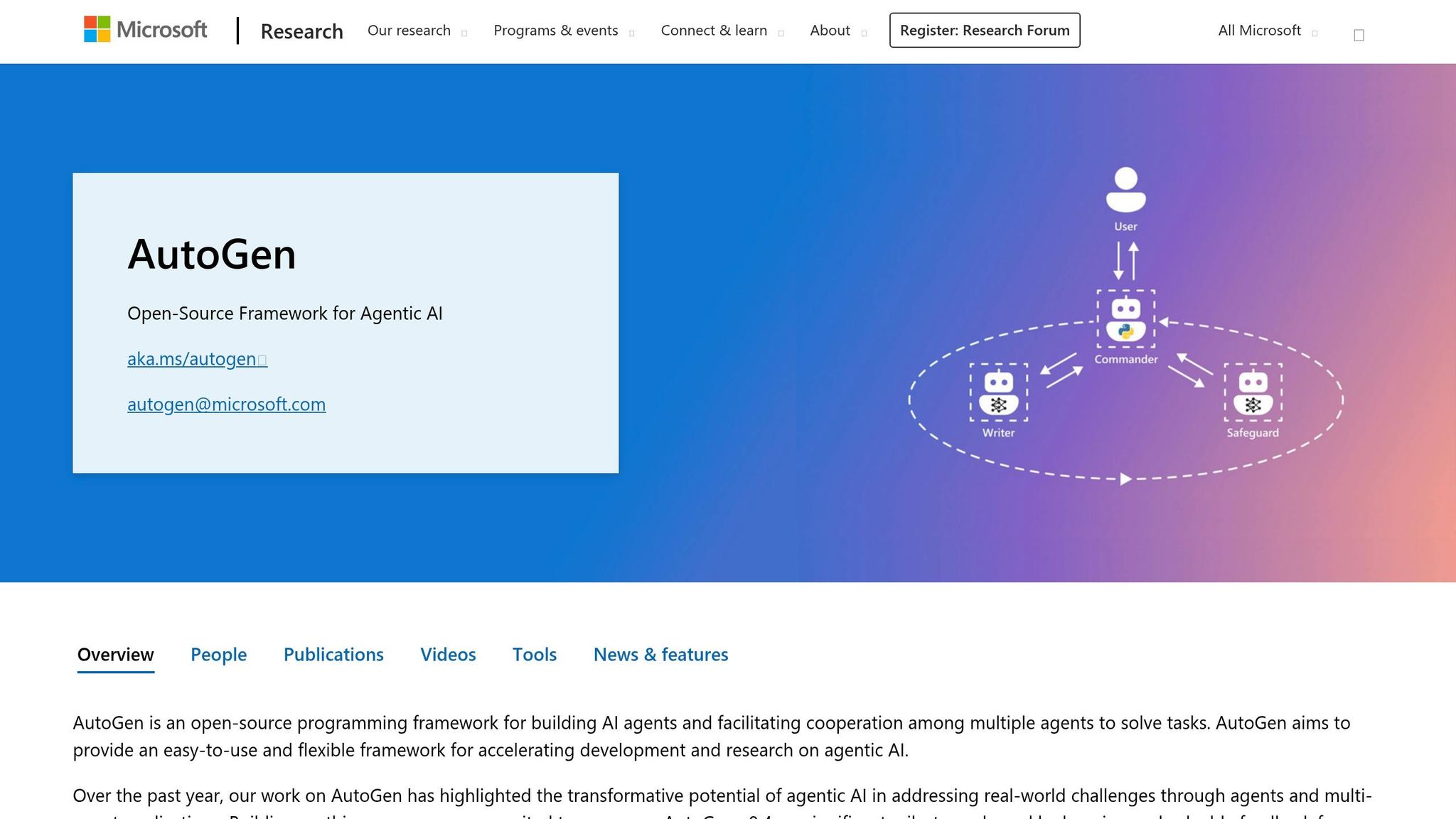
- AutoGen: Developed by Microsoft, this framework focuses on conversation-driven orchestration, where agents solve problems through iterative dialogue and code execution loops.
These frameworks are becoming the backbone of many production systems. By March 2026, 57% of organizations have AI agents running in production, an increase from 51% in 2025. LangChain leads the pack with over 150,000 GitHub stars, followed by AutoGen with 45,000 and CrewAI with 32,000. The market for AI agents is also booming, growing from $5.4 billion in 2024 to $7.6 billion in 2025, with projections reaching $50.3 billion by 2030.
Real-World Implementations
Several companies have successfully deployed these frameworks in production:
- Klarna: Used LangGraph to build a customer support bot for its 85 million users, cutting resolution times by 80%.
- AppFolio: Created Realm-X, an AI copilot using LangGraph, which doubled response accuracy and saved property managers over 10 hours per week.
- LinkedIn: Built a "SQL Bot" with LangGraph to make data access more accessible across the organization.
Feature Comparison Table
| Feature | LangChain | LangGraph | CrewAI | AutoGen |
|---|---|---|---|---|
| Core Architecture | Modular Chains | Directed Graphs (State Machine) | Role-Based Teams | Conversation-Driven |
| Orchestration | Sequential/DAG | Cyclic, State-based | Sequential, Hierarchical | Group Chat, Swarm, Nested |
| Learning Curve | Moderate | Steep | Low/Gentle | Moderate to High |
| State Management | Basic Memory | Typed State + Checkpoints | Context passing between tasks | Conversation history-based |
| Observability | LangSmith | LangSmith (Traces/Replays) | Built-in logging | AutoGen Studio |
| Best For | RAG, simple tool use | Complex production pipelines | Business process automation | Research, code review, debate |
| Language Support | Python, JS/TS | Python, JS/TS | Python | Python, .NET |
Choosing the Right Framework
- CrewAI: Ideal for quickly building multi-agent prototypes. Its role-based API ensures accessibility for both developers and non-technical users.
- LangGraph: The go-to choice for enterprise applications with strict audit requirements, human-in-the-loop checkpoints, and complex branching logic.
- AutoGen: Best suited for research, code generation, or scenarios requiring agents to collaborate or debate to reach a consensus.
Open-Source and Interoperability
All four frameworks are open-source under permissive licenses (MIT or Apache 2.0). Additionally, the Model Context Protocol (MCP) has emerged in 2026 as a unifying standard, allowing tools to work seamlessly across these frameworks and minimizing vendor lock-in.
Next, we’ll dive into how to build your first AI agent in Python. Stay tuned!
Build Your First AI Agent: Python Tutorial
This tutorial walks you through building a simple AI agent - a skill that's becoming essential for developers in 2026. The example here is a research assistant capable of searching the web and synthesizing information, a task with practical applications in many fields.
Setting Up Your Development Environment
To get started, you'll need Python 3.10 to 3.13. First, set up an isolated environment to avoid dependency issues:
python -m venv venv
source venv/bin/activate   # On Linux/macOS
# or
venv\Scripts\activate      # On Windows
Next, install the required libraries and tools. You'll also need API keys for the reasoning engine and other services. To securely store your OpenAI key, export it as an environment variable:
export OPENAI_API_KEY="your-key"
Use a .env file for sensitive information and ensure it's listed in your .gitignore file to keep it out of version control. For debugging, enable LangSmith tracing with:
export LANGSMITH_TRACING=true
.
Here's a breakdown of the core tools you'll need:
| Tool/Library | Installation Command | Purpose |
|---|---|---|
| LangGraph | pip install langgraph langchain-openai |
Build stateful, multi-actor applications |
| CrewAI | pip install crewai[tools] |
Manage multiple agents with pre-built tools |
| Tavily | pip install tavily-python |
Perform real-time web searches for agents |
| SQLAlchemy | pip install sqlalchemy |
Allow agents to query SQL databases |
Once your environment is configured and dependencies are installed, you're ready to start coding your AI agent.
Writing and Testing the Agent Code
Now that your setup is complete, let’s create a basic tool-calling agent. The following Python code uses LangChain to build a simple example:
from langchain_openai import ChatOpenAI
from langchain.agents import create_tool_calling_agent, AgentExecutor
from langchain_core.prompts import ChatPromptTemplate, MessagesPlaceholder
from langchain_core.tools import tool

@tool
def get_weather(city: str) -> str:
    """Get current weather for a city."""
    return f"The weather in {city} is 72°F and sunny."

tools = [get_weather]
llm = ChatOpenAI(model="gpt-4o", temperature=0)
prompt = ChatPromptTemplate.from_messages([
    ("system", "You are a helpful assistant."),
    MessagesPlaceholder(variable_name="chat_history", optional=True),
    ("human", "{input}"),
    MessagesPlaceholder(variable_name="agent_scratchpad")
])

agent = create_tool_calling_agent(llm, tools, prompt)
executor = AgentExecutor(agent=agent, tools=tools, verbose=True, max_iterations=5)
executor.invoke({"input": "What is the weather in New York?"})
Here are some key takeaways from this example:
- The
@tooldecorator turns Python functions into LangChain tools. - Setting
temperature=0ensures consistent reasoning and minimizes irrelevant output. - Always define
max_iterations(usually 5–10) in yourAgentExecutorto avoid infinite loops and manage API costs. For example, a GPT-4o call costs about $0.005 per 1,000 input tokens, so a typical five-query session might cost $0.05–$0.15.
"If your 'AI agent' cannot call a tool, track progress across steps, or decide on its own what to do next, you have built a chatbot with a fancy system prompt." - Paperclipped
When designing agents, start with 3–5 essential tools. Adding too many tools can lower the accuracy of tool selection. Be specific when describing tools. For instance, instead of saying "Search database", use something like "Search customer orders by order ID; returns status and items". To prevent crashes, wrap all tool calls in try/except blocks and return structured error messages.
For critical actions, such as sending emails or processing refunds, include a human-in-the-loop checkpoint to approve the agent's decision before it proceeds. This is especially important because agents can fail 10% to 20% of the time in production, making robust escalation processes essential.
Running AI Agents in Production: Costs, Speed, and Safety
Moving an AI agent from prototype to production isn’t just flipping a switch - it comes with real financial and operational hurdles. One major shift is how costs are calculated. Instead of fixed infrastructure expenses, you’re dealing with variable costs tied to token usage, which can be unpredictable. For instance, in March 2026, a Series B fintech startup discovered that their initial budget of $1,000 per month for running a custom support agent ballooned to $4,200 in LLM fees, along with an extra $2,800 for infrastructure and monitoring. The agent was designed to handle tier-one support tickets but ended up consuming more tokens for reasoning than expected.
Token Costs and Speed Benchmarks
Keeping track of token consumption is key to managing costs. Mid-sized production agents typically use 5–10 million tokens per month. Depending on the task, costs can range from $1.50–$6.00 per hour for coding assistants to $4.50–$12.00 per hour for research agents. However, the "unreliability tax" - extra computational expenses from issues like hallucinations, looping, and tool misuse - can drive these numbers even higher.
Here’s why costs can spiral:
- Reasoning loops (e.g., ReAct or Chain-of-Thought) can use up to 10 times more tokens than direct answers.
- Multi-turn conversations rack up costs exponentially since every new turn includes the entire conversation history.
- Multi-agent systems require coordination, which increases token usage by up to four times compared to single-agent setups.
| Model | Input Cost (per 1M tokens) | Output Cost (per 1M tokens) | Best For |
|---|---|---|---|
| GPT-4o mini | $0.15 | $0.60 | Simple tasks, high volume |
| GPT-4o | $2.50 | $10.00 | Balanced capability |
| Claude 3.5 Haiku | $0.80 | $4.00 | Fast, efficient tasks |
| Claude 3.5 Sonnet | $3.00 | $15.00 | Coding and complex reasoning |
| Claude 3 Opus | $15.00 | $75.00 | Deepest reasoning |
To manage costs effectively, smart model routing is essential. Use advanced models like Claude 3.5 Sonnet for complex reasoning tasks, but switch to lighter models like GPT-4o mini for simpler jobs like classification or summarization. This approach can save up to 90% on costs for routine tasks. Additionally, techniques like semantic and prompt caching can cut input costs by around 90% and reduce latency by 75%.
Memory management also plays a big role. Strategies like "sliding window" memory or progressive summarization ensure only relevant context is retained. Even trimming just 20 tokens per request can save thousands of dollars monthly at scale. Beyond LLM fees, other production-related expenses - like hosting, vector databases, and monitoring tools - can add $1,500–$3,500 to your monthly budget. Despite these expenses, automation agents for support can deliver a return on investment of 300–500% within 5–6 months, but only if costs are carefully managed from the outset.
"The code is cheap. The intelligence is expensive." – Ali El-Shayeb, CEO, Island X
Understanding these cost drivers is just the first step. Next comes ensuring your system is robust and safe for production use.
Handling Errors and Adding Safety Controls
Even with careful planning, production agents fail about 10% of the time. That’s why having solid error management and safety controls is non-negotiable. For example, silent retry loops caused by malformed tool outputs can triple hourly costs before anyone notices. To keep things under control, set strict guardrails such as:
- Token budgets per task to prevent runaway usage.
- Retry limits (usually 5–10 attempts) to avoid infinite loops.
- Circuit breakers that pause operations if spending exceeds a predefined threshold.
Blindly trusting tool outputs is a recipe for disaster. Validation steps are crucial to catch hallucinations or incorrect results. Instead of raising exceptions, design tools to return detailed error messages so agents can analyze failures and retry intelligently. For transient issues like API failures or rate limits, use exponential backoff with libraries like tenacity.
For high-stakes operations - think financial transactions or file deletions - introduce human-in-the-loop (HITL) checkpoints that require manual approval. To protect systems from unauthorized access, run agent-generated code in isolated environments such as Docker or Modal. Monitoring tools like LangSmith are indispensable for tracking model calls, tool outputs, latency, and token usage in real time. By early 2026, LangSmith had already processed over 15 billion traces and 100 trillion tokens.
"You can't shrink a bill you can't see. Without clear instrumentation, agent charges pile up invisibly - hidden inside sprawling prompts, cascading retries, or endless chat histories." – Conor Bronsdon, Head of Developer Awareness, Galileo
Additional best practices include:
- Using
handle_parsing_errors=Truein agent executors to gracefully handle malformed outputs. - Setting
early_stopping_method="generate"to ensure agents produce a final response even if they hit iteration limits. - Employing token-aware memory systems like
ConversationTokenBufferMemoryto automatically trim older messages and stay within context window limits.
Finally, remember that maintaining and evolving a production agent isn’t a one-time cost. Annual upkeep typically runs 10–15% of the initial development investment, so plan your budget accordingly.
When Not to Use AI Agents: Simpler Options
Not every task demands the complexity of advanced AI agent frameworks. If your workflow is straightforward - essentially a direct path from Input → Tool → Output with no need for looping back or self-correction - using an agent framework might be overcomplicating things. As TheProdSDE, a Senior R&D Engineer, put it:
"If you can draw your workflow as a straight line - plain tool calling is your production architecture." - TheProdSDE, Senior R&D Engineer
Keeping things simple can often lead to better performance and lower costs. Adding unnecessary complexity doesn’t just make things harder to manage - it can also get expensive. For example, in early 2026, the firm CODERCOPS shared an incident where an AI agent system spiraled into an infinite loop, racking up $2,400 in API costs overnight. It even emailed a client incorrect outputs and made calls to non-existent functions with full confidence. On the other hand, a financial data analysis team replaced their overly complex agent system with just 200 lines of direct tool invocation code, resulting in a system that ran three times faster.
When Should You Avoid AI Agents?
If your task only involves 1–3 tools, direct tool invocation is often the better choice. Adding more tools into an agent’s context tends to reduce reliability. Additionally, if basic if/else logic can handle the decision-making, relying on a large language model (LLM) for such tasks is inefficient and increases the risk of hallucinations. For applications where latency is a concern, the overhead from framework abstractions can be entirely avoided by skipping the agent framework and directly calling the tools.
Here’s a quick breakdown to help decide the right approach:
| Workflow Shape | Recommended Approach | Reason |
|---|---|---|
| Straight-line (Single request → tools → response) | Direct tool invocation (No framework) | Faster, easier to debug, lower overhead |
| Cyclic (Output determines if step N-1 must be redone) | LangGraph / Agent Framework | Handles self-correction and retries natively |
| Parallel (Multiple specialists run simultaneously) | AutoGen / Multi-agent framework | Manages complex async coordination |
Key Takeaways
Before jumping into an agent framework, take the time to map out your workflow. If it’s a simple straight line, stick with direct tool invocation - it’s easier to debug, faster, and reduces unnecessary overhead. Frameworks are better suited for workflows involving feedback loops, parallel processes, or persistent states that extend over long executions. As mjkloski, a DevOps & DevRel professional, advised:
"Start from scratch until the loop gets complicated enough that a framework's abstractions save you more time than they cost you in debugging." - mjkloski, DevOps & DevRel
Finally, Software Engineering Leader Kunal Ganglani warns against overcomplicating things too early:
"Premature parallelism in multi-agent systems is the new premature optimization." - Kunal Ganglani, Software Engineering Leader
The Future of AI Agents: MCP and New Protocols
The world of AI agents is moving toward a more standardized ecosystem. In November 2024, Anthropic introduced the Model Context Protocol (MCP), an open-source standard designed to simplify integrations between models and tools. Instead of requiring custom connectors for every combination, MCP allows each model and tool to implement the protocol just once, drastically reducing the complexity of integrations. As Agent Whispers aptly put it:
"MCP is the universal connector for AI." - Agent Whispers
This approach quickly gained traction. By December 2025, Anthropic had transferred MCP to the Agentic AI Foundation, which operates under the Linux Foundation. By March 2026, the protocol had seen widespread adoption, with over 5,800 public MCP servers in operation and 70% of major SaaS brands offering remote MCP servers for their products. MCP defines five essential components:
- Tools: Executable functions
- Resources: Read-only data
- Prompts: Reusable templates
- Sampling: Servers requesting LLM completions
- Roots: Filesystem boundary scoping
Emerging Protocols: MCP and A2A
MCP isn’t the only protocol shaping the future. Google’s Agent2Agent (A2A) protocol focuses on enabling collaboration between agents, complementing MCP's emphasis on agent-to-tool integration. As Pockit Tools described:
"MCP gives your agent hands. A2A gives your agents colleagues." - Pockit Tools
Both protocols are now under Linux Foundation governance, creating a structured framework with three layers:
- WebMCP: For agent-to-web access
- MCP: For agent-to-tool interactions
- A2A: For agent-to-agent communication
A2A introduces "Agent Cards", which are JSON manifests located at /.well-known/agent.json. These cards allow agents to discover each other’s capabilities without manual setup. For example, a LangChain research agent can collaborate seamlessly with a CrewAI writing agent, even if they operate on entirely different frameworks.
Advancements in Infrastructure and Features
As these protocols evolve, production environments are adapting to support them. The industry is shifting from local STDIO transports to Streamable HTTP, which enables bidirectional streaming and horizontal scaling. MCP is also expanding its capabilities. By 2026, updates will include multimodal support for processing images, video, and audio through the same standardized interface. MCP’s popularity is evident in its Python and TypeScript SDKs, which reached an impressive 97 million monthly downloads by February 2026.
Addressing Security Challenges
While standardization improves efficiency, it also introduces security concerns. Alarmingly, 43% of MCP server implementations have been found to contain command injection vulnerabilities. In addition, malicious servers can embed harmful instructions in tool descriptions to steal data. To counter these risks, developers must implement safeguards like human-in-the-loop approvals and restricted tool access. As David Soria Parra from Anthropic explained:
"The design was heavily inspired by how the language server protocol works." - David Soria Parra, Member of Technical Staff, Anthropic
The future of AI agents is being shaped by these protocols, but ensuring secure and reliable implementations will remain a top priority as adoption grows.
Conclusion: What Developers Should Know About AI Agents
By March 2026, 57% of organizations are expected to have AI agents running in production, with the market projected to reach $50.3 billion by 2030. These numbers highlight the importance of understanding how to design and manage AI agents effectively.
As the field grows, some clear architectural lessons have emerged. For instance, a single agent managing more than 15 tools often faces issues like context saturation and a higher likelihood of hallucinations. A better approach? Create specialized teams of agents, each focused on specific tasks like data gathering, processing, or decision-making. This strategy reduces complexity and improves overall performance. Selecting the right framework is also key:
- LangGraph: Ideal for complex workflows that require auditability.
- CrewAI: Best for quickly prototyping role-based teams.
- AutoGen: Perfect for conversational research and similar tasks.
- Deep Agents: Designed for long-running, autonomous operations.
To avoid costly errors, ensure your systems are built with precision and safeguards. Use strict Pydantic schemas for docstrings, and implement circuit breakers like max_iterations limits and cost caps - one agency reported an overnight $2,400 API bill due to missing these safeguards. Observability tools like LangSmith should also be part of your setup from the start. As Kunal Ganglani puts it:
"Observability is not optional... Without observability, debugging multi-agent systems is like debugging distributed microservices without Datadog. Don't try it" - Kunal Ganglani
Standardized protocols are also shaping the future of AI agent integration. The Model Context Protocol (MCP) has quickly become the go-to standard, with over 5,800 public MCP servers and 70% of major SaaS brands offering MCP compatibility. This standardization simplifies integration with services like GitHub, Slack, and databases, making it easier to get started. Begin small, with 3–5 essential tools and sequential workflows, and always include human-in-the-loop checks for critical actions.
These practices provide a solid foundation for building reliable, efficient AI agent systems.
FAQs
When should I switch from a single agent to multi-agent?
When your application starts hitting walls like scalability issues, handling complex tasks, or requiring expertise in specific areas, it might be time to consider a multi-agent system. Some clear signs include struggling to manage context effectively, surpassing the limits of what a single prompt can handle, or needing to split tasks across specialized agents.
Multi-agent systems can make workflows more reliable and scalable, especially for intricate processes. However, it’s wise to begin with a single agent and only shift to a multi-agent setup when the added complexity makes sense for your needs.
How do I stop an agent from looping and wasting tokens?
To keep an AI agent from looping endlessly and wasting resources, you can implement control mechanisms like exit conditions, iteration limits, and monitoring. Here’s how:
- Set a maximum iteration limit: This caps the number of cycles the agent can perform, preventing unnecessary repetition.
- Define clear termination conditions: For example, the agent can check for a success state or specific output to decide when to stop.
- Use external safeguards: Tools like timeout mechanisms or context drift detection can act as a safety net to halt the process if it goes off track.
These strategies help maintain efficiency and ensure the agent operates reliably without overspending on resources.
Which framework should I start with: LangChain, CrewAI, LangGraph, or AutoGen?
The best framework for you will hinge on your specific needs and level of experience. If you're new to this space or need flexibility, LangChain is a great choice for creating customizable chains. For those tackling advanced multi-agent orchestration, you might explore LangGraph, though it comes with a steeper learning curve, or CrewAI, which offers a more straightforward setup. If your focus is on conversational multi-agent systems, especially with Microsoft integrations, AutoGen is a strong option. That said, LangChain remains the go-to starting point for most general-purpose development projects.