
Meet this JavaScript library that can make things look cool with crazy interactions. It's called LAX!
What's common between circles turning to cubes, pair of shoes swinging around left to right, that cube experiencing inertia (yes, that physics thing), a text dancing when your cursor meets it, or you are just typing things in a text field and bam! That thing rotates like hell for no reason!
Well, what I'm even talking about? ┐( ̄ヘ ̄;)┌
I'm talking about some weird and super crazy web experiences you can make (including the examples I gave above) just to have some fun in your websites or implement them cautiously to make a website visitor feel joyful!
Meet this JavaScript library that can make things look cool with crazy interactions. It's called LAX!
Lax.js is a JavaScript library to create smooth & beautiful animations when you scroll.
But that's not all! Lax is really, really small. When gzipped, it's less than 4 kilobytes in size! 🤯
Here are some of its features:
- It has a new JS animation syntax for advanced animation combinations to work on.
- Now, animations can be given a kick of interia while scrolling.
- It comes with nice animation easings.
- You can create custom CSS bindings.
- Not only scroll-based, but animations can also be done while typing (we will do a demo of this later), scroll positions, or even according to date and time!
What will we make? 👀
This:
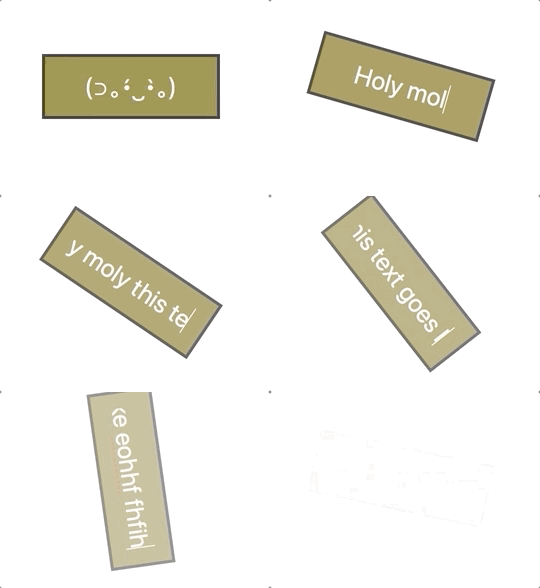
Whoops! We are not doing a scroll but an input interaction here. 🤪
Let's create this input interaction 🌚
The HTML
Add an field to a new or an existing project file. Make sure you give it a proper id as it will be needed later when we code the Lax logic.
Optionally, you can give it the autofocus attribute so that when the page loads, it automatically focusses on the input. This way, we can start typing weird words right away without the need of having to click on the input field. Also, we should give some placeholder value to it. Here I have just used a cute smiling kaomoji, but you can have something like, "Input here" or "type here".
<input id='input' placeholder="(⊃。•́‿•̀。)" autofocus />
The CSS
Time to make it looks like a dull stick :') I won't explain each CSS rule here, just the ones so that it looks somewhat like our finished version.
To start, remove all the borders and outlines, and give it a background-color of #95853B. As for the black colored outline you see, it's a shadow added to the element. I have used both rgba() and rgb() methods to achieve the result. Add a bit of padding, center the text, and give it a base font-size.
#input {
    text-align: center;
    width: 30%;
    font-size: 25px;
    border: 0;
    outline: 0;
    background-color: #95853B;
    padding: 15px;
    color: #fff;
    box-shadow: rgba(0, 0, 0, 0.16) 0px 1px 4px,
                rgb(51, 51, 51) 0px 0px 0px 3px;
  }

::placeholder {
    color: #fff;
}
The Lax.js!
Installation ⬇️
You can use both Yarn or NPM scripts to install the library:
npm install lax.js
// OR
yarn add lax.js
And then in your JS file, import it as usual:
import lax from 'lax.js';
Or, as I did here for the demo, grab its CDN file from JS Delivr to add it on top of your HTML