Pull blogs, docs, and release notes into a personalized feed so engineers save time, cut noise, and spot key updates fast.
A developer news aggregator saves time by pulling tech updates into one place and filtering them for your stack. If you’re tired of checking blogs, docs, forums, and release notes one by one, this is the short answer: an aggregator helps you scan less and find more of what matters.
I’d boil it down like this:
- It pulls from many sources like blogs, docs, repos, and community posts
- It filters by topic, stack, or keywords
- It cuts daily reading time from roughly 30–45 minutes to about 10 minutes
- AI summaries can shrink that to 3–5 minutes for top items
- It’s different from web development newsletters because you open it when you want
- It’s different from programming communities like Reddit because your results are based on your interests, not one crowd vote
- RSS still works well when I want tight control over exact sources
If I only want the main takeaway, it’s this: engineers use aggregators to reduce noise, track changes faster, and keep up with tools without wasting part of the morning on tab-hopping.
Quick comparison
| Tool type | How it works | Best use |
|---|---|---|
| Developer news aggregator | Pulls from many sources and filters per user | Daily tech reading |
| Newsletter | Editor sends the same issue to all readers | Inbox reading |
| Community feed | One group votes and comments on links | Group discussion |
| RSS reader | I pick each source myself | Exact feed tracking |
That’s the whole idea in plain English: one feed, fewer tabs, more relevant reading.
What is a developer news aggregator
A developer news aggregator fixes a simple but annoying problem: too many sources, too many tabs, and too much time spent hunting for good reads.
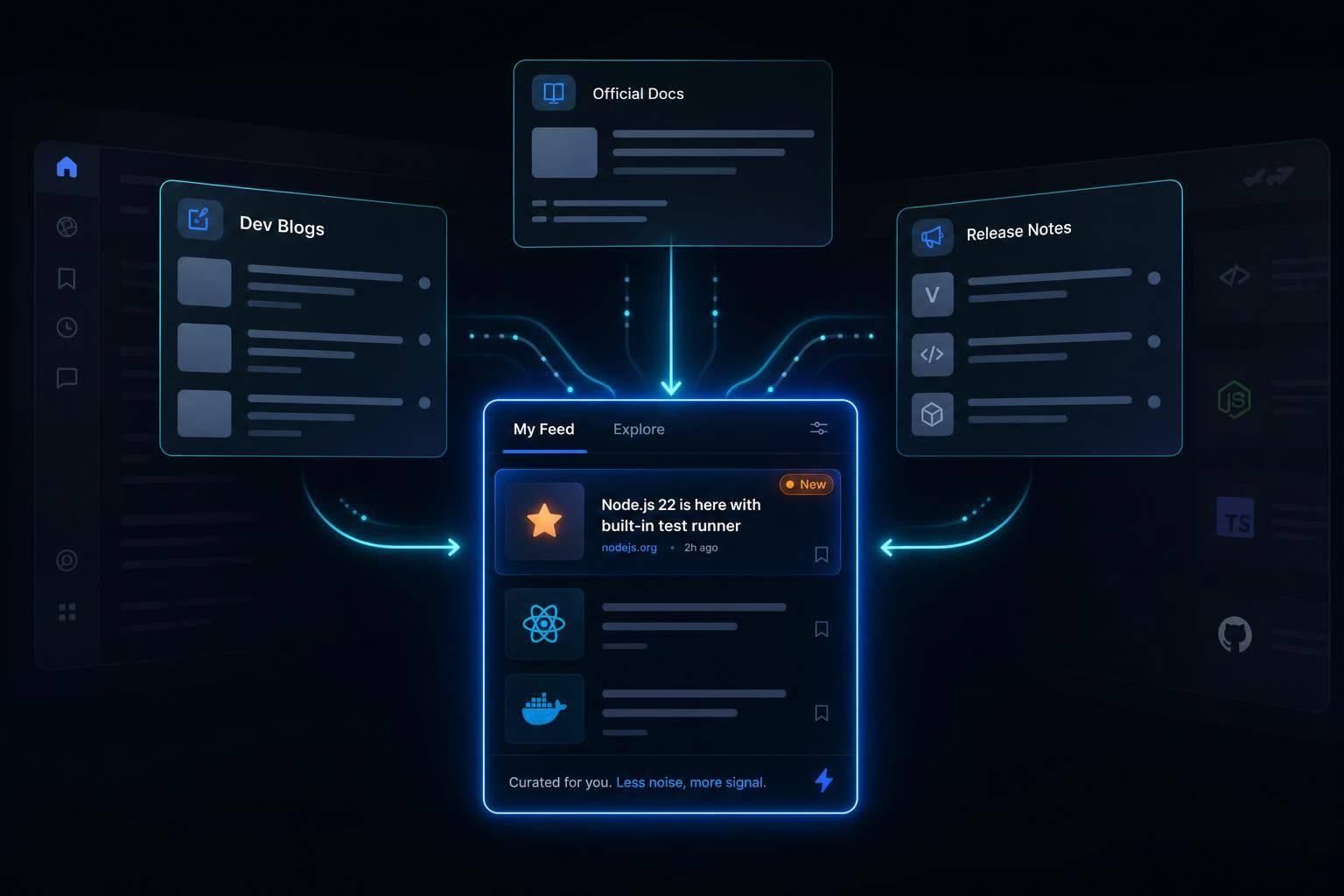
It pulls technical content from lots of places into one feed. Most aggregators rely on RSS feeds, APIs, and web scrapers to gather, clean, dedupe, and rank content before it shows up in your feed .
What gets aggregated
These platforms pull in blog posts, docs, release notes, and community discussions. Deduplication keeps the same story from showing up over and over again .
Why engineers find aggregators useful
The main upside is pretty simple: less tab-hopping, faster scanning, and better discovery. Instead of bouncing between sites, you can skim one feed and spot what matters.
Because ranking happens at the article level, a strong post from a small blog can appear right next to content from much larger publishers . In plain English, that means good writing has a shot based on quality, not just the size of the site behind it.
That matters even more when you compare an aggregator with a newsletter or a single community feed.
How aggregators differ from newsletters and community feeds
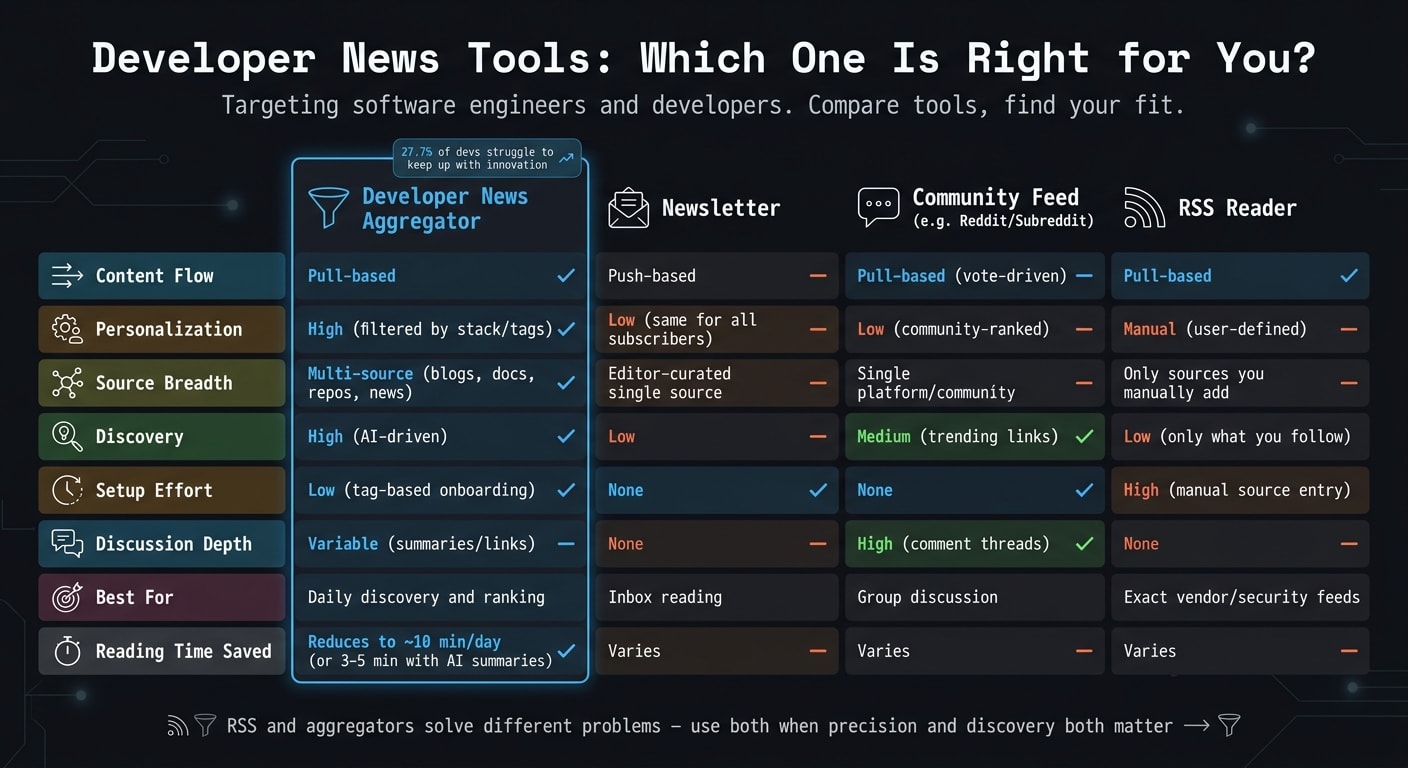
The main gap comes down to how content gets picked, delivered, and ranked. That matters a lot for engineers, because they usually need fast access to technical updates without a pile of noise.
Aggregator vs. newsletter
A newsletter is push-based. An editor decides what you read and when it shows up in your inbox. An aggregator is pull-based. You open it when you want, and the feed lines up with your interests instead of an editor’s choices.
That shift changes how fast you can scan. With a newsletter, you often have to work through every topic, even the ones you don’t care about. With an aggregator, you can filter down to the topics that matter to you.
That’s why inbox-heavy formats can feel slower when you only want a small set of technical topics.
| Feature | Aggregator | Newsletter |
|---|---|---|
| Content Flow | Pull-based | Push-based |
| Personalization | High (filtered by stack or tags) | Low (same content for all subscribers) |
| Reading Workflow | On-demand, separate from email | Inbox-bound, competes with work mail |
Aggregator vs. subreddit or single community
A subreddit or community feed is shaped by one community’s behavior and voting. In plain English, most people see about the same content, ranked by group votes.
An aggregator works differently. It ranks content at the individual level, so your feed is tuned to your stack instead of giving everyone the same stream. Community feeds are often better for discussion. Aggregators put the focus on the link itself.
| Feature | Aggregator | Community Feed |
|---|---|---|
| Source Breadth | Multi-source (blogs, docs, repos, news) | Single platform/community posts |
| Discussion Depth | Variable (summaries/links) | High (comment threads and context) |
| Personalization | High (filtered by individual interests) | Low (one community-ranked feed) |
| Relevance | High (filtered for relevance) | Medium to high (depends on community voting) |
That ranking gap is a big reason filtering by stack and interest matters so much.
Why engineers use aggregators: personalization, filtering, and speed
The main draw is relevance.
That usefulness comes from three things: personalization, filtering, and speed. One survey found that 27.7% of developers struggle to keep up with innovation . Aggregators help by cutting down the reading load and pulling forward the items that matter most.
Personalization by stack and interests
A good aggregator bends toward what you actually work on.
Instead of dumping a generic stream of tech news into your lap, it shapes the feed around your stack and interests. That means less time skipping past off-topic posts and more time reading material that helps you stay current.
Filtering out noise and surfacing signal
Personalization gives you the starting point. Filtering makes it sharper.
Good aggregators use topic tags and keyword filters to mute noise . AI briefings can shrink a morning scan to 3–5 minutes by surfacing the highest-signal items, including major releases and security advisories .
Do developers still use RSS
RSS still has a place, especially when you need exact source tracking.
It gives you tight control over which sources you follow. That makes it a solid fit for vendor changelogs or security advisory feeds. The tradeoff is setup time: you have to add sources by hand, and discovery is limited to the sources you already know to follow.
Modern aggregators do more than collect feeds. They layer ranking and discovery on top, which helps surface useful posts from places you may not have searched for on your own.
Here’s the practical split:
| Feature | RSS Readers | Modern Aggregators | Community Hubs |
|---|---|---|---|
| Setup Effort | High (manual source entry) | Low (tag-based onboarding) | None |
| Source Control | Absolute (user-defined) | High (follow/block sources) | Low (vote-ranked) |
| Discovery | Low (only what you follow) | High (AI-driven discovery) | Medium (trending links) |
| Personalization | Manual | Algorithmic & tag-based | None |
| Best For | Exact vendor/security feeds | Daily discovery and ranking | Trending monitoring |
RSS and modern aggregators solve different problems. RSS works best when precision matters most. Aggregators fit better when you want built-in discovery and ranking as part of your daily flow.
Common options and a practical takeaway
Where daily.dev fits
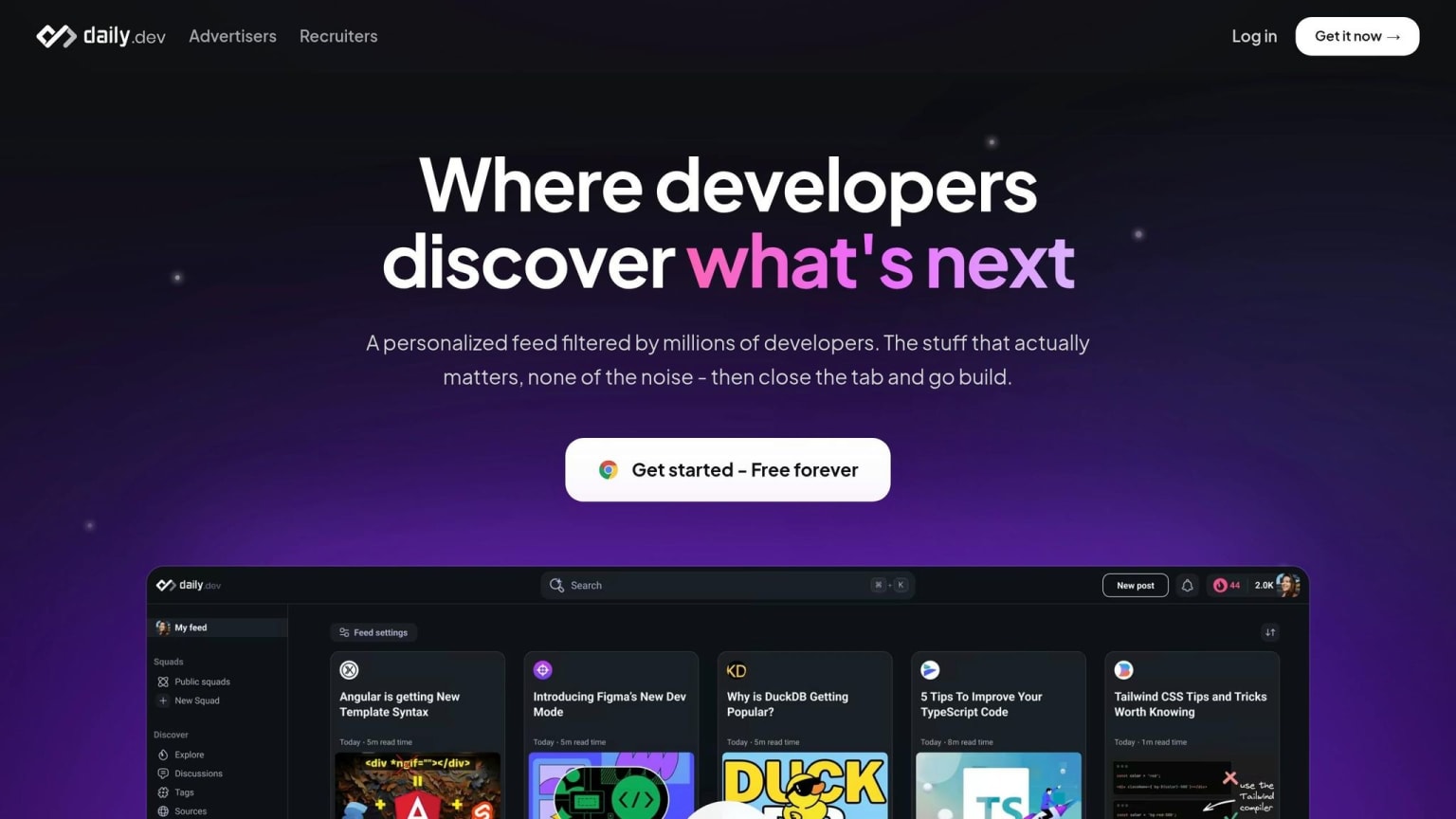
If you want that same personalized, filtered setup in one place, daily.dev is one option.
daily.dev gives you one personalized feed shaped around your stack and interests. Its browser extension for Chrome and Edge turns each new tab into that feed. It also includes Search, Squads, and DevCards.
What each common tool is best for
These tools do different jobs. Some are built for group discussion. Some are built for publishing. Others are built for hands-on feed control.
Hacker News is a shared, vote-ranked feed. It helps you keep an eye on big industry shifts, but it doesn't tailor results to your stack.
dev.to is a publishing platform where developers write and share articles directly on the site. It's centered on community blogging, not pulling content from across the web.
Feedly is an RSS reader based on manual source subscriptions. That gives you tight control over which feeds you follow.
Key points to remember
Use the tool that matches how you like to read: personalized discovery, community discussion, or exact source tracking.
Engineers use aggregators to save time and surface the right technical signal.
FAQs
How does a developer news aggregator choose what to show me?
A developer news aggregator like daily.dev blends your interests with signals from the community. It pulls articles from trusted sources, then filters them based on the tech stacks, programming languages, and topics you follow.
It also learns from what you do on the platform - like upvotes, bookmarks, and what you spend time reading. That helps it surface relevant, high-quality articles while pushing low-value or clickbait posts further down in your feed.
When should I use an aggregator instead of RSS?
Use an aggregator when you want less noise and a simpler way to spot high-quality content.
RSS gives you full manual control. You pick the sources, organize them, and decide exactly what shows up in your feed.
An aggregator like daily.dev works differently. It builds a personalized feed from thousands of sources, using AI and community signals to sort through the pile for you. That makes it a good fit when you don't want to hand-pick every blog or newsletter yourself.
Aggregators work best for quick morning scans and discovery. RSS is better when you need precise control over specific blogs, security advisories, or niche technical streams.
Can a developer news aggregator help me catch security updates faster?
Yes. A developer news aggregator can help you spot security updates faster by pulling posts from multiple sources into one dashboard.
Instead of hopping between vendor blogs, changelogs, and advisory pages, you can follow tags tied to your stack and the sources that matter most. That gives you more focused alerts and cuts down the manual checking.
A personalized feed like daily.dev is handy for a high-level view. If you want exact vendor advisories, pair it with an RSS reader so you can track those sources directly.