Protect mornings, mute nonessential alerts, batch communication, automate toil, and use a weekly rhythm to avoid developer burnout.
Burnout often starts with interruptions, not weak time management. If I want more focus and less spillover into nights and weekends, I need to protect my best 2–4 hours, cut notification noise, automate repeat work, and limit low-value reading.
Here’s the article in plain English:
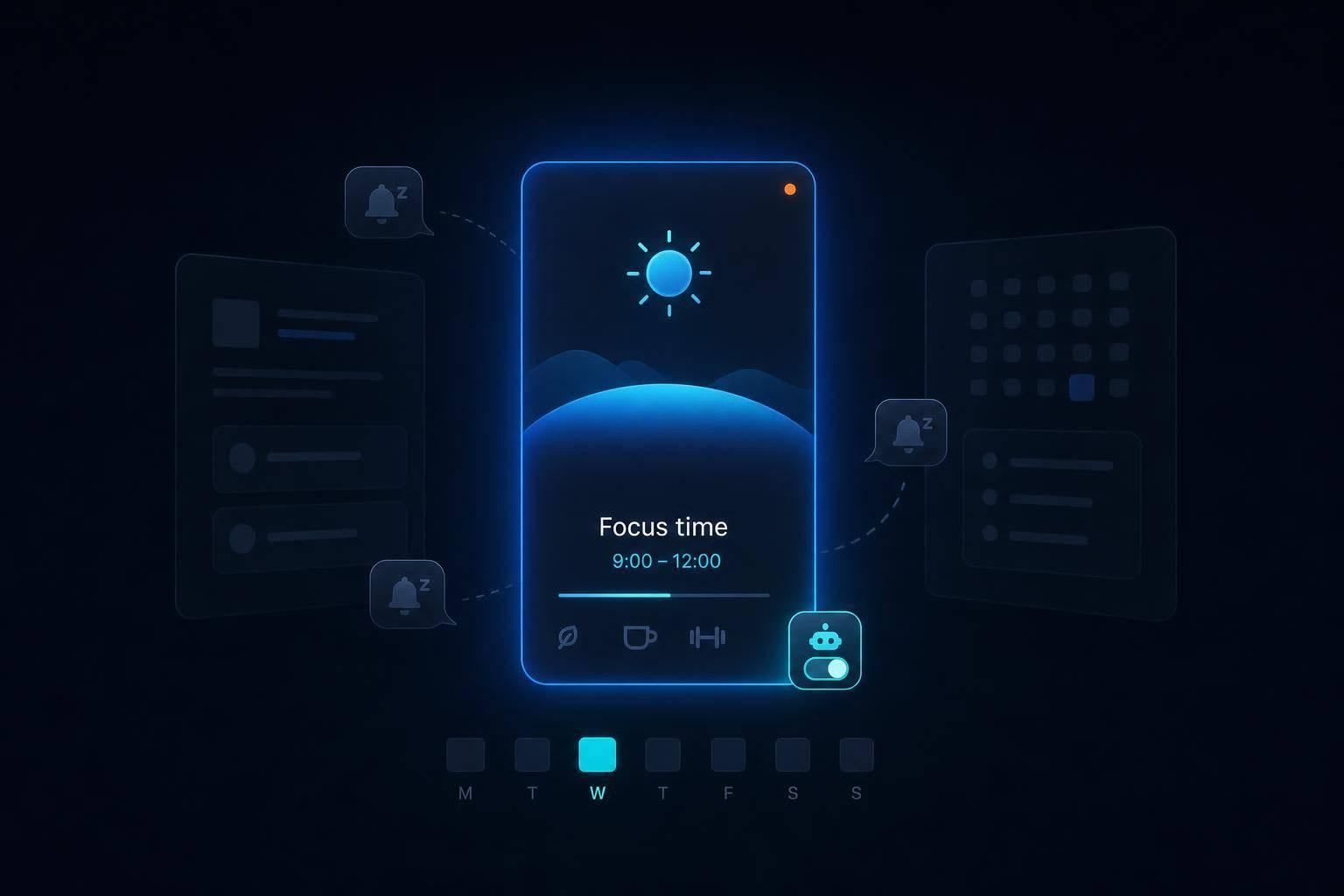
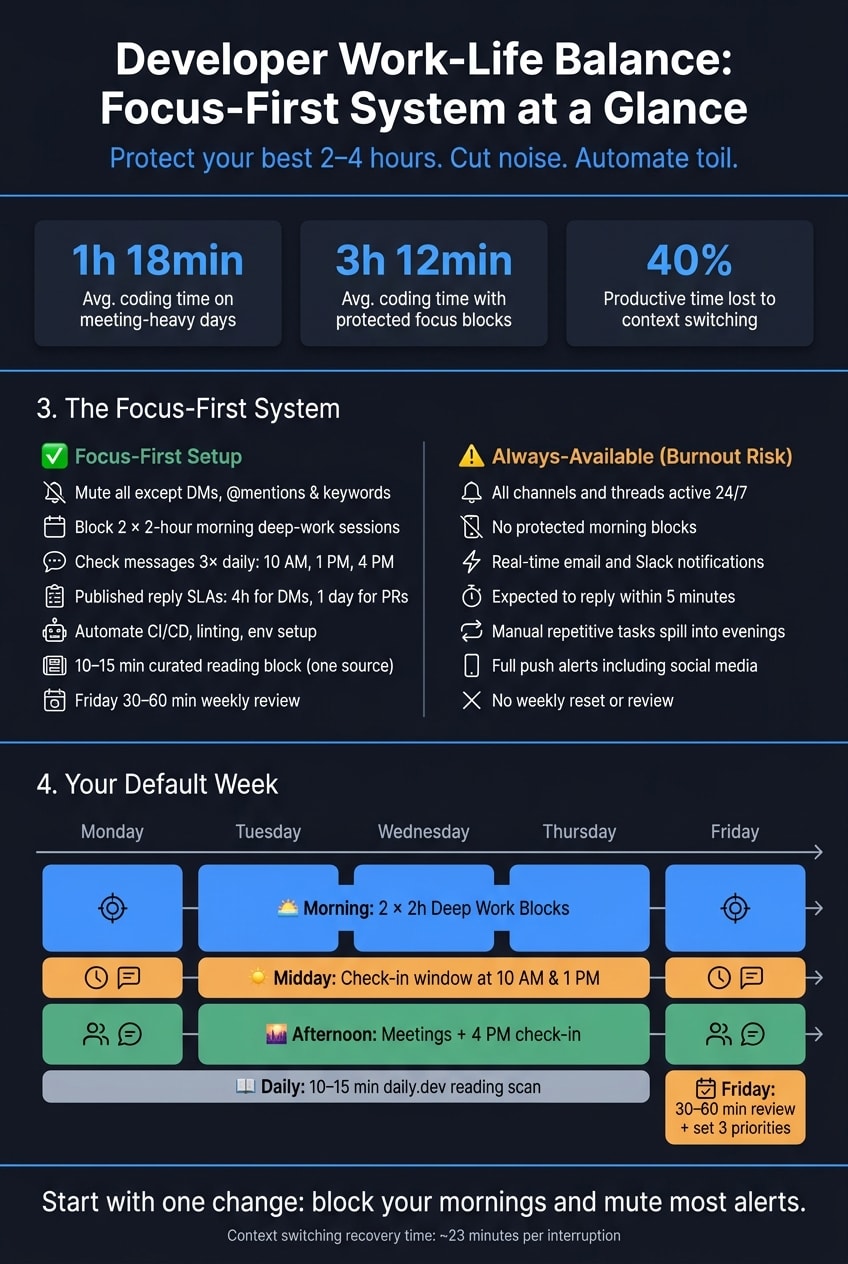
- Protect deep work first. Calendar focus blocks, device focus modes, and clear status messages help stop random pings and meeting creep.
- Batch communication. Checking Slack and email 2–3 times a day is often enough for normal work.
- Set reply rules. A simple rule like 4 business hours for DMs and 1 business day for PR reviews lowers pressure to answer at once.
- Reduce context switching. Interruptions can take about 23 minutes to recover from, and switching can cut productive time by up to 40%.
- Automate toil. CI/CD,
pre-commit, setup scripts, and AI help with low-risk admin work so small tasks do not eat into evenings. - Clean up information input. A short 10–15 minute reading block with one curated source is better than bouncing across feeds all day.
- Use a weekly rhythm. Two morning focus blocks, afternoon meetings, set check-in windows, and a Friday review keep work from spreading everywhere.
Quick takeaway: if I fix only one thing, I should start by blocking my mornings and muting most alerts. That one change does a lot to protect energy, attention, and work-life balance.
| Area | What to do | Why it helps |
|---|---|---|
| Focus time | Block 2 x 2-hour morning sessions | Keeps coding time from getting split up |
| Notifications | Allow only DMs, @mentions, and urgent keywords | Cuts low-value interruptions |
| Communication | Check messages at set times | Makes replies steady without being instant |
| Meetings | Push them to the afternoon | Keeps best hours open for hard work |
| Toil | Automate repeat tasks first | Reduces after-hours cleanup |
| Information | Limit reading to one short daily session | Lowers noise and doomscrolling |
This article makes one main point: the tools I use each day shape whether I get real focus or constant interruption.
Focus and time tools that defend deep-work blocks
Deep work doesn’t survive on good intentions alone. You have to guard it with calendar blocks, focus modes, and clear status signals.
Combine calendar blocks, focus modes, and status signals
On meeting-heavy days, median engineers get only 1 hour and 18 minutes of active coding time. On days with protected blocks, that jumps to 3 hours and 12 minutes .
That gap is huge. And it explains why a single tactic usually isn’t enough.
The setup that tends to work best stacks three layers:
- a calendar block that auto-declines incoming invites
- an OS-level focus mode that silences notifications across your device
- a status message that tells teammates when you’ll be back
This works because each layer covers a different weak spot. The calendar protects your time. The focus mode cuts the noise. The status message keeps people from guessing.
To keep communication steady, use 2–3 check-in windows per day for email, Slack, and triage, such as 8:00 AM, 1:00 PM, and 5:00 PM . Be direct with your status. For example: "Deep work until 2:00 PM. Mark prod issues urgent."
A simple setup might look like this: block 9:00 AM–12:00 PM with Google Calendar's Focus Time, then pair it with macOS Focus Mode or Windows Focus Assist to cut system-wide noise. And if you’re guessing how long a task will take, multiply that estimate by 1.5 before you block the time. That buffer helps cover cognitive switching and the stuff that always seems to pop up mid-task .
Once deep-work time is protected, the next job is cutting the interruptions that still slip through.
How to compare focus tools before choosing a setup
Not every tool works the same way, and not every team needs the same level of protection. The easiest way to compare options is to look at two things: what the tool blocks and how visible that protection is to other people.
| Tool / Feature | Notification Muting | Calendar Integration | Teammate Visibility | Remote/Hybrid Fit |
|---|---|---|---|---|
| OS Focus Modes | System-wide (High) | None | Low (Local only) | Excellent |
| Calendar "Focus Time" | App-specific (Medium) | Native (Auto-declines) | High (Shared view) | Excellent |
| Slack DND / Status | App-specific (Medium) | Manual / sync-based | High (Status icon) | Essential |
| Third-party focus apps | System-wide (High) | Native | Medium | Excellent |
If you need more than a polite warning, pay attention to whether a tool can auto-decline conflicts instead of just flagging them. That’s the line between “this might help” and actual protection. When your calendar keeps getting packed no matter what you planned, that difference matters .
In practice, the exact tool matters less than whether the setup is visible, automatic, and hard to brush aside.
Async communication, notification hygiene, and fewer interruptions
Async communication helps protect work-life balance because it cuts down on the little disruptions that break a developer’s day into pieces. Most people don’t lose focus in one dramatic moment. It’s usually a Slack ping, a “quick question,” or an email badge that pulls your eyes away right in the middle of a hard thought.
The answer is structural: fewer live pings, more batched check-ins, and clearer expectations. That makes async-first communication a burnout issue, not just a productivity choice.
Configure chat, meetings, and alerts for async-first work
The default should change: move routine work out of live chat and into threads, docs, and async updates.
A simple place to start is this: mute by default, alert on priority only. Mute Slack or Teams, then allow alerts only for direct messages, @mentions, and a short keyword list like your project name, your manager’s name, or a client name.
It also helps to batch communication into 3 set windows each day - for example, 10:00 AM, 1:00 PM, and 4:00 PM. During those windows, process Slack and email in one pass. Outside them, keep both closed. That sounds small, but it changes the rhythm of the whole day.
Use a specific status message instead of a vague “Busy.” Something like “Heads down until 11:00. Call if urgent” tells people what’s going on and makes a delayed reply feel normal.
Set response-time expectations with a simple grid - for example, 4 business hours for DMs and 1 business day for PR reviews - to remove the pressure to answer right away . For meetings, group them in the afternoon so your morning deep-work blocks stay protected . Replace recurring status syncs with a standard async update format, and use RFCs or ADRs for technical decisions .
You also need one clear emergency path, whether that’s a phone call or a specific #incidents channel. When people know exactly how to reach you if something is actually on fire, they’re much more willing to let everything else wait. The point is to make delayed replies normal, not unusual.
2 notification profiles: focus-first vs. always-available
This is where focused work and constant interruption split apart.
| Feature | Focus-First Setup | Always-Available (Burnout Risk) |
|---|---|---|
| Chat Notifications | DMs and keywords only | All channels and threads active |
| Email Frequency | 3× daily processing windows | Real-time notifications |
| Responsiveness | Published SLAs (e.g., 4 business hours for DMs) | Immediate (under 5 minutes) |
| Deep-Work Impact | High; 2–4 hour protected blocks | Low; fragmented by constant pings |
| Status Usage | Specific (e.g., "Focusing until 2:00 PM") | Generic "Active" or "Away" |
| Mobile Alerts | Work Focus Mode (muted) | Full push alerts 24/7 |
| Burnout Risk | Low (clear boundaries) | High (constant cognitive load) |
Context switching can cut productive time by as much as 40% . A focus-first setup doesn’t make you less responsive. It makes your replies more predictable, and that’s often easier for teammates to work with.
It’s also worth setting up your phone’s Work Focus Mode so only authenticator apps and emergency contacts can break through during work hours, and social media badges stay hidden . That keeps urgent access open without turning the day into 24/7 availability. Once interruptions quiet down, the next gains usually come from automation and a cleaner information diet.
Automation and information diet: remove toil and cut noise
After notification overload, the next drain is toil and information noise.
Automate repetitive work that steals evenings and attention
Toil is repetitive work that shouldn't need human attention. Good places to start are CI/CD pipelines, pre-commit hooks for linting and formatting, Docker or direnv for environment setup, and scripted checks. These take care of the tasks most likely to spill into your evenings.
You can also hand off low-risk work like documentation drafts, manual test runs, and Jira updates to AI agents. That helps you save mental energy for the calls that need your judgment .
Don't try to automate everything in one shot. Start with the one manual task that most often eats into your evening, automate that first, then work through the rest.
Once repetitive work is off your plate, the next problem is what gets into your attention.
Use daily.dev to build a healthier developer information diet
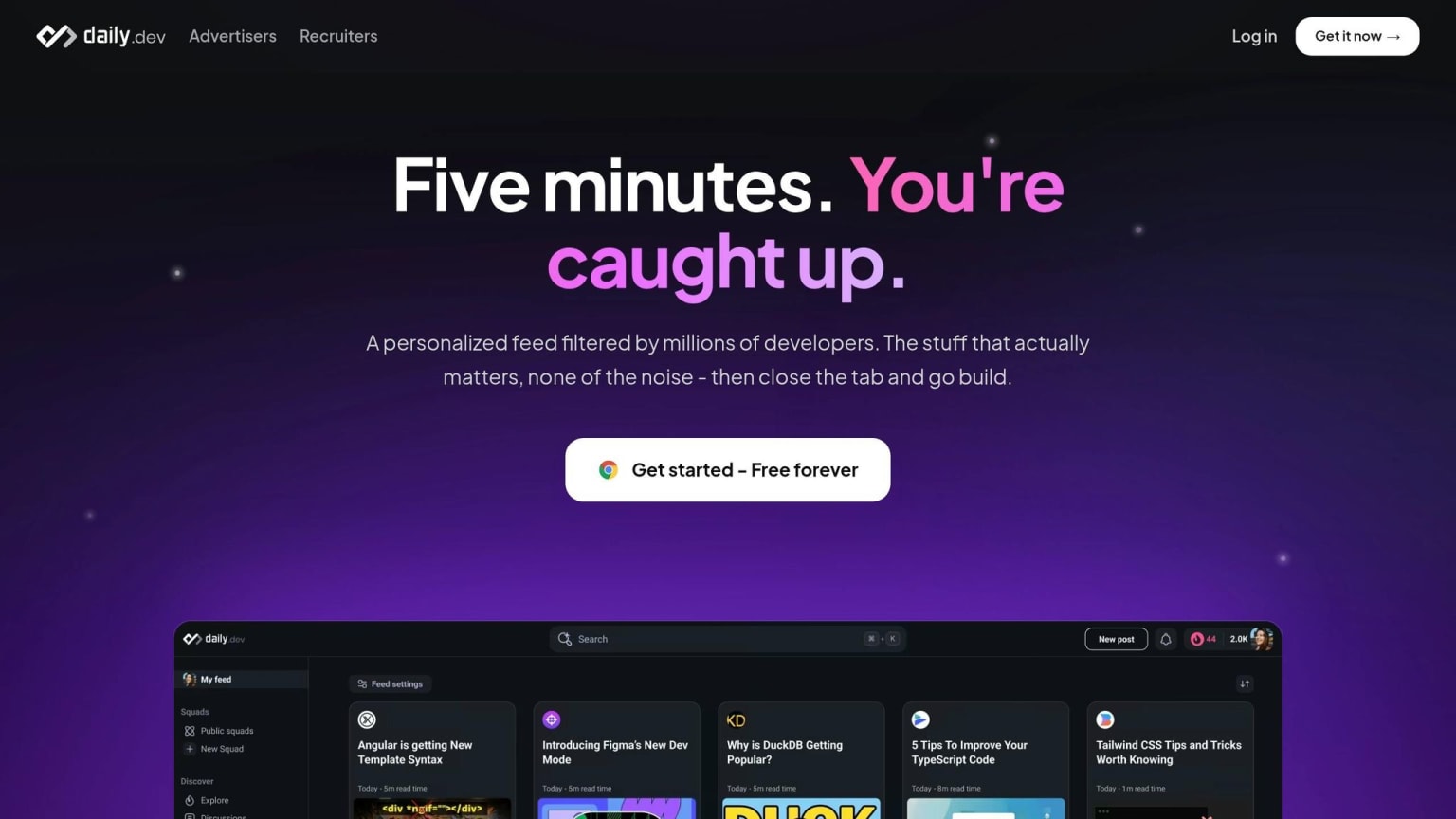
A lot of knowledge workers start the day by bouncing across multiple apps. That splits attention before deep work even starts. Moving between social feeds, newsletters, and RSS readers can look productive on the surface, but it often turns into endless scrolling that burns focus early.
A better way is to treat learning like infrastructure: set aside a focused 10–15 minute block each day and use one high-signal source instead of letting random links trickle in all day. daily.dev is built for that. Its personalized feed keeps what you read tied to the stack you use. The browser extension turns your new tab into a curated developer feed. daily.dev Plus adds a short AI digest and filters that cut clickbait and off-topic content .
| Information Strategy | Signal-to-Noise | Time Spent | Stress Impact | Learning Outcomes |
|---|---|---|---|---|
| Unfiltered social feeds | Low | High (prone to endless scroll) | High (FOMO, outrage) | Random, fragmented |
| daily.dev curated feed | High | Low (10–15 min) | Low (focused) | Structured, relevant |
The point is simple: protect learning time from noise.
With work and input both under control, the last step is making the routine sustainable.
Build a weekly system that keeps burnout in check
A realistic weekly setup for working developers
Take the tools above and turn them into a weekly rhythm that can survive a normal workload.
Protect your mornings for deep work. Put a hard cap on deep work: two 2-hour blocks per day. Add them to your calendar and treat them like any other meeting you wouldn’t skip. Push meetings into the afternoon when you can.
Batch communication into fixed windows. 10:00 AM, 1:00 PM, and 4:00 PM are a solid starting point . Outside those windows, keep Slack and email closed. Set a status like "Deep Work Mode: Back at 2 PM" so people know when you’ll reply. And if someone wants to interrupt, use an emergency-only rule: only production outages or security incidents count .
Wrap up the week with a 30–60 minute Friday review. Clear out email, Slack, and issue backlogs. Look over active projects. Then choose the three top priorities for the next week .
Once deep work and communication have clear limits, your info feed should work like a controlled input, not a slot machine. Use daily.dev for a short, scheduled scan. It should replace doomscrolling, not compete with your focus time.
Key takeaways
Use this cadence as your default week. Then change it only after you’ve followed it long enough to see what’s working.
This system rests on four simple ideas:
- Protect deep-work time and cut context switching. Block two 2-hour morning sessions before your day gets filled up, batch Slack and email into set windows, and keep interruption rules simple.
- Use a Friday review to reset. Clear email, Slack, and issue backlogs, review active projects, and pick three priorities for next week .
- Automate toil before it spills into evenings. Cut repetitive manual work so your focus time stays intact.
- Keep your information intake bounded. A short daily.dev scan replaces noisy link-chasing and keeps doomscrolling from eating into your day.
It doesn’t have to be perfect on day one. Start with one piece - a focus block, a notification profile, or your daily.dev scan - and stick with it for a week before you add another.
FAQs
How do I protect deep work if my team expects fast replies?
Protect deep work by setting clear boundaries instead of spending the day in reaction mode. Block 2 to 3 hours on your calendar for focused work, give that time a clear label, and let people know when you usually reply so slower responses feel normal for non-urgent messages.
Use status signals like Slack’s Do Not Disturb when you’re unavailable. AI morning briefings can also help you sort through your inbox and project tools before the day starts, which makes it easier to begin with a clear plan.
Which developer tasks should I automate first to reduce burnout?
Start with the repetitive, low-value work that eats up mental bandwidth: documentation, boilerplate code, and unit tests.
Then move to staging, setup, and releases with tools like GitHub Actions and pre-commit hooks. It also helps to automate time protection with AI schedulers and daily triage digests, which can cut down on reactive multitasking and mental fatigue.
How can daily.dev help me cut doomscrolling without missing useful updates?
daily.dev helps cut doomscrolling by pulling trusted sources into one personalized feed right in your new tab. So instead of jumping from site to site, you can do a focused 10–15 minute morning scan and move on with your day.
With daily.dev Plus, keyword filters cut out off-topic posts, and Clickbait Shield replaces misleading headlines with clearer ones. The result is simple: you stay informed without letting random content chip away at your deep-work time.