Learn essential strategies for distributed database disaster recovery, from creating a solid plan to leveraging emerging technologies.
Protect your distributed database from disasters with these key strategies:
- Create a solid recovery plan
- Use multiple protection layers (backups, high availability, hybrid solutions)
- Stay current with emerging tech (AI, blockchain, quantum computing)
- Test your plan regularly
- Follow industry regulations
Quick overview of essential concepts:
| Term | Definition |
|---|---|
| Disaster Recovery (DR) | Getting database systems back up after failures |
| Recovery Point Objective (RPO) | Acceptable data loss timeframe |
| Recovery Time Objective (RTO) | Maximum tolerable downtime |
| Failover | Automatic switch to backup systems |
| Data Replication | Creating data copies across multiple locations |
Remember: A well-tested recovery plan can save your business. Don't wait for disaster to strike - prepare now.
Related video from YouTube
2. What is Distributed Database Disaster Recovery?
Distributed Database Disaster Recovery (DDBDR) is your safety net for database systems. It's all about getting back on track when things go south.
In a distributed setup, your data's spread out. This brings perks:
- Faster performance
- Better availability
- More fault tolerance
But it also throws some curveballs for disaster recovery:
- Consistency Headaches
Keeping data in sync across nodes? Not a walk in the park.
- Network Nightmares
Delays or outages can throw a wrench in the works.
- Security Weak Spots
More places for data means more places for trouble.
- Backup Puzzles
Backing up scattered data isn't straightforward.
Why should you care? Check this out:
| Impact of Data Loss | Statistic |
|---|---|
| Businesses gone in 2 years after major data loss | 25% |
| Cost of downtime per hour | $100,000+ |
Ouch, right?
A solid DDBDR plan needs:
- Regular backups
- Offsite storage
- Database replication
- Clear disaster action steps
Two key goals to set:
- Recovery Time Objective (RTO): Your downtime limit
- Recovery Point Objective (RPO): Your data loss limit
In distributed systems, it's not just about backups. You've got to think about data movement, syncing, and partial system failures.
Real-world example? Facebook's 14-hour outage in March 2019. It showed how tricky recovery can be in big, distributed setups.
Bottom line: DDBDR is tough, but skipping it? That's playing with fire.
3. Spotting Risks and Weak Points
Distributed databases face several threats. Here's how to spot the main risks:
Hardware Problems
Server failures, storage malfunctions, and network breakdowns can cause major issues.
Spotting them: Set up monitoring systems. Watch for slow responses or frequent disconnects.
Cyber Attacks
Unauthorized access, data breaches, and DoS attacks are constant threats.
Spotting them: Use intrusion detection and audit logs. Look for weird login patterns or traffic spikes.
Natural Disasters
Floods, fires, and earthquakes can wreck your infrastructure.
Spotting them: You can't predict these. But you can prepare. Watch local forecasts and have a plan ready.
Data Sync Issues
Keeping data in sync is tough. Watch for inconsistent data, accidental deletions, and update conflicts.
Spotting them: Use checksums and integrity checks. Keep a close eye on sync processes.
Insider Threats
Sometimes the danger's inside. Think misuse of privileges, accidental exposure, or data theft.
Spotting them: Use RBAC and monitor user activities. Look for odd access patterns or big data transfers.
Real-World Weak Points
| Company | Incident | Impact | Lesson |
|---|---|---|---|
| 14-hour outage (2019) | $90M revenue loss | Need for redundancy | |
| GitLab | Accidental DB deletion (2017) | 6 hours of data loss | Multiple, tested backups crucial |
| Amazon S3 | 4-hour outage (2017) | $150M cost to S&P 500 | Avoid single points of failure |
Protecting Your Data
Backups: Use cloud backup for all databases.
Encryption: Implement TDE for data at rest.
Access Control: Use strict RBAC policies.
Monitoring: Set up continuous database activity tracking.
Updates: Keep systems patched and current.
Regular Checks Matter
Don't wait for disaster. Do weekly security scans, monthly hardware checks, and quarterly disaster recovery drills.
Stay vigilant. Spot weak points before they become big problems.
4. Ways to Recover from Disasters
When disaster hits, you need a solid plan. Here's how to bounce back from database disasters:
Backups: Your Safety Net
Backups are crucial. Do them right:
- Full backups monthly
- Incremental backups daily
- Store copies off-site
"Without point-in-time backups, organizations risk losing data due to human error, logical corruption and other failures." - Jeannie Liou, DevOps.com
High Availability: Keep Systems Up
High availability (HA) systems prevent downtime:
- Replicate data across servers
- Balance loads to avoid overloads
- Use automated failover
Point-in-Time Recovery: Rewind Time
Restore your database to a specific moment:
- Use journal archiving
- Set a lag limit based on your RPO
- Balance data loss risk and performance
Geo-Redundancy: Spread Your Risk
Put your data in different places:
- Use data centers in various areas
- Cut the risk of single point failure
- Keep data access if one site fails
Mix Methods for Best Protection
Combine approaches for top-notch security:
| Method | When | Why |
|---|---|---|
| Full backups | Monthly | Complete snapshot |
| Incremental backups | Daily | Recent changes |
| High availability | Always | Prevent downtime |
| Point-in-time recovery | As needed | Specific moment restore |
| Geo-redundancy | Ongoing | Regional disaster protection |
Test Your Plan
Don't wait for real trouble:
- Run recovery drills regularly
- Update your plan after tests
- Train your team on recovery steps
5. Creating a Full Recovery Plan
To build a solid disaster recovery plan for your distributed database, you need clear goals, a team, and step-by-step procedures. Here's how:
Set Recovery Goals
Define your Recovery Time Objective (RTO) and Recovery Point Objective (RPO):
- RTO: Maximum acceptable downtime
- RPO: Maximum acceptable data loss
For example:
| Objective | Mission-Critical | Less Critical |
|---|---|---|
| RTO | Near zero | 4 hours |
| RPO | Near zero | 4 hours |
Pick goals that match your business needs and budget.
Form Your Recovery Team
Build a team with clear roles:
- Team Leader: Oversees recovery
- IT Specialists: Handle technical tasks
- Communications Coordinator: Keeps everyone in the loop
- Business Unit Reps: Provide business input
Make sure everyone knows their job inside and out.
Write Step-by-Step Procedures
Create a clear guide:
- Assess damage
- Start recovery
- Test restored systems
- Return to normal operations
Be specific. Don't just say "restore from backup." Instead:
- Log into backup system
- Select latest pre-failure backup
- Start restore
- Monitor progress and log errors
Document Everything
Write your plan in plain English. Include:
- Team contacts
- Recovery steps
- System details
- Vendor info
Store a copy off-site or in the cloud.
Test and Update
Don't wait for disaster to strike:
- Run partial tests twice yearly
- Do a full recovery simulation annually
- Update your plan after each test
Your plan is only as good as your last test. Keep it fresh and ready.
6. Using Good Recovery Practices
Keeping your distributed database safe and ready for quick recovery is crucial. Here's how to do it:
Test Your Recovery Plan Often
Don't wait for a disaster. Run tests regularly:
- Partial tests twice a year
- Full recovery simulation once a year
Update your plan after each test. It keeps things fresh and effective.
Automate Your Recovery Process
Manual recovery? Slow and mistake-prone. Automation is faster and more accurate. Here's the deal:
- Use built-in tools
Many databases have automation features. AWS Backup, for example, works with various database types.
- Create custom scripts
Write scripts for specific tasks like:
- Checking system health
- Starting failover processes
- Restoring from backups
- Set up monitoring and alerts
Use tools to watch your system and kick off recovery automatically when needed.
Keep Data Consistent Across Nodes
In a distributed database, data consistency is key. Here's how:
- Use
ADMIN CHECKto verify consistency - Watch for network delays
- Set up alerts for potential issues
Protect Your Data
During recovery, your data's at risk. Use these measures:
- Encrypt all backups
- Control access to recovery systems
- Log all recovery actions
Use Point-in-Time Recovery
This lets you restore to a specific moment. Useful for fixing bad updates or data corruption. Here's how:
- Set up regular snapshots
- Keep transaction logs between snapshots
- When recovering, apply logs up to the chosen time
Monitor and Improve
Always look to make your recovery process better:
- Track recovery time and data loss
- Review and update your plan after incidents
- Stay informed about new recovery tools and methods
7. Tools for Distributed Database Recovery
Picking the right tools can make or break your distributed database recovery. Let's dive into some options.
Open-Source vs. Proprietary
Open-source tools give you freedom. You can restore data to any hardware. Proprietary software? Not so much.
"Most proprietary backup solutions only restore information to the same type of hardware and operating system on which the original data resided."
This can be a real pain, especially for long-term storage and recovery.
Popular Recovery Tools
Here's a quick look at some top tools:
| Tool | Key Features | Pros | Cons | Price |
|---|---|---|---|---|
| DataNumen SQL Recovery | Comprehensive, handles big databases | High recovery rate, easy to use | Pricey for small businesses | High |
| Cigati SQL Recovery Tool | Advanced scanning, recovers deleted items | Good value, user-friendly | SQL databases only | Moderate |
| DBR for Oracle | Oracle specialist, advanced algorithms | Focused solution | Oracle databases only | High |
| Disk Drill | Supports 400+ file types, various storage devices | Versatile, easy to use | No bootable disks | $89 (PRO) |
| R-Studio | Supports many file systems, cross-platform | Powerful | Steep learning curve | $79.99 - $899 |
Enterprise-Grade Solutions
Big organizations need big solutions:
Top dog with 19.03% market share and 13,503 customers.
Popular for virtualization users, holding 13.88% market share.
Serves 4,619 customers with comprehensive data management.
Distributed Database Specialists
Some tools are built just for distributed databases:
- LINBIT DR: Async data replication between sites, customizable RPO and RTO.
- MongoDB Atlas backup: Non-stop backups and point-in-time recovery for MongoDB.
- Percona Backup for MongoDB: Consistent backups for MongoDB clusters, various backup types.
When choosing, think about ease of use, performance, compatibility, and cost. And don't forget to test your solution regularly!
8. Checking and Updating Recovery Systems
Regular checks and updates keep your distributed database disaster recovery plan sharp. Here's how to do it right:
Set a Schedule
Update frequency depends on your setup:
- Small companies: Yearly
- Large firms with complex IT: Quarterly
Don't just stick to a calendar. Update after big events like cyber attacks, natural disasters, or power outages.
Test, Test, Test
Run drills to spot weak points and build confidence:
- Plan your drill
Pick a scenario and set clear goals.
- Run the drill
Get your team to follow the recovery steps.
- Review the results
What worked? What didn't?
- Update the plan
Fix any issues you found.
Tim Sheehan, VP at Axcient, says:
"The best disaster recovery plans become living documents that are everchanging with the rapid pace of technology. As businesses purchase new software and dump old ones, it's extremely important that these changes are reflected in their DR plan."
Keep Your Docs Fresh
Your recovery plan is only as good as its documentation:
- Update contact lists regularly
- Review and update procedures
- Make sure all info is easy to understand
Monitor Your Backups
Backups are your recovery backbone:
- Test backup integrity regularly
- Use automated tools to track performance
- Check restore times to meet your RTOs
Measure and Improve
Track key metrics:
| Metric | What it Means | Why it Matters |
|---|---|---|
| Recovery Point Objective (RPO) | Max data loss you can handle | Sets backup frequency |
| Recovery Time Objective (RTO) | How fast you need to recover | Guides recovery strategy |
| Backup Success Rate | % of problem-free backups | Shows system reliability |
| Recovery Accuracy | Restored vs. original data match | Ensures data integrity |
Use these numbers to fine-tune your plan over time.
Stay Current with Tech Changes
As your database setup evolves, so should your recovery plan:
- Watch for new features in your database software
- Update when adding new data types or sources
- Review when scaling up your system
9. Dealing with Specific Disasters
Distributed database disaster recovery isn't one-size-fits-all. Let's break down common disasters and how to tackle them:
Network Failures
When network issues hit, do this:
- Restart affected processes
- Use fresh data sets
- Turn on network partition detection
With enable-network-partition-detection set to true, the chunk with over 51% member weight keeps running. The rest? It shuts down.
Data Corruption
Data corruption's a sneaky beast. It happens more than you'd think:
Greenplum found corruption every 15 minutes in big data warehouses. CERN's 97 petabyte test? 128 megabytes of long-term corruption.
Your battle plan:
- Daily backups
- Data scrubbing
- Regular hardware checks
Cyber Attacks
Ransomware can knock you out. One manufacturing company took TWO MONTHS to recover.
To fight back:
- Keep air-gapped backups
- Have a quick restore plan
- Use cloud virtual servers for fast recovery
Natural Disasters
Mother Nature can wipe out data centers. Be ready:
- Keep offsite data copies
- Plan for quick infrastructure setup
- Use multiple time-stamped backups
DDoS Attacks
DDoS can flood your network. Your move:
- Have backup data ready
- Use cloud virtual servers to get back online fast
Data Sabotage
Sometimes the call is coming from inside the house. Angry employees can wreak havoc.
Your defense:
- Multiple time-stamped backups
- Be ready to roll back to a safe version
Here's the kicker: Downtime costs about $9,000 per minute. A solid plan for each disaster type? That's money in the bank.
| Disaster | Recovery Steps |
|---|---|
| Network Failure | Restart, use fresh data |
| Data Corruption | Daily backups, scrubbing |
| Cyber Attacks | Air-gapped backups, fast restore |
| Natural Disasters | Offsite copies, quick setup |
| DDoS | Backup data, cloud servers |
| Sabotage | Multiple backups, safe rollback |
10. Following Laws and Rules
Data laws aren't just red tape. They're crucial for distributed database disaster recovery. Let's dive in.
GDPR: The Big One
GDPR is the 800-pound gorilla of data laws. It covers EU citizens' data, no matter where you're based.
Key GDPR points:
- Users can request their data anytime
- 72-hour window to report breaches
- Fines up to €20 million or 4% of global turnover
To stay GDPR-compliant:
- Encrypt database connections with SSL
- Use geo-partitioning for EU data
- Have a solid data deletion plan
HIPAA: Healthcare's Data Guardian
HIPAA is the healthcare data sheriff. It's all about patient data safety.
HIPAA essentials:
- Solid disaster recovery plan
- Regular backups
- Staff training on data handling
Audit Requirements: Prove It
Following rules isn't enough. You need to prove it.
| Audit Type | What to Do | Why It Matters |
|---|---|---|
| Data Flow | Map data routes | Shows data control |
| Risk Assessment | Find weak spots | Prevents breaches |
| Recovery Tests | Practice your plan | Proves resilience |
Real-World Impact
British Airways learned the hard way in 2018. A £183 million fine for a data breach due to poor security.
Avoid their fate:
- Keep multiple backups
- Test your recovery plan regularly
- Document everything
Remember: Laws and rules aren't just about compliance. They're about protecting your users and your business.
11. Real Examples of Recovery Plans
Let's dive into some real-world cases of distributed database disaster recovery. These examples show how companies dealt with major incidents and what we can learn from them.
CrowdStrike and Microsoft: The Ripple Effect
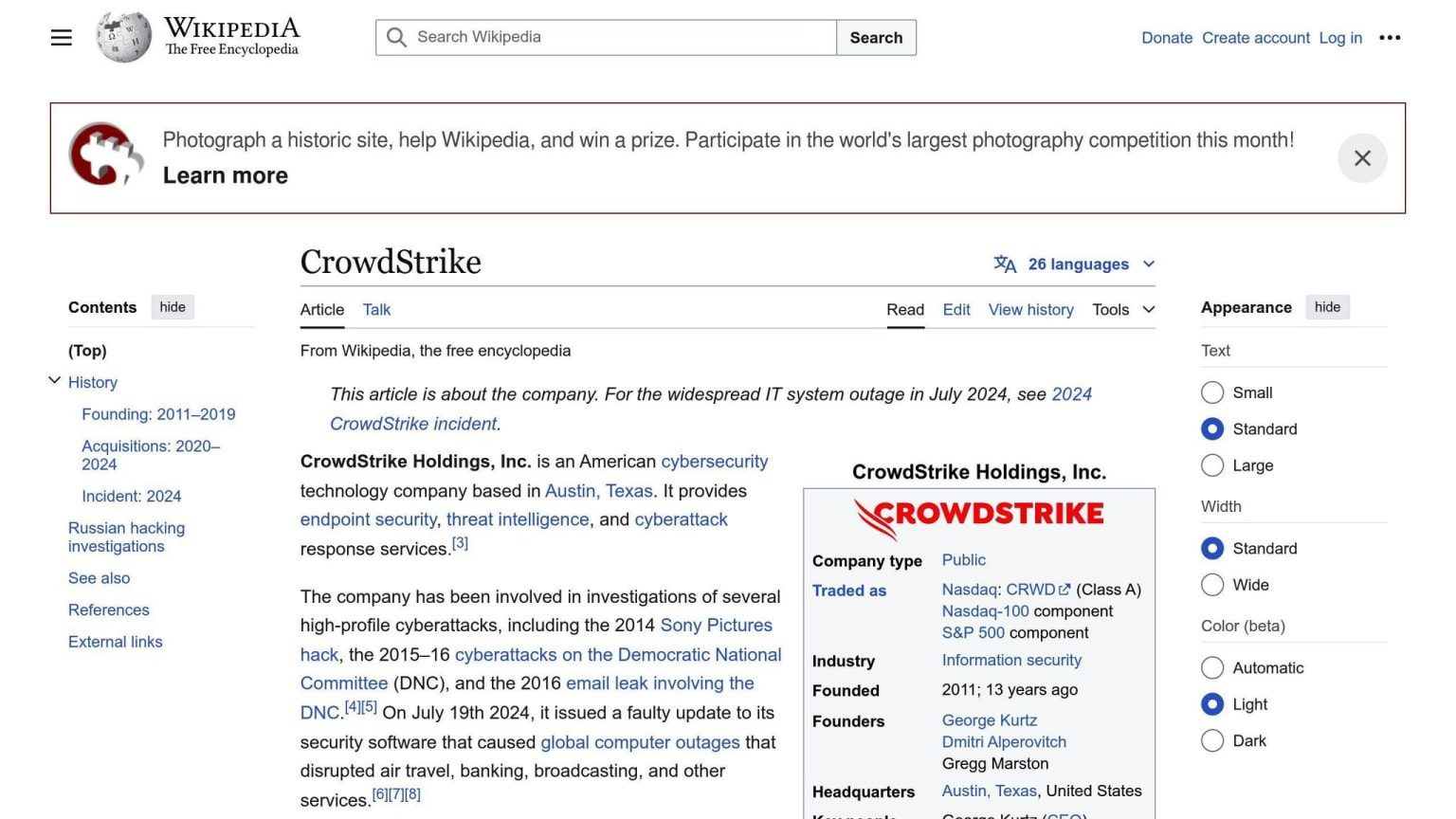
In 2023, a single internal failure at CrowdStrike caused chaos across various sectors:
- Grounded flights
- Paralyzed hospital systems
- Stalled retail operations
This incident showed just how interconnected and vulnerable our digital systems are. Elizabeth S., a Cybersecurity and AI Specialist, put it this way:
"It's not just the FAA or hospitals; daily life was impacted. This shows how interconnected and vulnerable our systems are."
The takeaway? Invest in people, processes, and tools to stop cascading failures in interconnected systems.
Cloud Disasters: A Mixed Bag
Several companies faced major cloud-related disasters. Here's a quick look:
| Company | Year | Incident | Outcome |
|---|---|---|---|
| Carbonite | 2009 | Lost backup data of thousands of customers | Blamed storage vendor |
| Code Spaces | 2014 | Hacker deleted all customer data and backups | Company closed down |
| Dedoose | 2014 | Service failure led to over a month's data loss | Infrequent backups to blame |
| KPMG | 2020 | Admin error deleted chat data for 145,000+ employees | Permanent data loss |
| Musey/Moss | 2019 | Accidentally deleted entire Google account | Lost $1M+ worth of data |
| OVH | 2021 | Fire destroyed servers and backups | Customer data loss |
| Rackspace | 2022 | Ransomware attack | Long recovery despite backups |
| Salesforce | 2019 | Faulty script caused permissions issue | Highlighted need for independent backups |
| StorageCraft | 2014 | Lost customer backup metadata during migration | Backups became unusable |
| UniSuper | 2024 | Google deleted entire cloud environment | Recovered within a week using third-party backups |
The key takeaway? Only UniSuper came out relatively unscathed, thanks to tested third-party backups of their cloud data.
Manufacturing Company: Ransomware Recovery
A midsize manufacturing company got hit by ransomware that compromised its ERP database. The impact? Brutal:
- Operations nearly stopped
- Recovery took two months
- Estimated cost: $200,000 (based on Hiscox data)
This case shows why you need solid disaster recovery plans, especially for critical systems like ERP databases.
DDoS Attack: Network Overload
Hackers launched a Distributed-Denial-of-Service (DDoS) attack on a business, overwhelming its network:
- Database connections became inaccessible
- Recovery focused on restoring data availability during the attack
- Quick access to backup data was crucial
The lesson? Have a plan to make backup data available fast during ongoing attacks.
Data Center Destruction: Physical Disaster
When disaster struck part of a data center:
- Servers and disks were lost
- Recovery required offsite data copies
- Strategy involved quickly restoring backup data to new infrastructure
The takeaway? Store backups in different locations to protect against localized disasters.
These real-world examples show why you need:
- Regular, tested backups
- Geographically distributed data storage
- Quick recovery processes
- Protection against various threat types (cyber, physical, human error)
12. What's Next for Distributed Database Recovery
The future of distributed database recovery is changing fast. Here's what's coming:
AI-Driven Recovery Systems
AI is shaking things up:
- It spots problems before they happen
- It decides what data to fix first
- It fights threats on its own
Cloud-Native and Hybrid Solutions
Cloud recovery is taking off:
- It grows with your needs
- It's cheaper for small businesses
- Many use both cloud and on-site recovery
Blockchain for Secure Backups
Blockchain is joining the backup game:
- It makes backups hard to mess with
- It spreads backups across many computers
- It tracks every change to your data
Quantum Computing on the Horizon
Quantum computing might change everything:
- It could solve recovery problems super fast
- It might make unbreakable encryption (and break current ones)
What You Should Do
Get AI recovery tools
Use more than one cloud
Try blockchain backups for important stuff
Watch quantum computing news
Test your recovery plans more often
The world of database recovery is changing. Stay sharp and you'll be ready for whatever comes next.
13. Wrap-up
Distributed database disaster recovery isn't optional - it's crucial for data-driven businesses. Here's what you need to know:
- Plan and Prepare
Create a solid disaster recovery plan that covers:
- Risk identification
- Recovery strategies
- Team responsibilities
- Tool selection
- Testing schedules
- Use Multiple Protection Layers
Don't rely on a single solution. Combine:
- Regular backups
- High availability setups
- Hybrid cloud and on-premises solutions
- Stay Current
Keep an eye on emerging tech:
- AI-powered recovery systems
- Blockchain for secure backups
- Quantum computing advancements
- Test Regularly
Your plan is only as good as its execution. Frequent testing reveals weaknesses.
- Follow Regulations
Ensure your recovery plans meet industry-specific legal requirements.
A solid recovery plan can save your business. As Byron Horn-Botha from Arcserve Southern Africa says:
"A well-devised and continuously tested data resilience strategy can mean the difference between staying in business and having no business."
Keep your plan updated, test it often, and train your team. Your data's survival depends on it.
14. Key Terms Explained
Let's break down the essential concepts you need to know about distributed database disaster recovery:
Disaster Recovery (DR) It's how we get database systems back up and running after something goes wrong. Think of it as your database's emergency plan.
Recovery Point Objective (RPO) This is about data loss. An RPO of 1 hour? You're okay with losing up to an hour's worth of data. It's all about what you can live with.
Recovery Time Objective (RTO) How long can you be offline? If your RTO is 4 hours, you're aiming to be back in business within 4 hours of a disaster.
Failover When things go south, failover kicks in. It's like having a backup generator for your database.
Data Replication This is about having copies of your data. There are two main flavors:
| Type | What it does | Best for |
|---|---|---|
| Synchronous | Instant copies everywhere | When you can't afford to lose a single transaction |
| Asynchronous | Copies with a slight delay | When you need speed more than perfect sync |
Distributed Database Your data lives in multiple places. It can be:
- Homogeneous: Same setup everywhere
- Heterogeneous: Different setups in different places
Disaster Recovery as a Service (DRaaS) It's like hiring a professional disaster recovery team in the cloud.
High Availability This is about keeping your systems running, no matter what. It's the "always-on" approach.
Continuous Data Protection (CDP) Imagine taking a snapshot of your data every second. That's CDP in a nutshell.
These terms are your toolkit for building a solid disaster recovery plan. Know them, use them, and keep your distributed databases safe.