Human-curated lists cut search noise — use curated indexes as a high-signal layer to find and vet developer tools.
If I want to find developer tools without digging through weak search results, I start with awesome lists. They give me a human-picked starting point, and that cuts down noise fast.
Here’s the short version:
- GitHub Topics showed 9,259 repos tagged
awesome-listin April 2026 sindresorhus/awesomepoints to about 700 lists and had about 497,000 stars- A list is more useful when it has:
- a recent last commit
- active pull request review
- short notes that explain each tool
- clear contribution rules for open source projects
- I use
sindresorhus/awesomefor broad discovery - I use
dailydotdev/awesome-developer-essentialsfor a shorter, day-to-day tool shortlist - I do not stop at the list; I still check the tool repo, issues, docs, and recent activity
In plain terms: awesome lists are a high-signal filter, not the final pick. They work best when I start with one problem, scan a list by category, compare tools across more than one list, and then verify the tool itself.
Quick Comparison
| Repository | Best for | What I use it for | Main limit |
|---|---|---|---|
sindresorhus/awesome |
Broad discovery | Finding the right topic list first | Too broad to pick a tool on its own |
dailydotdev/awesome-developer-essentials |
Daily workflow tools | Getting a tighter shortlist fast | Less depth across niche topics |
My rule: if a list looks old, has many ignored PRs, or gives only bare links, I treat it as low-confidence. If the same tool appears on several separate lists, that’s a stronger sign it deserves a closer look.
That’s the frame I’d use before reading the rest of the article.
How the awesome lists ecosystem works
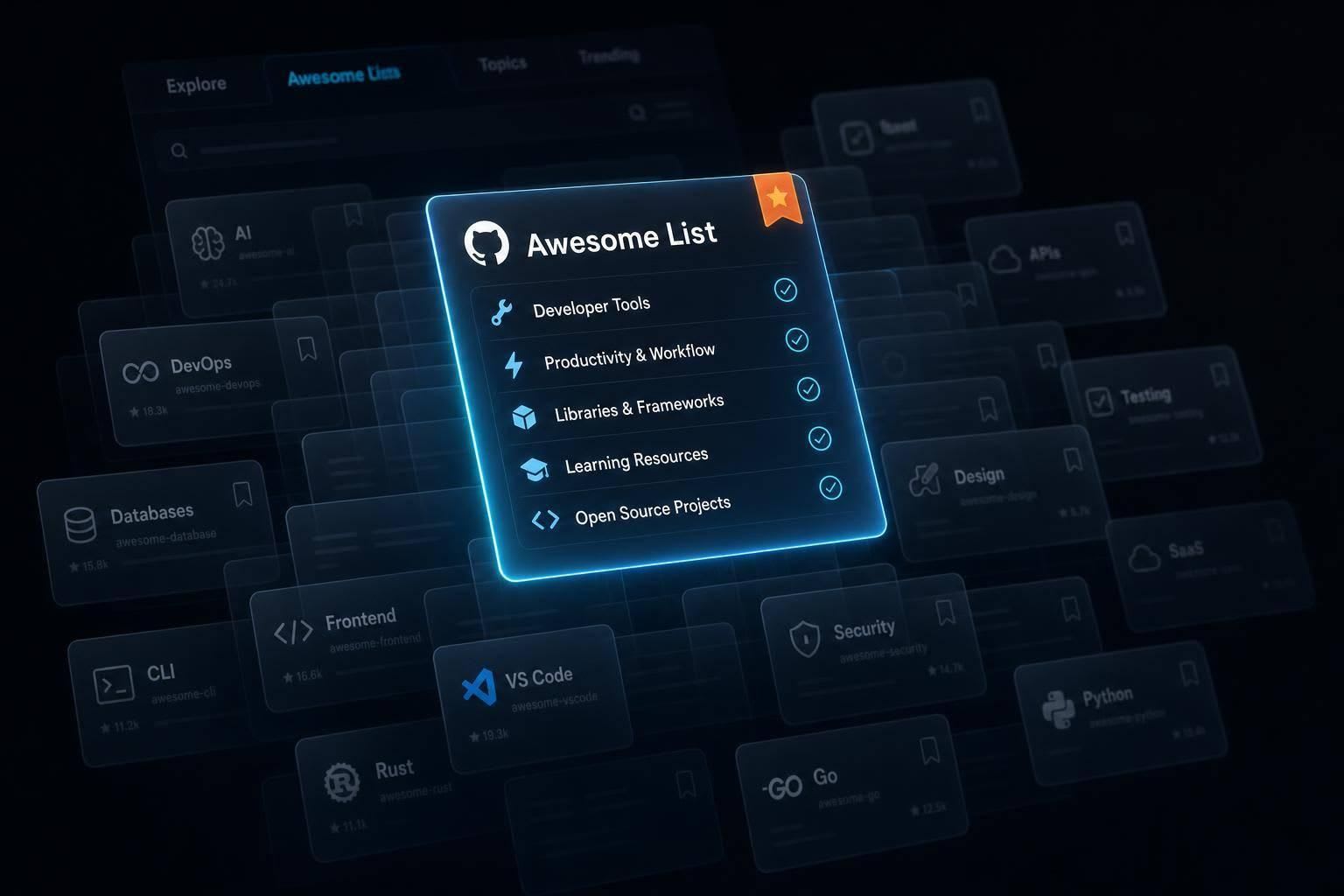
Awesome lists are GitHub repositories where practitioners collect tools, libraries, frameworks, and resources around a topic. They’re curated picks, not giant dumps of links. That’s the key difference. Unlike package registries or plain search results, awesome lists are chosen by people. An awesome list reflects shared judgment, and while the setup is simple, the ecosystem around it has more going on than it first seems.
Most follow a plain format: a README split into categories, with each entry paired with a short description. That short description does a lot of work. It tells you why the entry matters, not just that it exists.
People suggest additions, removals, or fixes through standard GitHub PRs, and maintainers review them. So the list keeps changing through PRs instead of sitting still. That same review process is also why the root index works so well as a starting point.
Why sindresorhus/awesome became the default starting point
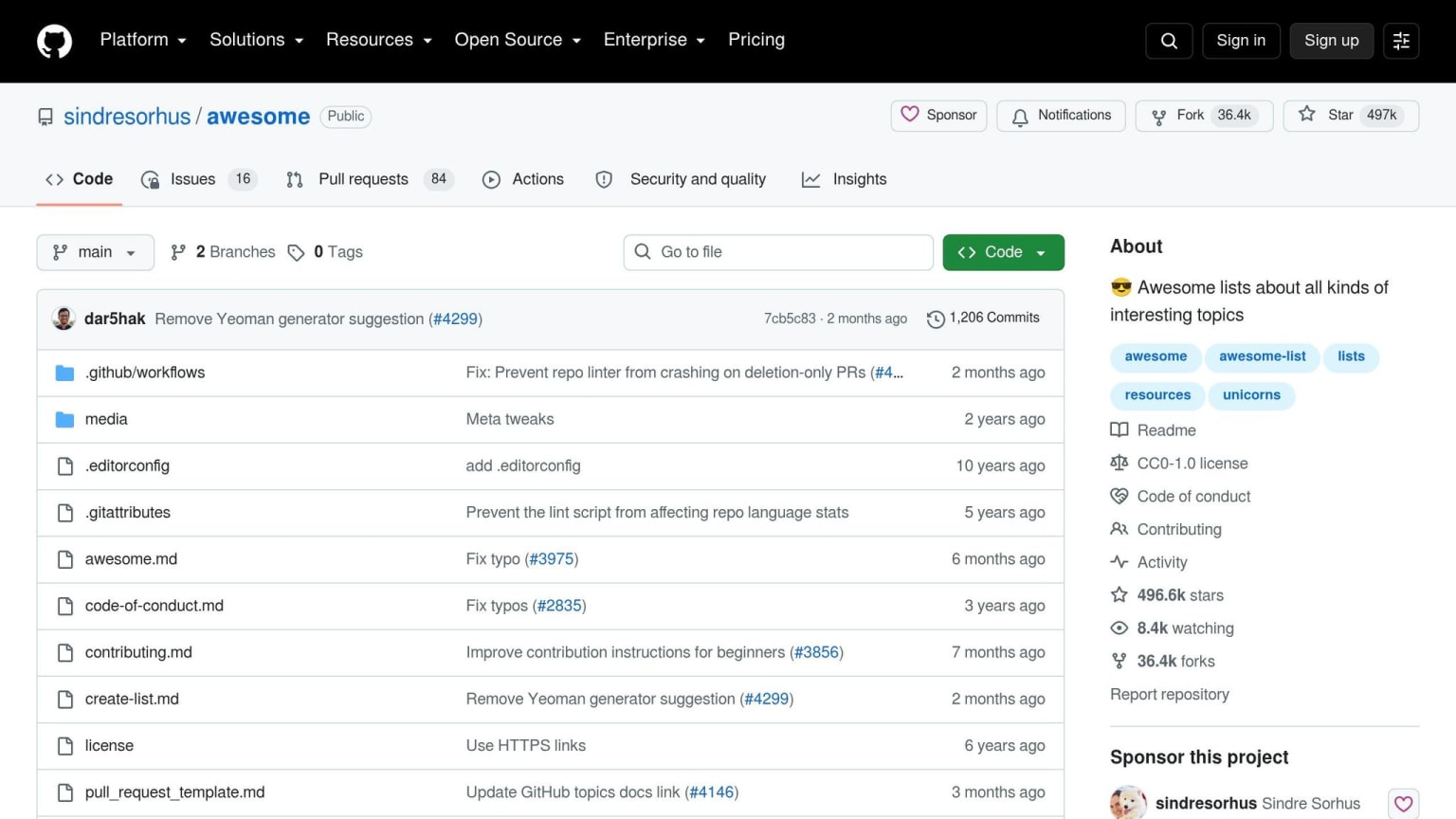
sindresorhus/awesome is not a list of tools itself. It’s a meta-index: a curated directory of other awesome lists. As of mid-2026, it indexes about 700 lists across categories like programming languages, security, databases, AI, and more . It also has about 497,000 GitHub stars .
Its status comes from its curation rules. The Awesome Manifesto sets a clear standard: recommend only strong resources, write clear and honest descriptions, keep formatting consistent, and include a contribution guide . Getting a list into the index is not automatic, either. A submitted list must have existed for at least 30 days, and the submitter must review at least four open pull requests . That peer-review rule helps the ecosystem stay in good shape because contributors also have to help with maintenance.
That mindset - quality over quantity, and leaving shaky entries out - gives the root index its signal. It isn’t trying to list everything. It’s trying to be a source people can rely on. For readers, that makes sindresorhus/awesome most useful as a bridge: it gets you from a broad topic to a narrower, tool-specific list faster than a search engine usually will.
What awesome lists do well and where they fall short
Awesome lists have clear strengths. A well-kept list gives you topic focus, community review, and updates through commits and PRs. Lists like awesome-selfhosted and awesome-docker show how active projects can become go-to references in their areas.
But there are limits too. Maintenance is uneven across the ecosystem. Some niche lists have fewer contributors, so updates can come more slowly. And the root index does not track how current the lists are after linking to them. It only checks that they met the bar when they were added.
Star count by itself won’t tell you if a list is current. Before you trust a list’s picks, check the date of the last commit and the number of active contributors . Those are better signals for freshness than stars, and they’re the fastest way to figure out which lists are worth a closer look.
How to find high-quality awesome lists for developer tools
Where to start: trusted entry points and topic-based search
A fast place to begin is sindresorhus/awesome, which you can open with the shortcut awesome.re. From there, go straight into its categories - Programming Languages, Security, Databases - and pick the list that fits your topic.
If the main index doesn't cover what you need, head to GitHub's awesome-list topic page at github.com/topics/awesome-list. It currently indexes 9,259 repositories . Sort by stars first. That helps you spot established lists without digging through a pile of random results.
For narrower topics, search GitHub directly with terms like awesome devtools or awesome [language]. This is a good way to find newer or niche lists that haven't made it into the root index yet . The big win here is simple: you're still starting from curated sources instead of getting buried in search junk. Once you find a list that looks promising, do a quick quality pass before you spend time reading it.
Simple quality checks before you trust a list
Stars are a rough signal. They help, but they don't tell you if anyone still looks after the list.
Start with freshness. Check the date of the last commit. If a list hasn't had a commit in six months, treat it as stale . Then click into the Pull Requests tab. If you see hundreds of open PRs sitting there for years with no reply, that's a bad sign. It usually means the maintainer has moved on .
Then scan the list itself. Good entries should include a short note about why the tool matters, not just a bare link. Lists that pass awesome-lint and include a CONTRIBUTING.md file show that the maintainer cares about keeping standards in place . A smaller niche list can still be far better than a giant popular one. In practice, signs of care matter more than star totals.
Comparison table: tool-focused lists worth opening first
For a quick scan, these are the first lists worth opening.
| Repository | Focus | Notable Strength | Likely Caveat |
|---|---|---|---|
sindresorhus/awesome |
Meta-index of curated lists | Fast path to narrower, curated lists | Broad by design, so you still need a narrower list for a specific problem |
awesome-selfhosted |
Self-hosted software and network services | Best for homelabs and independent infrastructure | Focused on self-hosting, not every developer tool |
awesome-docker |
Container tools, images, and CI/CD | Best for container-heavy workflows | Narrower scope than a general developer-tools list |
awesome-python |
Python frameworks, libraries, and tools | Useful when you need Python-specific tools | Python-specific, so it won't help much outside that ecosystem |
Open the list that best matches your use case first. Then check any promising tool against a second list before you add it to your shortlist. That extra pass can save you from chasing tools that look good at first glance but don't hold up.
How to turn awesome lists into a repeatable tool discovery workflow
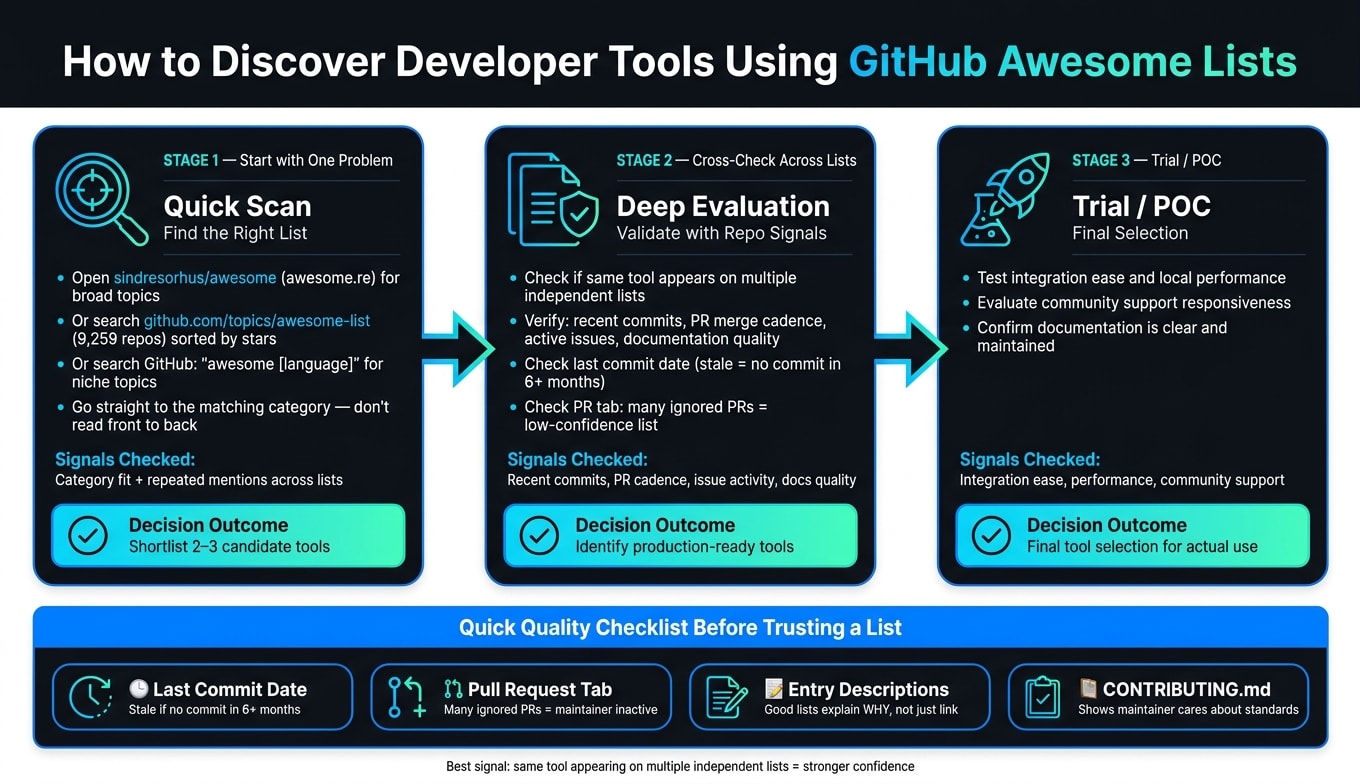
Start from one concrete problem, not curiosity
Once you find a current list, use it to cut down the options fast. Start with one clear need, then go straight to the matching category. Treat the README like a directory, not a document you need to read front to back.
That simple shift keeps the list tied to an actual decision instead of turning it into a casual browsing session.
Cross-check across lists and verify the tool itself
Next, check your candidates against related lists. If the same tool shows up more than once, that’s a stronger sign than a single mention. Repeated mentions across separate lists act like a second opinion.
Then look at the project itself. Check for recent commits, active PR merges, responsive issues, and clear documentation. Pay attention to issue discussions and steady maintenance, not just star count. Once your shortlist is down to a few options, use the tool’s own repo and docs to decide if it’s worth testing.
Comparison table: quick scan versus deep evaluation
The flow is simple: list signal → repo signal → trial. Use the quick scan to build a shortlist, then validate that shortlist in the tool’s repo.
| Stage | Signals Checked | Decision Outcome |
|---|---|---|
| Quick Scan | Category fit and repeated mentions across lists | Shortlist 2–3 candidate tools |
| Deep Evaluation | Recent commits, PR merge cadence, active issue discussion, documentation quality | Identify which tools are production-ready |
| Trial / POC | Integration ease, local performance, community support responsiveness | Final selection for actual use |
For a fast decision, move from list-level signals to repo-level proof.
Spotlight: sindresorhus/awesome and dailydotdev/awesome-developer-essentials
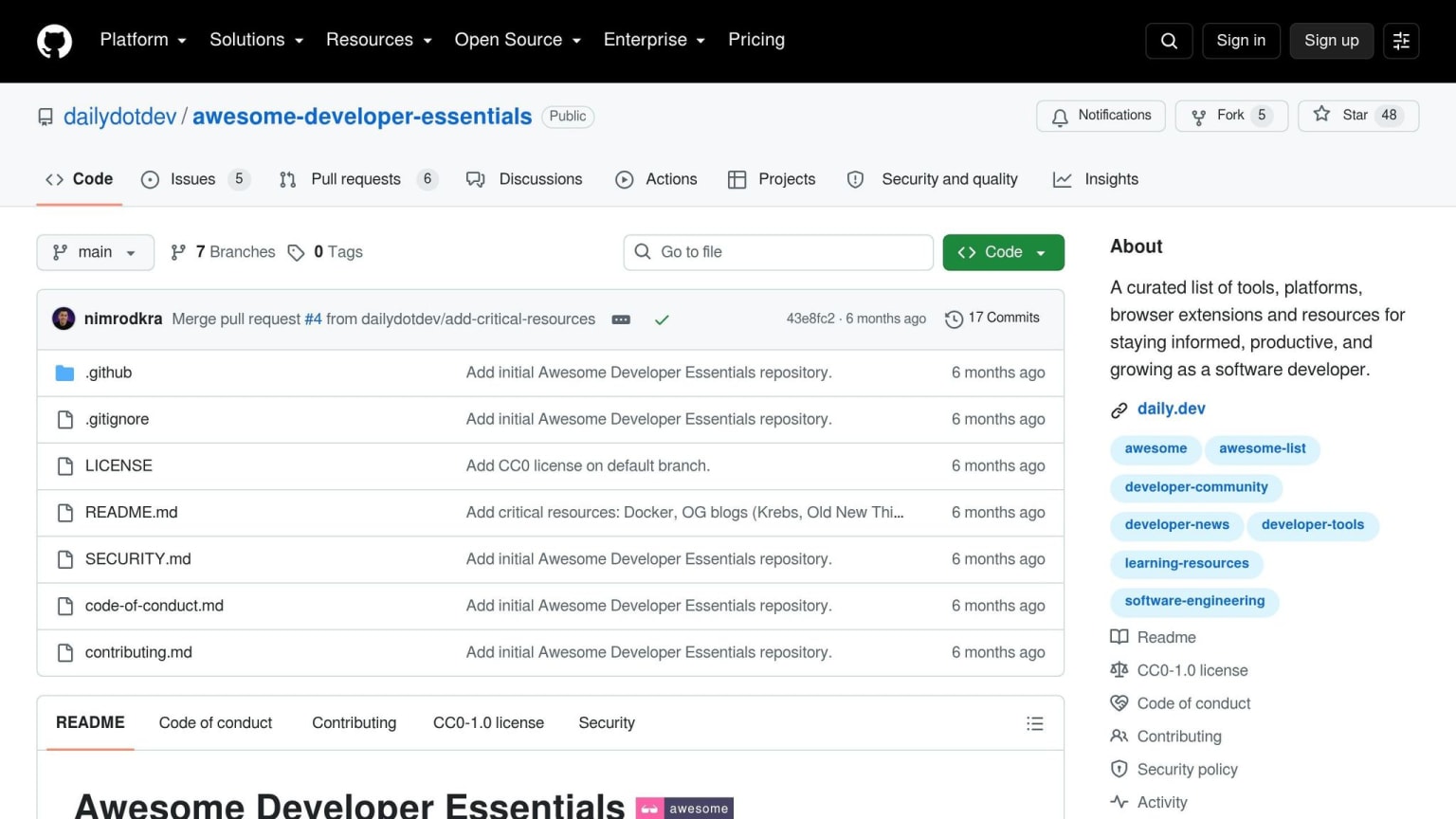
When to use sindresorhus/awesome versus dailydotdev/awesome-developer-essentials
These two repositories do different jobs.
Use sindresorhus/awesome when you're starting with a new topic and need help finding the right list. It's the better pick for broad discovery. You open it when you need a path into a niche area and want to see the map before choosing a direction.
Use dailydotdev/awesome-developer-essentials when you already know the area and want a shorter, practical shortlist for common developer tasks. Instead of digging through a huge index, you get a tighter set of options with less noise. That makes the first click faster: broad discovery on one side, focused filtering on the other.
"Awesome lists are curations of the best, not everything." - Sindre Sorhus, Open Source Maintainer
How the daily.dev ecosystem helps you go from discovery to staying current
A GitHub list is a snapshot in time. It's useful for building your first shortlist, but it doesn't keep up with every new article, launch, or debate around those tools.
That's where daily.dev comes in. After you've used a list to narrow your options, daily.dev can keep surfacing articles and discussions tied to those tools as new content shows up. So instead of running the same searches across developer engines again and again, you can keep the topic in view as new coverage appears.
Comparison table: broad index versus focused essentials list
Here's the fastest way to choose between them.
| Feature | sindresorhus/awesome | dailydotdev/awesome-developer-essentials |
|---|---|---|
| Scope | Index of lists across many domains | Focused essentials list for everyday workflows |
| Category Depth | Deep coverage across many topics | Targeted at core developer productivity |
| Best Use Case | Entering an unfamiliar domain or doing deep research | Finding trusted tools for a standard developer workflow |
Use one to discover and the other to stay current. From here, verify the tool itself before you adopt it. If you find a project you love, you might even consider contributing to open source to help maintain the ecosystem.
Conclusion: Use awesome lists as a high-signal layer, not the final decision
Once you've narrowed your options, use awesome lists as a high-signal check - not the final answer.
They pack a lot of shared judgment into a human-filtered directory that other discovery paths often miss. That makes them a strong starting layer, not a final verdict.
If a list shows weak recent activity, treat it as a lower-confidence source.
The best signal is repetition across independent lists. If the same tool shows up on several separate lists, that's a stronger sign it's worth a closer look. Even then, check the tool's own repository before you adopt it. Look at recent activity, open issues, and the quality of the docs.
For the broad-to-focused path covered above, these are the two entry points that matter most:
sindresorhus/awesomefor broad discoverydailydotdev/awesome-developer-essentialsfor a tighter shortlist
Discovery doesn't stop after one pass. Keep the tools you found in your daily.dev feed as they change.
FAQs
How often should I re-check an awesome list?
Check an awesome list again based on how often it gets updates. If people are still adding to it, go back often, even weekly.
If it hasn’t seen recent contributions, use it as a starting point only. Then verify each tool on its own before you rely on it. The awesome-lists root doesn’t show how up to date a list is, and some linked lists can get stale.
In indexed catalogs, sort or search by recency or activity.
What makes repeated mentions across lists trustworthy?
When the same tool shows up on multiple hand-picked lists, that’s a strong sign it matters. Independent sources don’t usually agree by accident. If several of them point to the same resource, it suggests the tool has earned trust in its space and helps you filter out the noise, like sponsored picks or projects that have been left behind.
That said, repeat mentions tell you more about past relevance than current upkeep. A project can be well known and still sit untouched for months. Before you rely on it, check whether the destination repository is still active and up to date.
Can awesome lists help with niche tools?
Yes. Awesome lists are especially useful when you’re trying to find niche tools, because they’re usually put together by people who actually use those tools, not by a generic search engine. That matters. It means these lists often point you to specialized projects that are easy to miss otherwise.
To find them, search GitHub for "awesome [tool]" or browse Topics for the tech you care about. And it’s not just the big, broad categories either. There are awesome lists for plenty of niche subjects too.