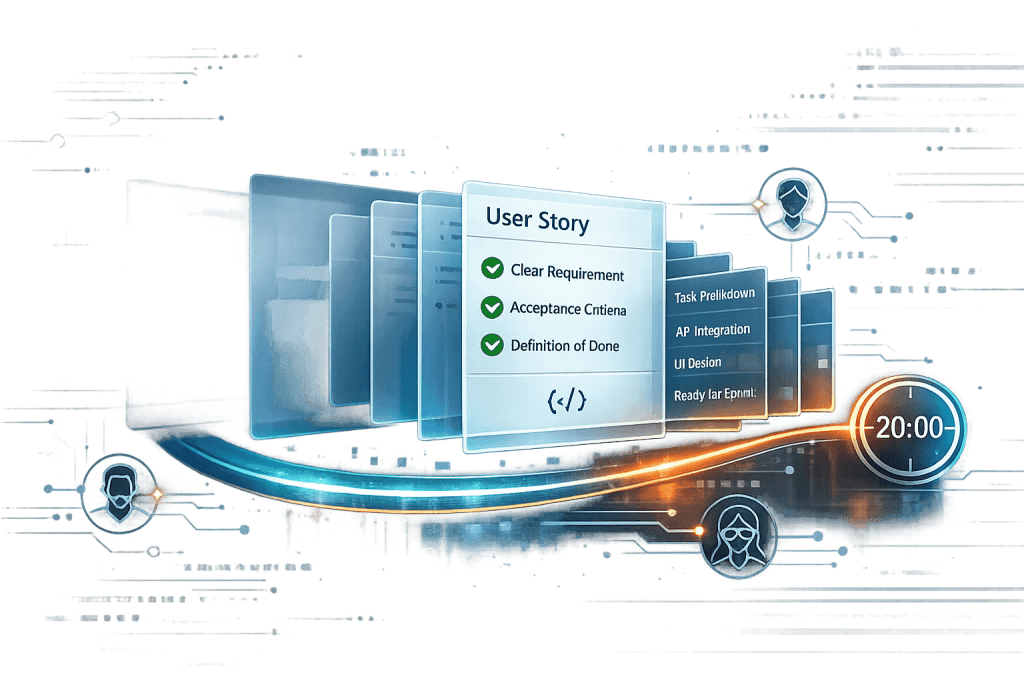
Discover the 5 key elements of the Definition of Ready (DoR) to enhance Agile team productivity and streamline project planning.
The Definition of Ready (DoR) helps Agile teams prepare backlog items before work starts. Here are the 5 key elements:
- Clear Description
- Explaining Value
- Test and Acceptance Rules
- Setting Priorities
- Effort Estimates
These elements help teams:
- Cut down on confusion
- Plan sprints better
- Get everyone on the same page
Quick Comparison:
| Element | Purpose | Example |
|---|---|---|
| Clear Description | Define the task | "Let customers manage products at www.domainname.com" |
| Explaining Value | Show why it matters | "This will boost user retention by 15% next quarter" |
| Test/Acceptance Rules | Set completion criteria | "Users can log in from any page in 3 clicks" |
| Setting Priorities | Rank importance | Use MoSCoW method (Must, Should, Could, Won't have) |
| Effort Estimates | Gauge work needed | Use story points (1, 2, 3, 5, 8, 13, etc.) |
The DoR is made by and for the team to ensure they're ready to start work.
Related video from YouTube
1. Clear Description
Clear descriptions are key for effective backlog items. They paint a picture of what needs to be done and why.
Why clear descriptions matter:
- Less confusion: Clear descriptions mean fewer misunderstandings.
- Faster starts: Developers can begin work without constant questions.
- Better estimates: When the team gets it, they can gauge time and effort better.
- Easier testing: QA teams can create better test cases.
Tips for writing clear descriptions:
Use templates: Standardize user stories:
As a [persona], I want to [action] so that [benefit].Be specific: Say "Let customers manage products at www.domainname.com" instead of "Create products."
Give context: Explain the current state, need, and desired outcome.
Keep it short: Aim for half a page. Focus on the essentials.
Use plain language: Write so non-techies can understand.
Real-world example:
Atlassian's new approach to user stories in 2021 led to 30% fewer questions during sprint planning and 20% more on-time feature deliveries.
"The DoR is created for the team, by the team. It's about what the team needs to feel ready to start work." - Mark Cruth, Atlassian
2. Explaining Value
Explaining value is crucial in the DoR. It's about showing why each item matters to the product, customer, and business.
How to explain value effectively:
Connect to business goals: Link items to specific objectives. Example: "This will increase user retention by 15% next quarter."
Use numbers: Show concrete impact. Say "This will cut support tickets by 30%" instead of "This will improve user experience."
Think of all stakeholders: Value can mean different things. A feature might save user time, boost revenue, and cut maintenance costs.
Use value points: Assign numbers to prioritize:
Value Points Description 100 Nice to have 250 Important 500 Very important 1000 Critical Get everyone involved: Hold value-scoring sessions with the team and key stakeholders.
Real-world example:
Spotify's "Discover Weekly" feature in 2015:
- For users: Weekly personalized playlists
- For artists: More exposure
- For Spotify: Higher engagement
Result? 40 million users listened to 5 billion tracks in the first year.
"The key to business value is understanding the problem and solution space." - Scrum.org
3. Test and Acceptance Rules
Test and acceptance rules define "done" for each task. They give teams clear targets and help:
- Prevent misunderstandings about deliverables
- Create test cases
- Estimate work more accurately
Focus on outcomes, not processes. This gives teams room to be creative.
Instead of: "The login button must be blue and top-right"
Try: "Users can log in from any page within 3 clicks"
To create effective rules:
- Get input from different stakeholders
- Make rules concrete and checkable
- Focus on the minimum viable product (MVP)
Use this template:
| Given | When | Then |
|---|---|---|
| [Starting condition] | [Action taken] | [Expected result] |
Example:
| Given | When | Then |
|---|---|---|
| A user is on the homepage | They click "Sign Up" | They see a form with name, email, and password fields |
These rules help your team decide if an item is ready to work on.
"Acceptance Criteria is what the customer needs. Definition of Done is what the organization needs." - Kevin Ball, Scrum Consultant
4. Setting Priorities
Ranking backlog items is key. Without clear priorities, teams can waste time. Here's how to set them:
Define your product vision: Align your backlog with overall goals.
Use a scoring model: Rate items on factors like:
Factor Description Customer Value How much will users benefit? Revenue Impact Will this boost earnings? Implementation Cost How resource-heavy is this? Time Sensitivity Is there a deadline or market opportunity? Apply MoSCoW: Categorize as Must have, Should have, Could have, Won't have.
Try RICE: Reach, Impact, Confidence, Effort.
RICE Factor Questions to Ask Reach How many users affected? Impact How much will it improve key metrics? Confidence How sure are we about estimates? Effort How long will this take? Involve stakeholders: Use "Buy a Feature" where stakeholders spend a budget on features.
Reassess often: Priorities shift. Review your backlog regularly.
Focus on high-value, ready-to-develop items. As Notion's CPO noted after their Product Hunt success: "Prioritizing the right features was key to our 300% increase in daily sign-ups."
5. Effort Estimates
Effort estimates help gauge work needed. Here's how:
Use story points: Measure effort, complexity, and uncertainty relatively.
Apply Fibonacci: Use 1, 2, 3, 5, 8, 13, 21, etc. This shows growing uncertainty in larger tasks.
Involve everyone: Use Planning Poker for input.
Planning Poker steps:
- Give each team member Fibonacci number cards
- Present a backlog item
- Everyone picks a card privately
- Reveal cards together
- Discuss differences and re-estimate if needed
Real example: Hubstaff's content team uses Planning Poker for blog posts and emails to distribute work evenly.
When estimating, consider:
| Factor | Description | Example |
|---|---|---|
| Amount of work | How much to do | 100-field vs. 1-field web page |
| Complexity | How hard is it | Complex vs. simple field interactions |
| Risk/Uncertainty | What could go wrong | New vs. familiar tech |
Remember, estimates can change. Review based on team performance.
"If you can't measure it, you can't manage it." - Peter Drucker
This quote shows why estimation matters in project management. Measuring effort helps teams manage workload and deliver consistently.
Wrap-up
The Definition of Ready (DoR) helps Agile teams manage their backlog better. Let's recap:
- Clear Description: Know exactly what to work on.
- Explaining Value: Understand why tasks matter.
- Test and Acceptance Rules: Know when a task is done.
- Setting Priorities: Focus on what's most important.
- Effort Estimates: Plan and allocate resources better.
Using these elements, teams can create a strong DoR. Atlassian's Scrum teams use a DoR checklist with these parts.
To get the most from your DoR:
- Review it quarterly
- Involve the whole team
- Keep it simple
- Use it in sprint planning
A good DoR helps teams:
- Reduce errors
- Communicate better
- Make better estimates
- Start sprints with clarity
Remember, your DoR should evolve with your team.
"A Definition of Ready for Scrum backlog items boosts quality and clarity, cutting uncertainty. This prevents waste and improves alignment." - Md. Anisur Rahman, PMP® DGM & Head of IT at ShopUp