Learn about GPT models and how they revolutionize language understanding and generation in computing. Discover the evolution from GPT-1 to the anticipated GPT-4 and explore applications for developers.
If you're curious about GPT (Generative Pre-trained Transformer) models and how they're revolutionizing language understanding and generation in computing, here’s a quick primer to get you up to speed. GPT models, developed by OpenAI, have rapidly evolved from their first iteration in 2018 to the much anticipated GPT-4, each version significantly more powerful than the last. These models understand and generate human-like text, and they're improving at an astonishing rate. Here's what developers should know:
- GPT models are trained on vast amounts of text to understand and generate language.
- Transformer architecture allows them to grasp context and relationships in text.
- Few-shot learning means they can adapt to new tasks with minimal examples.
- Customization is possible for specialized tasks by training on specific data sets.
From GPT-1's initial capabilities to GPT-3's advanced language understanding and the speculative leap to GPT-4's potential, developers have a powerful tool at their disposal. Setting up your development environment involves accessing OpenAI's API, choosing the right compute resources, and integrating GPT models into your projects responsibly. Applications range from code generation and automated testing to enhancing customer interactions and content creation. However, it's crucial to approach integration with a focus on ethical AI development, prompt engineering, and managing bias. As we look to the future, GPT models promise to further transform the development landscape, making AI an even more integral part of creative and analytical processes.
What is GPT?
GPT stands for Generative Pre-trained Transformer. It's a type of computer program made by a group called OpenAI, and it's really good at working with language - like reading, writing, and understanding it. The first version came out in 2018, and since then, there have been a few updates, with GPT-3 being one of the latest and most advanced.
These GPT models learn by reading a huge amount of text from the internet, including books, articles, and websites. This helps them understand how words and sentences fit together. The more they read, the better they get. For example, GPT-3 can handle way more information than GPT-2 could, making it much smarter in a lot of ways.
How GPT Works
GPT uses something called transformer architecture. This is a fancy way of saying that it looks at whole sentences or paragraphs all at once, instead of one word at a time. This helps it understand the context and meaning behind words better.
While it's learning, GPT tries to guess what word comes next in a sentence it's given. It does this over and over with lots of sentences, learning from the patterns it sees. This method doesn't require someone to constantly check its work, which means it can learn a lot from just reading text on its own.
Core Capabilities
GPT is really good at a few things:
- Text Generation: It can write text that sounds like a human did it, based on just a small prompt.
- Few-Shot Learning: GPT can learn how to do new things with just a few examples to guide it. This makes it very flexible.
- Language Modeling: It understands and predicts language patterns, which helps with things like finishing your sentences or correcting spelling.
- Summarization: GPT can read long pieces of text and sum them up in a few sentences, keeping the main points intact.
These skills make GPT models very useful for creating new tools and applications, like writing assistants, chatbots, and more. And as these models keep getting better, they'll be able to do even more amazing things.
Evolution of GPT: From GPT-1 to GPT-4
GPT-1
GPT-1 kicked things off in 2018 as OpenAI's first try at making a computer model that could handle language. Here's what it did:
- Had 124 million parts (think of these as tiny bits of knowledge)
- Learned from a dataset called BooksCorpus, which had 8 million web pages
- Could continue a sentence if you started it
- Was okay at making up text but didn't really get the bigger picture
GPT-2
In 2019, GPT-2 came along and was much better than its older sibling:
- It had 1.5 billion parts, making it way smarter
- Learned from a bigger pile of internet text (40 GB)
- Could write longer and more sensible text based on prompts
- Got better at learning new things with just a few examples
GPT-3
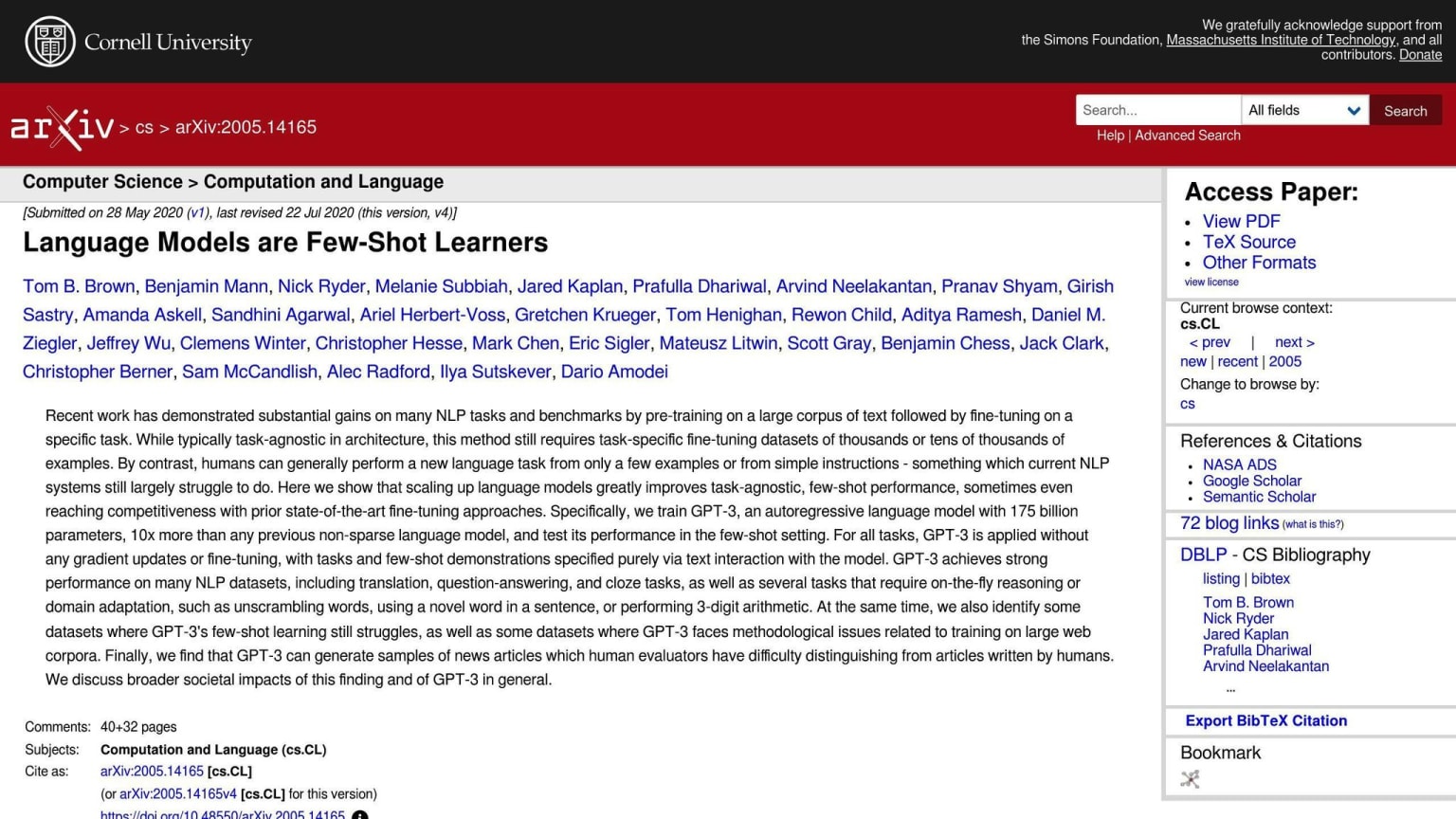
By 2020, GPT-3 blew everyone away with its abilities:
- It's huge, with 175 billion parts
- Trained on an even bigger dataset from the web (570 GB)
- Can do a lot of cool language tricks like translating and answering questions
- Really good at figuring things out with just a little bit of help
GPT-4
GPT-4 isn't out yet, but people are guessing it'll be a game-changer:
- Might have over 1 trillion parts
- Will probably learn from an even bigger collection of internet data
- Expected to be smarter and understand language almost like a human
Comparative Analysis
Here's a quick look at how these versions stack up:
| Model | Parameters | Training Data | Abilities |
|---|---|---|---|
| GPT-1 | 124M | 8M web pages | Basic generation |
| GPT-2 | 1.5B | 40 GB web scrape | Improved generation |
| GPT-3 | 175B | 570 GB web scrape | Advanced NLP tasks |
| GPT-4 | 1T+ (Expected) | Larger web scrape | More general intelligence |
With each new version, GPT gets better at understanding and working with language. It learns from more data, becomes smarter, and gets closer to handling language like a human does. We're all waiting to see what GPT-4 will bring to the table.
Setting Up Your Development Environment
Prerequisites
To get started with using GPT models via the OpenAI API, here's what you need:
- A free account with OpenAI
- Special keys known as API keys to prove it's really you
- Python or Node.js set up on your computer
- Some experience with sending HTTP requests
It's important to read the rules on OpenAI's website about how to use their API correctly.
Accessing the OpenAI API
Here's how to get access to OpenAI's tools:
- Go to openai.com and sign up to make an account
- Get your API keys. They come in free and paid versions.
- Use a tool like
pip install openaito add OpenAI's software to your project - Adjust your settings to use different tools like Codex or Davinci
The Quickstart guide on their site has all the steps in detail.
Choosing Compute Resources
OpenAI has different plans for using their API:
- Free - You get to try some tools with a small limit
- Basic ($0.0004 per 1k tokens) - You can do more
- Pro ($0.0003 per 1k tokens) - Access to more tools
- Plus (custom pricing) - Top-notch support and custom tools
Pick a plan that fits what you need. If you're just testing things out, the free plan is a good start.
When setting up, think about how to use tokens wisely to save money. For big tasks, there are tricks like streaming, uploads, and embeddings.
Look at the prices and features to choose the best option for your project.
GPT in Action: Applications for Developers
Code Generation and Automation
GPT models like Codex are really helpful for coding. Here's how they can help:
Auto-completing code: Codex can offer suggestions on how to finish your code as you type. This can help you work faster and make fewer mistakes.
Documenting functions: You can tell Codex about a function, and it will write out comments explaining what it does, what it needs, and what it gives back.
Suggesting improvements: Codex can look at your code and find ways to make it better or simpler.
Translating languages: Codex can change code from one programming language to another. This is handy if you're moving a project to a different language.
Automated testing: Codex can create tests for your program to make sure it works right, based on what the program is supposed to do.
Streamlining Development Workflows
Using the GPT-3 API can make the whole process of developing software smoother:
- Requirements gathering: Instead of talking to people, you can give examples to GPT-3, and it will come up with a list of what the software needs to do.
- Research: Ask GPT-3 to summarize the latest news, research papers, and tools about a topic you're interested in.
- Prototyping: GPT-3 can quickly come up with early versions of things like how a website should look or how a database should be organized.
- Writing helper: Need to write blogs, documentation, or tutorials? GPT-3 can help draft them.
- Code reviews: GPT-3 can look at changes to the code and offer helpful feedback.
Case Studies
Here are some companies that are using GPT models to make cool stuff:
- Tabnine: They have a tool that uses GPT-3 to offer better code suggestions.
- DeepCode: This tool uses GPT-3 to check code changes and suggest how to make them better.
- Replit: They added a chatbot called REPLika that uses GPT-3 to help with coding in their online editor.
- Github Copilot: This uses Codex to give real-time suggestions for writing code.
GPT models like GPT-3 and Codex are getting better all the time. They're already doing a lot to help developers, and there's more to come. It's an exciting time for AI help in coding!
Best Practices for Integrating GPT
When you're putting GPT models to work in your projects, it's smart to plan carefully to get the most out of them while avoiding problems. Here are some straightforward tips to keep in mind:
Prompt Engineering
When you're asking GPT to generate code or answers:
- Be clear and detailed - Make sure you're specific about what you want. Mention the kind of output you're looking for, the programming language, and any other important details. Being vague can lead to answers you weren't looking for.
- Use examples - Give a couple of examples of what you're expecting as inputs and outputs. This helps GPT understand what you're after.
- Watch out for bias - Make sure your prompts don't lean towards any gender, race, or other biases. Aim for fairness and balance in your examples.
Utilizing Few-Shot Learning
GPT can pick up new tricks from just a handful of examples. To make this work well:
Match coding styles - Show GPT 3-5 pieces of code in the style you want it to mimic. This can help it fit into your existing code.
Teach data handling - Give 2-3 examples of how you want data to be arranged. GPT will catch on to the pattern you're showing.
Responsible AI Development
Building features with GPT should be done thoughtfully:
- Be honest about what it can do - Let people know what GPT is good at, what it's not, and where it might need help. This sets the right expectations.
- Fight bias - Work actively to find and fix any biases in the content GPT creates. This helps make sure your tool is fair to everyone.
- Keep an eye on content - Have ways to check if GPT is creating anything harmful or misleading, and stop it if it does.
By focusing on clear prompts, leveraging few-shot learning, and being mindful of ethical issues, you can integrate GPT into your work in a way that's safe, fair, and effective.
Advanced Techniques and Tips
Crafting Effective GPT-4 Prompts
When you're asking GPT-4 to make something for you, it's important to be clear about what you want. Here's how to do it right:
- Be specific and detailed - Tell GPT-4 exactly what you're looking for. Include details like how long it should be, the tone you want, and how it should be formatted.
- Use representative examples - Show 2-3 examples that are close to what you want in terms of format, content, and style.
- Establish persona and scenario - If you're looking for something conversational, describe who GPT-4 should pretend to be and the situation it's in.
- Limit scope - Make sure your prompt is focused so GPT-4 knows exactly what to do.
For instance, instead of just saying "Write a poem," you could say:
You are a poet named John who writes free verse poems. Write a short, 10 line poem about springtime with vivid sensory imagery and metaphors. Use line breaks and capitalization for stylistic impact.
Example poem with line breaks:
Crisp new leaves unfurl
Green shoots reach for the sun
Daffodils bloom bright as stars
Roleplaying with ChatGPT
ChatGPT can act like different characters during conversations. This can be really useful for coming up with creative solutions.
- Establish context - Tell ChatGPT who it's supposed to be, including things like their job, what they know, and how they act.
- Prompt as a character - Talk to ChatGPT like you're talking to the character it's pretending to be.
- Further the scenario - With each message, add more details to the story to keep things interesting.
For example:
The Future of GPT
Scaling and Performance Projections
As GPT models like GPT-3 get better and bigger, people are excited about what they could do next. But, there are some limits to how much these models can grow:
- Data Efficiency - Future models might not need as much information to learn new things, which is good because they can get smarter without needing tons of data.
- Model Precision - When models get really big, making sure they're accurate and useful becomes harder. We might need new ways to make them smarter without just making them bigger.
- Hardware Limitations - Running big models needs special computer parts. If we can make better parts for AI, we can build even bigger models.
These areas show we can still make big improvements before we hit a wall with how big and smart these models can get.
Potential Applications
Bigger and smarter models could lead to new tools:
- Personalization - Models could get to know you from just a few hints and make things just for you, like code or content.
- Reasoning - They might get better at thinking through problems, making them more helpful for new or tricky tasks.
- Contextual Learning - By understanding the world better, like knowing a user's needs or a project's details, models could fit into our lives more smoothly.
These improvements could make things like smart assistants that really understand you, better recommendations, and even tools that do the coding for you.
The Evolving Role of Developers
As GPT gets better, developers will see some changes:
- Augmenting Creativity - Developers could use these models to come up with ideas faster or start projects more easily, focusing on the most important parts.
- Changing Workflows - Routine tasks like fixing bugs or writing documentation might be done by AI, changing what developers spend their time on.
- Increasing Accessibility - With models that can learn from just a few examples, more people might start creating tech, even without much technical know-how.
- Altering End-User Relationships- Users might start talking directly to AI that feels human, changing how software is made and used.
Understanding these changes can help developers stay ahead, making the most of new tools while adapting to how the industry is moving.
Conclusion
GPT models are a big step forward in helping computers understand and use language in a way that's useful for people who make software. As these models get better and more complex, they're starting to do things like write code on their own, make our work easier, and talk to users more naturally.
But, it's important to use these models in the right way. Developers need to be clear and fair when they tell the models what to do. Techniques that let the models learn quickly from a few examples can help them fit right into specific tasks. And being open about what these models can and can't do helps everyone understand them better.
Looking ahead, as we get to GPT-4 and beyond, these models could make developers more creative and make tech more accessible to everyone. Instead of taking over developers' jobs, the idea is to help people and machines work better together.
What's next is still a bit of a mystery, but it's definitely going to be interesting. Even though we might hit some limits on how much better these models can get, improvements in how they learn, how accurate they are, and the computers they run on could keep making things better for a while. This means developers will have new ways to mix coding with language.
Related Questions
Is GPT a pre-trained model?
Yes, GPT models come ready to go. They learn from a massive amount of text from the web to get good at understanding language. Then, they can get even better at specific tasks if you teach them with more focused information. This initial broad learning gives them a strong start.
What is the downside of GPT?
A big issue with GPT models is they can sometimes create content that's biased, harmful, or just wrong. They learn from stuff online, which means they can pick up bad habits or false information. It's important for developers to check what they're producing and make adjustments to avoid these problems.
Can you use GPT for business?
Absolutely, GPT models can be really useful for businesses in many ways:
- Writing stuff like blog posts or product descriptions
- Helping with customer service through chatbots
- Summarizing data and making reports
- Coming up with new ideas
- Making some tasks faster and easier, like creating documents
You can customize them for your business needs, but always keep an eye on the quality of their work.
Can I train GPT on my own data?
Yes, you can make GPT models learn from your specific data through something called fine-tuning. This makes them better at understanding your business or project. You'll need some tech know-how and enough data to do this, but it can lead to AI that's really tailored to what you need.