Short, repeatable 20–30 minute loop for developers: scan, focus, note, and apply within 48 hours to learn without burnout.
You do not need hours a day to keep learning. A 20–30 minute block, done 4 out of 5 weekdays, is enough to stay sharp without turning learning into a second job.
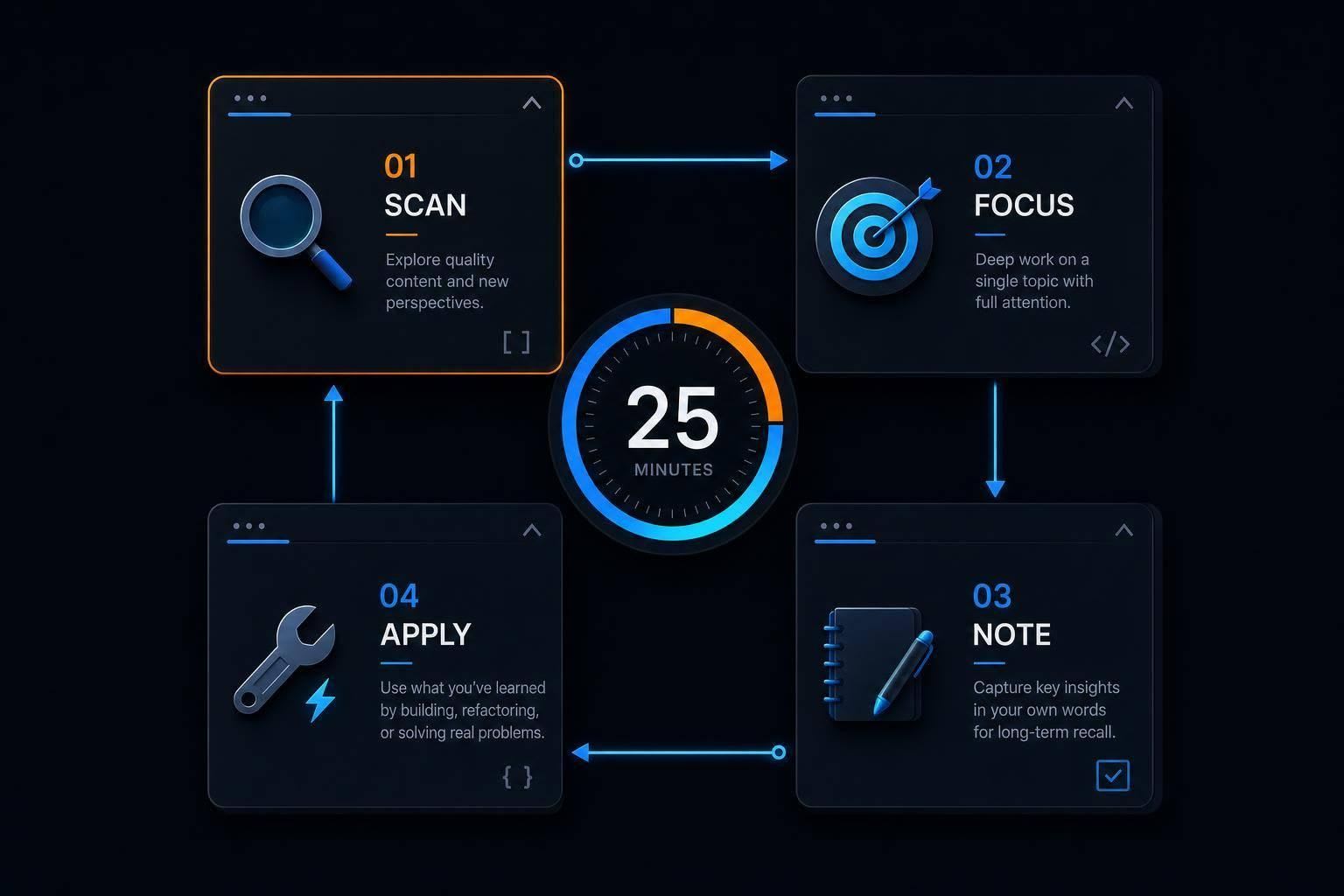
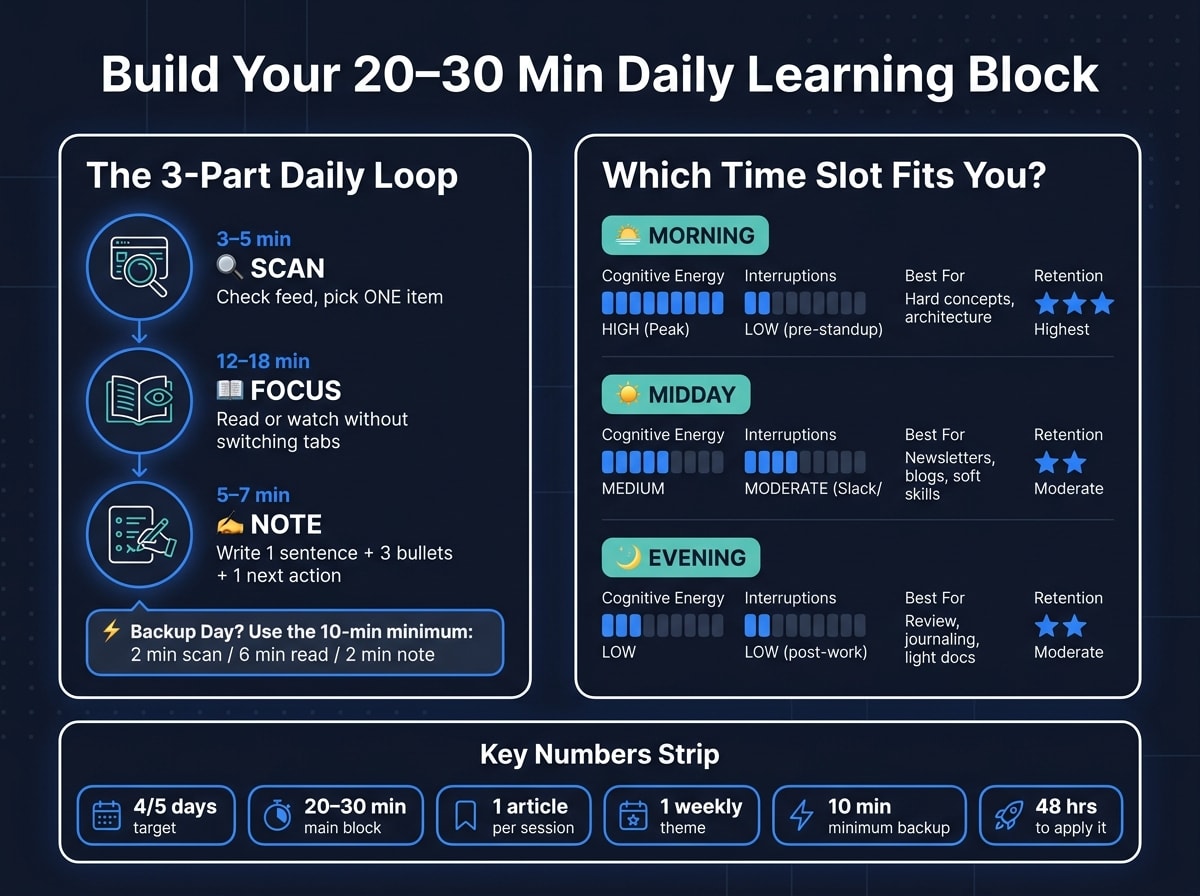
Here’s the core idea in plain English: AI now handles more boilerplate, so I get more value from learning things I can use at work soon - like system design, domain logic, code review habits, and small fixes that ship within 48 hours. Instead of scrolling, I use a short loop: scan for 3–5 minutes, focus on one item for 12–18 minutes, then write a short note and one next step for 5–7 minutes.
If my day gets messy, I shrink it to a 10-minute minimum instead of skipping. And if I miss a day, I restart the next one. That’s the whole system.
What this routine does:
- Cuts tab overload by forcing me to pick one thing
- Improves recall with a one-sentence summary and three bullet notes
- Turns reading into action with one small follow-up task
- Keeps input tied to current work instead of random topics
- Lowers burnout risk by keeping the habit short and repeatable
A few numbers make the approach clear:
- 20–30 minutes for the main weekday block
- 10 minutes for backup days
- 1 article or lesson per session
- 1 weekly theme for better focus
- 48 hours to try what I learned
- 4/5 days as the target, not a perfect streak
I’d also keep my source list short. A personalized feed like daily.dev can work well for the scan step, as long as I treat saved posts like a small weekly queue, not a pile of tabs I never open.
| Part | Time | What I do |
|---|---|---|
| Scan | 3–5 min | Check a small feed and choose one item |
| Focus | 12–18 min | Read or watch one piece without switching tabs |
| Note | 5–7 min | Write 1 sentence, 3 bullets, and 1 next step |
The short version: pick one useful topic, study it for a few minutes, write down what matters, and use it soon. That’s how I’d keep learning steady in 2026 without burning out.
How to build a 20–30 minute daily learning block
Use the same 20–30 minute loop every day. The goal isn't to read everything. It's to make the habit easy enough to repeat on busy days.
A simple session structure that works on busy weekdays
Break the block into three parts: 3–5 minutes to scan, 12–18 minutes for one deep read or watch, and 5–7 minutes to summarize or define a micro-application. That's it.
In the scan phase, resist the urge to click five things at once. Pick one item and go deeper. A simple filter helps: Is it directly tied to your current work? Will you use it in the next two weeks? Does it solve a problem that keeps coming up? If yes, that's your pick.
Then use the deep-read portion to stay on one thing. This is where people often drift into tab-hoarding. Don't. Finish with one short recall sentence and one next action: what I learned, why it matters, how I'll use it, and the link.
Set a hard stop. Extra reading often costs more than it's worth once interruptions pile up. A timer makes this much easier.
Morning, midday, and evening: which slot works best for you
The best time is the one you can repeat without a fight. There isn't one perfect slot for everyone, but there are clear tradeoffs. The first 2–3 hours of the day tend to be the highest-capacity window for complex reasoning , so morning is a strong fit for harder concepts. Midday can work well as a lunch-break reset, especially for newsletters, blog posts, or other lighter material. Evening is better for review, journaling, or a shutdown routine that captures what you learned and sets tomorrow's #1 priority.
| Time Slot | Cognitive Energy | Likely Interruptions | Best Content Type | Retention Upside |
|---|---|---|---|---|
| Morning | High (Peak) | Low (pre-standup) | Hard concepts, architecture | Highest |
| Midday | Medium | Moderate (Slack/email) | Newsletters, blogs, soft skills | Moderate |
| Evening | Low | Low (post-work) | Review, journaling, light docs | Moderate |
Pick the slot that fits your actual day, not the one that sounds most productive. Tie it to something you already do: After [current habit], I will [learning task].
What to do when you only have 10 minutes
Some days blow up. That's fine. Use the 10-minute minimum: scan for two minutes, read for six, write one sentence for two.
Daily reps beat weekend catch-up. If you miss a day, restart tomorrow. Just don't miss two in a row. That's when a small slip turns into a gap.
Once the block is fixed, the next step is choosing a low-friction source for the scan stage.
Use daily.dev as your daily catch-up starting point
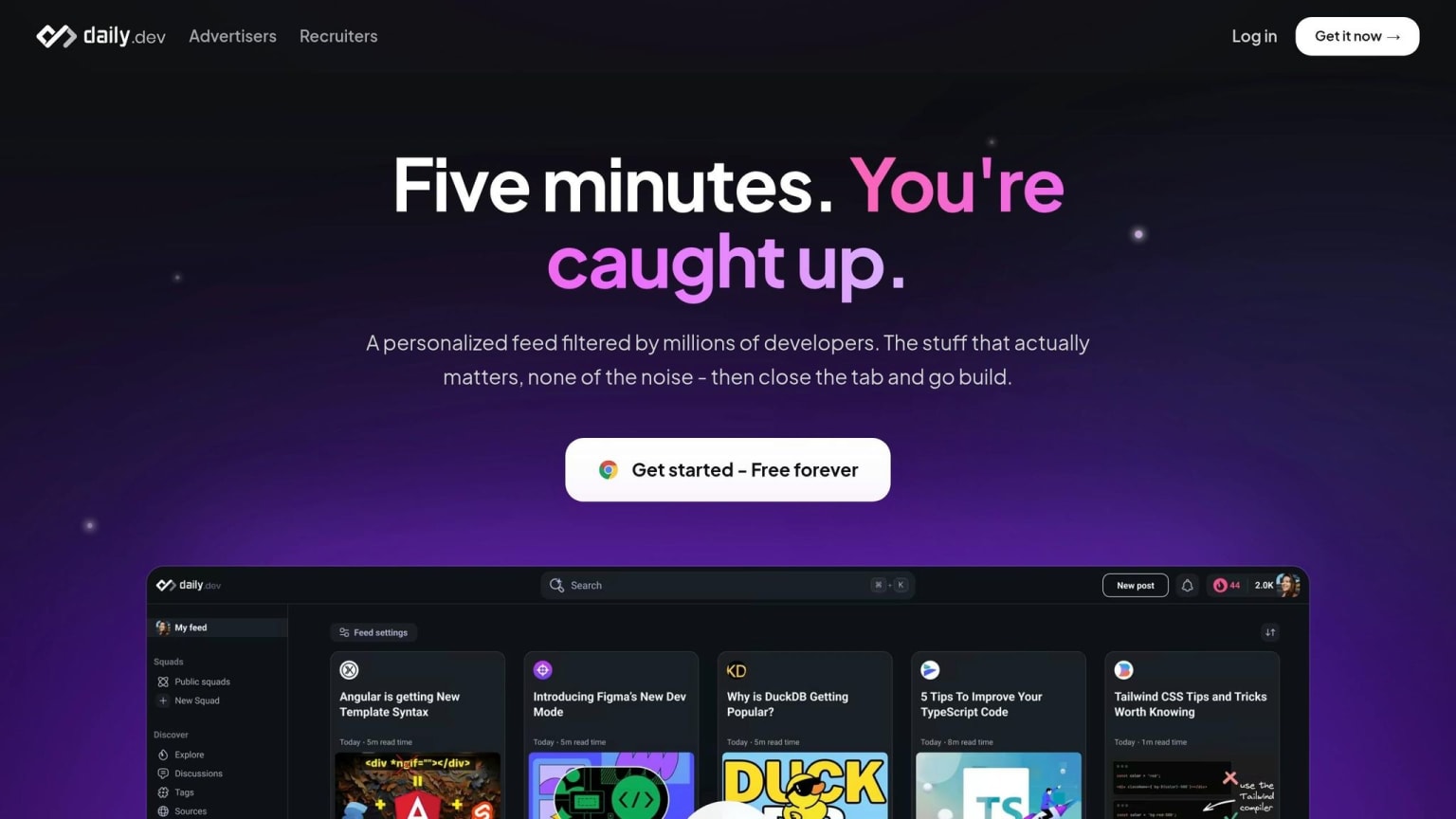
daily.dev gives you a personalized feed based on your stack and interests. That makes it a good place to begin your daily catch-up.
Use it for the 3–5 minute scan step and aim to pick one relevant article. That way, you don't burn your scan window bouncing between tabs or feeds. The step stays fixed and fast before the rest of your day kicks in.
Set up a feed that matches your stack and current goals
When you first set up daily.dev, keep the feed tight. Focus on the languages, frameworks, and tools that matter most to your current work and near-term goals.
Think of setup as a filter, not a buffet. If your feed tries to cover everything, it stops being useful. If it matches what you're working on now, finding one good read gets a lot easier.
Turn saved items into a weekly reading queue
Use saved items as a short queue, not a graveyard of tabs you'll never open again.
Save the posts you expect to revisit soon. Then, once a week, review the list and delete anything that no longer fits your current work. If you use the browser extension, that queue stays one new tab away, which makes it easy to check without adding friction.
A quick weekly review keeps your saved list tied to what you're doing now instead of turning into another backlog.
How to use search, Squads, and DevCards without adding overhead
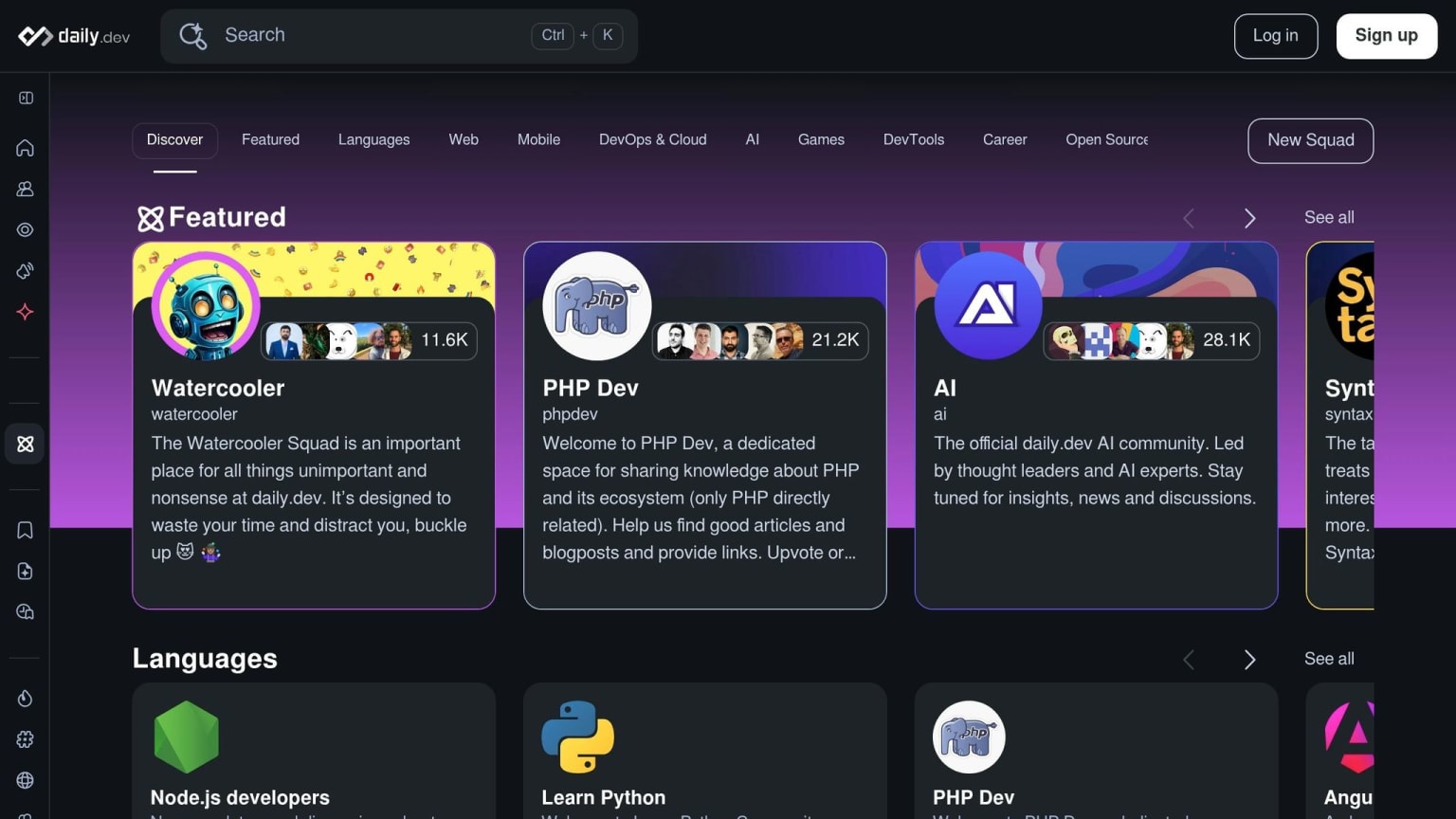
Use Search when you hit a concept or error in your work and want a fast starting point. Use Squads for topic discussions in the areas you care about most. Use DevCards to track your reading progress.
The core daily.dev experience is free. The point of these features isn't to add more stuff to manage. It's to cut setup time so you can get to one useful idea and move on with your day.
How to retain what you learn without burning out
Once your routine is set, the next job is keeping what you read useful. If you read and forget it, it turns into noise. A simple way to fix that is to lean on three small habits: recall, apply, and prune.
Recall, note, apply
After each reading session, write down:
- one sentence from memory
- three short bullet points
- one next action
Then, when you start the next day, try to recall yesterday’s reading before you look at your notes. Recall first, review second.
Next, turn the idea into one small action. That could mean trying a new test pattern, writing a more specific code review comment, or doing a small refactor with the concept you just read about. The key is to use it within 48 hours.
That way, each day’s reading stays small enough to remember and useful enough to use again.
Pick a weekly theme so depth beats breadth
Choose one theme for the week, like API security or performance tuning, and tie it to the work already on your plate. One focused theme tends to stick better than jumping between random topics.
It also makes pruning a lot easier. When the week has a clear lane, it’s easier to spot what belongs and what doesn’t.
Cut FOMO with filters, pruning, and a simple reset rule
Once a week, clear out stale items from your saved queue. If something no longer fits your current stack, delete it. Use filters so your feed stays tied to what you’re working on this week. And if you miss a day, just start again the next day.
A sample weekly routine and key takeaways
A realistic 5-day template
Use this weekly template to turn the daily loop into a habit. Keep each block short so it fits into a normal workweek instead of turning into another task hanging over your head.
| Day | Time Slot | Focus | What to Do |
|---|---|---|---|
| Mon–Thu | 7:30–7:55 a.m. | New reading | 5 min: recall yesterday's takeaway; 10 min: scan your daily.dev feed; 10 min: deep-dive one article and write one next action |
| Friday | 12:15–12:40 p.m. | Review & prune | 10 min: clear stale saved items; 10 min: scan one Squads thread tied to the week's theme; 5 min: write a 3-sentence weekly summary |
Aim for 4 of 5 days, not perfection. That gives you room for real-life interruptions and makes the habit easier to keep.
Key takeaways
The point isn't a perfect streak. It's a routine you can repeat without burning out. Managing developer stress is key to long-term consistency.
A few things are worth keeping in mind as you set this up:
- Start with daily.dev to make the scan step fast. Build a feed that matches your stack by filtering tags and what you're trying to learn right now.
- Keep the topic tied to real work. Put your time into something you'll use soon or something that fixes a problem that keeps showing up.
- Capture before you close the tab. Use the last 5 minutes to write what you learned, why it matters, and how you'll use it.
- Miss a day, restart the next scheduled block.
Learning doesn't need to feel like a second job. If the habit is small enough to fit inside a normal workday, it becomes a lot easier to keep doing.
FAQs
How do I choose a weekly learning theme?
Pick a weekly learning theme that lines up with your long-term career goals. Don’t choose topics at random. Instead, take your main goal and split it into small, repeatable habits that fit your schedule.
For example, if you want to get better at system design, set aside specific days each week for a certain breakdown or practice problem. That gives each study session a clear job and cuts down on decision fatigue.
You can also use daily.dev to filter your feed by tags that match the skills you’re working on. That way, the content you see stays tied to what you’re trying to build.
What should I read during my 20–30 minutes?
Use daily.dev as your main feed so you can stay current without drowning in noise. The goal is to read with attention, not just skim headlines and move on.
Start by revisiting a concept, code snippet, or problem you’ve seen before. That quick review helps warm up your brain and gives you a clear starting point.
Then spend the rest of your time on one of these:
- Read new documentation
- Study other people’s code to spot better patterns
- Go deep on one topic tied to your work
If an article is dense or needs more time, bookmark it and come back later. Wrap up with a short four-to-five-sentence summary of what you read, what stood out, and what you want to try next.
How do I make this routine stick during busy weeks?
Busy weeks can throw off even the best plans. So don’t lean on willpower alone. Put learning on the calendar at a fixed, non-negotiable time that already fits your day, like right after your morning coffee.
And when life feels like too much, make the habit smaller instead of dropping it. Go with a minimum viable version: read one article on daily.dev or use the 30-second rule to sum up what you learned. It’s a simple way to keep moving without burning out.