
Discover the top SAST tools for mobile app security testing to identify vulnerabilities early and enhance your app's security.
Looking to boost your mobile app's security? Static Application Security Testing (SAST) tools can help. Here's a quick rundown of the top 7 SAST tools for mobile app security:
These tools scan your code for vulnerabilities before compilation, catching issues early and saving time and money.
Quick Comparison:
| Tool | Key Strength | Best For |
|---|---|---|
| Checkmarx | Customizable rules | Large teams |
| Veracode | Cloud-based scanning | Fast results |
| SonarQube | Open-source option | Budget-conscious |
| Fortify | Compliance checks | Enterprise use |
| Snyk | Developer-friendly | Easy integration |
| CodeQL | Query-based analysis | GitHub users |
| Appknox | Mobile-specific | iOS/Android focus |
Remember: No single tool catches everything. Use a mix of SAST, DAST, and manual testing for best results.
To get the most out of SAST:
- Start early in development
- Integrate with your CI/CD pipeline
- Scan often, ideally with each code change
- Keep your tools updated
- Train your team on security best practices
By using SAST tools effectively, you'll catch vulnerabilities sooner, ship safer apps, and keep your users' data secure.
Related video from YouTube
What is SAST for Mobile Apps?
SAST (Static Application Security Testing) is like having a security expert check your mobile app's code before it's compiled and released. It spots potential security issues early on.
Here's what makes SAST for mobile apps stand out:
- Analyzes code without running the app
- Scans millions of lines quickly
- Catches problems early in development
SAST vs. DAST:
| Feature | SAST | DAST |
|---|---|---|
| Source code access | Yes | No |
| Usage timing | Early development | Late stages |
| Test focus | Code vulnerabilities | Running app behavior |
| Speed | Fast | Slower |
| False positives | More likely | Less likely |
Mobile app security testing challenges:
- Device fragmentation
SAST helps by focusing on code-level issues that apply across all devices.
- Local data storage
SAST can spot insecure data handling in the code.
- Third-party libraries
SAST flags potential risks in external code.
- App store compliance
SAST helps developers meet store-specific security rules from the start.
SAST isn't perfect. It can miss runtime issues and sometimes flags false positives. That's why it's often used with other testing methods.
In 2022, Gartner found that over 75% of mobile apps fail basic security tests.
SAST is key to improving these numbers.
Important Features in SAST Tools
When choosing a SAST tool for mobile app security testing, focus on these key features:
1. Language Support
Pick tools that cover many programming languages. This lets you:
- Test your whole app
- Stick with one tool even if you switch languages
Veracode supports 100+ languages and frameworks. Checkmarx? 50+ languages and 80 frameworks.
2. Integration Options
Good SAST tools fit your workflow. They should:
- Work with your dev pipeline
- Connect to CI processes
- Scan code as it's written
This catches issues early and saves time.
3. Scanning Speed and Accuracy
Fast, accurate scans are key. Look for tools that:
- Scan millions of code lines quickly
- Check only changed code
- Minimize false results
This keeps devs productive and focused on real problems.
4. Customization
Your app is unique. Choose tools that let you:
- Adjust scanning rules
- Create custom queries
- Set up compliance presets (like OWASP Top 10)
This helps catch issues specific to your app.
5. Reporting and Guidance
Clear reports and advice matter. Top tools offer:
- Detailed vulnerability reports
- Exact issue locations
- Step-by-step fixing instructions
This helps devs understand and fix problems fast.
6. Automation
Automated scans save time. Look for tools that:
- Run scans on code commits
- Schedule regular scans
- Integrate with your build system
This keeps security checks consistent.
Feature Comparison Table
| Feature | Why It Matters |
|---|---|
| Language Support | Tests your whole tech stack |
| Integration | Fits your dev process |
| Scanning Speed | Keeps development moving |
| Accuracy | Focuses on real issues |
| Customization | Tailors scans to your app |
| Reporting | Helps fix problems fast |
| Automation | Keeps security checks consistent |
Focus on these features to pick a SAST tool that finds issues AND helps your team work better.
"Snyk Code gave us a net new capability to add to our arsenal, ... It analyzes code we write, quickly, and provides legitimate, actionable information that engineers can use during development and within build workflows." - Joren McReynolds, Director of Engineering at Panther Labs.
This quote shows how a good SAST tool can make a real difference.
Checkmarx: A Top SAST Tool for Mobile App Security
Checkmarx is a standout SAST tool for mobile app security testing. Here's why:
It Speaks Your Language
Checkmarx supports over 35 programming languages and 80 frameworks. That means you can use it for both iOS and Android development. One tool, multiple platforms. Simple.
Plays Nice with CI/CD
It integrates with popular CI/CD platforms like Jenkins, TeamCity, GitHub, Azure DevOps, and Maven. No plugin? No problem. Checkmarx offers CLI integrations too.
The best part? It scans code on check-in directly from source repositories. Catch issues early, fix them fast.
Reports That Make Sense
Checkmarx doesn't just find problems - it helps you solve them:
- Pinpoints exact issue locations
- Gives step-by-step fixing instructions
- Provides analytics dashboards for a big-picture view
Mobile-Specific Smarts
For mobile apps, Checkmarx CxSAST:
- Analyzes iOS and Android code
- Spots flaws other tools miss
- Tracks tricky vulnerabilities like code injection
It's automated, so you can focus on fixing, not finding.
| Feature | Why It Matters |
|---|---|
| Multi-language support | Covers your whole mobile stack |
| CI/CD integration | Fits your workflow |
| Clear reporting | Fix issues faster |
| Mobile-specific analysis | Catches platform quirks |
In real-world use, Checkmarx can be up to 90% faster than some competitors and cut false positives by up to 80%. That's a big time-saver.
"Checkmarx One checks all my boxes... It's easy to get right to the problem with little to no learning curve." - Joel Godbout, Cybersecurity and Networking Manager
But it's not perfect. Some users see it more as a compliance tool than a true shift-left solution. And there have been reports of high false positive rates in some cases.
Overall, Checkmarx is a solid choice for teams looking to beef up their mobile app security testing. It offers comprehensive analysis, good integration options, and user-friendly features.
2. Veracode
Veracode is a top SAST tool for mobile app security testing. Here's what you need to know:
Language Support
Veracode's got you covered:
- 100+ languages and frameworks
- SCA and SAST plugin for Visual Studio Code
- Binary code assessment (great for third-party stuff)
Integration with CI/CD
It plays nice with your workflow:
- Works with Azure DevOps, GitHub, Jenkins, and more
- APIs for custom setups
- Automated feedback in IDEs and pipelines
Reporting and Analytics
Clear insights, fast:
- Reports in PDF, JUnit, or CSV
- Dashboards for vulnerability assessment
- 90-second median scan time
Mobile-Specific Features
For mobile apps, Veracode offers:
- Static Analysis for iOS and Android
- Dynamic Analysis for runtime issues
- Software Composition Analysis for open-source risks
| Feature | Benefit |
|---|---|
| Cloud-based engine | < 1.1% false positives |
| Binary code scanning | 100% code coverage |
| Vulnerability database | Covers languages, frameworks, OS versions |
In March 2023, a fintech company used Veracode to scan their mobile banking app. They caught 17 critical vulnerabilities before launch. That's a big win.
But it's not all roses. Some devs find the UI clunky and integration tricky. It needs two builds and only scans compiled code, which can slow things down.
Still, for teams wanting to shift left on security, Veracode's a solid bet. Its coverage and low false-positive rate make it a strong player in the SAST tool game.
3. SonarQube
SonarQube is an open-source SAST platform that's caught the eye of many developers. It's a solid choice for mobile app security testing, packing a punch with its features.
Language Support
SonarQube's got you covered for mobile development:
- Supports 20+ languages
- Handles Swift and Objective-C for iOS
- Works with Java for Android
For Objective-C, you'll need a Build Wrapper. Don't worry, it's available for Windows, Linux, and Mac.
Plays Nice with CI/CD
SonarQube fits right into your workflow:
- Works with GitHub Actions, GitLab CI/CD, Azure Pipelines, and Jenkins
- Kicks off analysis when you commit code
- Uses Quality Gates to keep your builds in check
Clear Insights
SonarQube breaks down your code quality:
| Metric | What It Means |
|---|---|
| Code coverage | How much of your code is tested |
| Maintainability | Spots code smells and technical debt |
| Reliability | Counts bugs |
| Security | Tallies vulnerabilities |
It uses a simple rating system, so you can quickly see how your code stacks up.
Mobile-Specific Features
For mobile apps, SonarQube offers:
- A Swift plugin for iOS
- Mobile-specific metrics
- Code coverage during automated tests
Here's a real-world example: A fintech startup added SonarQube to their mobile banking app development in January 2023. Result? They caught 23 critical vulnerabilities and cut their bug rate by 40% in just one quarter.
Setting up SonarQube for Swift? Here's the quick version:
- Get SonarQube and SonarScanner
- Update
.bash_profile - Add
sonar-project.propertiesto your project root
With over 5,000 rules and taint analysis, SonarQube is a strong contender for mobile app security testing. It catches issues early, saving you time and headaches down the road.
4. Fortify Static Code Analyzer
Fortify Static Code Analyzer is a SAST tool that finds security issues in mobile apps fast. It's part of OpenText's security solutions, focusing on native source code analysis for Android and iOS apps.
What It Does
This tool works with native Android and iOS codebases. It fits into modern dev workflows by:
- Working with popular CI/CD programs
- Finding security vulnerabilities early
- Helping fix coding errors in real-time
Reporting
Fortify offers a user-friendly dashboard for tracking risks and mistakes. It reports on:
| Metric | Description |
|---|---|
| Security Vulnerabilities | Potential security issues |
| Code Quality | Areas to improve coding |
| Risk Assessment | Overall app security |
Mobile App Focus
For mobile apps, Fortify:
- Analyzes native source code
- Finds mobile-specific security issues
- Detects and reports errors in real-time
An IT pro said: "It fixes coding errors in real-time. The dashboard makes tracking mistakes and security risks easy."
Users like Fortify:
| Metric | Percentage |
|---|---|
| Would recommend | 87% |
| Plan to renew | 100% |
| Happy with cost vs. value | 89% |
Want to try it? Fortify offers a free trial to test how it boosts your mobile app security and dev speed.
5. Snyk
Snyk is a security platform for developers. It finds and fixes vulnerabilities in code, dependencies, containers, and infrastructure as code. It's great for mobile app security testing, especially for open source libraries.
Language Support
Snyk works with many programming languages, making it good for both Android and iOS development. Its SAST features cover popular mobile languages and frameworks.
Integration with CI/CD
Snyk fits easily into CI/CD workflows. It works with tools like:
- AWS CodePipeline
- Azure Pipelines
- Bitbucket Pipelines
- CircleCI
- GitHub Actions
- Jenkins
- Maven
- TeamCity
You can add security checks to your workflow without much trouble. For example, scan your code every time you push changes or during builds.
Reporting and Analytics
Snyk gives detailed reports to help teams tackle security issues:
| Feature | Description |
|---|---|
| Real-time scanning | Checks code as you write |
| Vulnerability prioritization | Focuses on critical issues first |
| Fix suggestions | Gives advice on fixing problems |
| Export options | Exports results in JSON or SARIF |
Mobile-Specific Features
For mobile apps, Snyk offers:
- Dependency scanning
- Code analysis
- Container scanning
Snyk is fast. It scans code 2.4 times faster than similar tools, which speeds up development.
"As a security leader, my main job is to make sure all our code is secure by design, whether AI-generated or human-written. Snyk Code's AI static analysis and DeepCode AI Fix help our teams ship software faster and more securely." - Steve Pugh, CISO, ICE/NYSE
Snyk gets results. 82.7% of customers said their developer processes improved after using it.
To make the most of Snyk for mobile app security:
Integrate early: Add Snyk to your IDE or CI pipeline.
Use fail criteria: Fail builds if high-severity issues are found.
Use AI-powered fixes: Try Snyk's AI fix suggestions.
Keep monitoring: Watch your dependencies even after release.
6. CodeQL
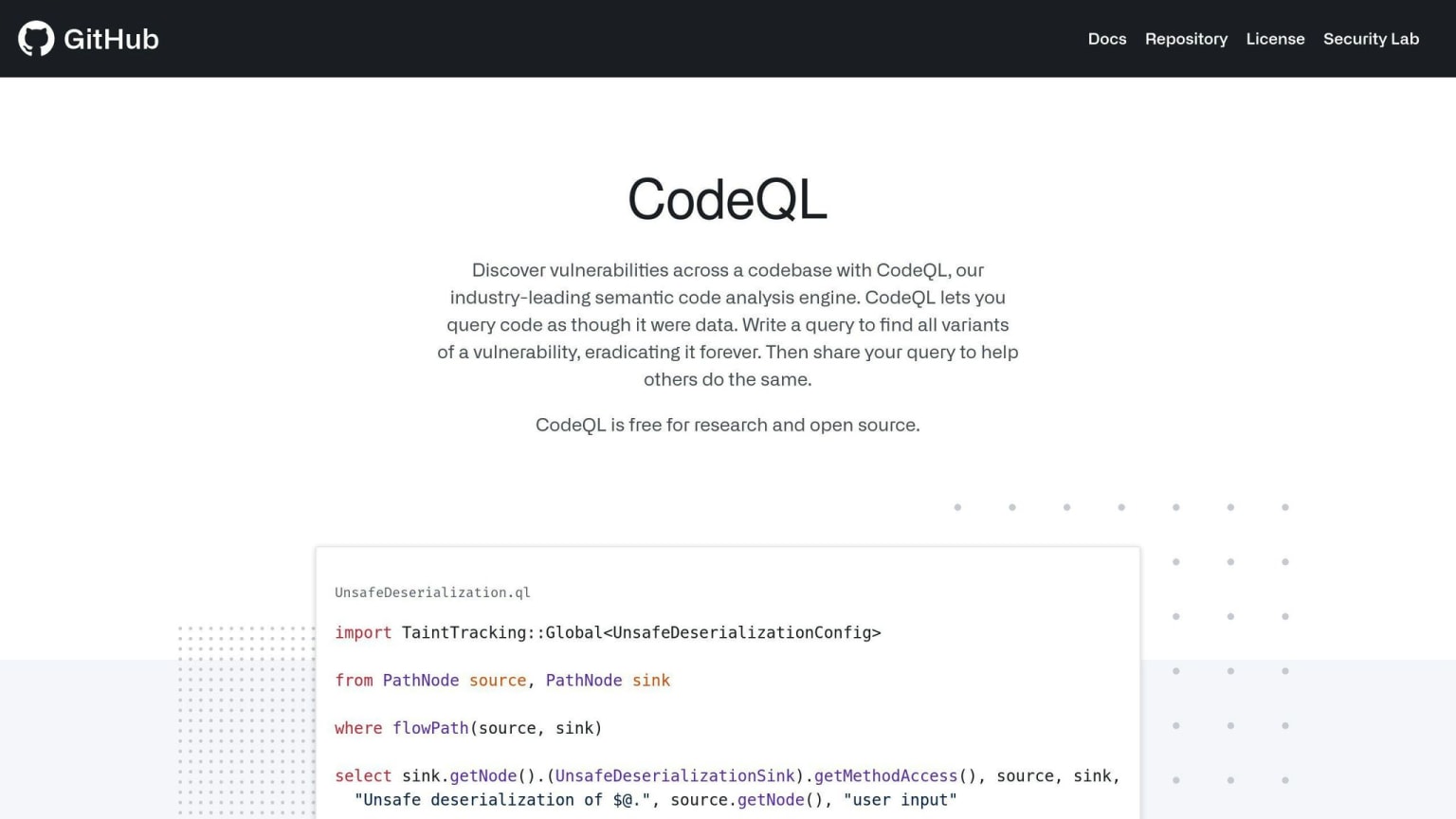
CodeQL is a static analysis tool that scans source code for vulnerabilities. It's useful for mobile app security testing and manual code reviews.
Language Support
CodeQL works with many mobile app development languages:
| Language | Support Level |
|---|---|
| Java | Full |
| Kotlin | Full |
| Swift | Full |
| C/C++ | Full |
| JavaScript | Full |
| TypeScript | Full |
For Android, CodeQL treats Java and Kotlin as one language. iOS developers can use it to scan Swift code.
Integration with CI/CD
You can use CodeQL in CI/CD workflows through GitHub Actions:
Turn on the GitHub Action in your repo
CodeQL makes a database of your code
It runs queries to find issues
This process is usually automatic for interpreted languages.
Reporting and Analytics
CodeQL gives detailed reports on security issues:
- Finds hundreds of vulnerability types
- Tracks data flow to spot security holes
- Lets you write custom queries with QL
Mobile-Specific Features
For mobile apps, CodeQL offers:
- Kotlin and Swift support (added in version 2.18.1)
- Framework modeling
- Custom queries for mobile-specific issues
"Developers have fixed over 6,000 Kotlin alerts since we announced Kotlin support for code scanning." - GitHub
To get the most out of CodeQL for mobile app security:
Use
java-kotlinfor Android projectsTry the
security-and-qualityquery suiteWrite custom queries for your app
Use CodeQL early in development to catch issues quickly
7. Appknox
Appknox is a mobile app security platform that's all about making your apps safer. It uses both automated and manual testing to give you a full picture of your app's security.
CI/CD Integration
Want to add Appknox to your development pipeline? Here's how:
Get the Appknox CLI
Set up your access token
Use
appknox upload <assert>to send your appCombine upload and
cicheckto spot high-risk issues
This setup keeps your team in the loop about security with each new build.
Reports and Insights
Appknox's dashboard gives you:
- A quick look at vulnerabilities
- Risk levels at a glance
- Fast, accurate scans (60 minutes for automated)
- A breakdown of your app's components (SBOM)
Mobile Security Features
| What It Does | How It Works |
|---|---|
| Auto Scans | Checks code, runtime, and APIs |
| Manual Tests | Experts dig deep into your app |
| Compliance | Matches industry standards |
| API Security | Finds weak spots in your APIs |
Appknox works for both Android and iOS, so it's got you covered no matter what you're building.
"Appknox makes fixing vulnerabilities a breeze. We manage security for all our apps in about 45 minutes." - Taryar W, Senior Security Researcher
SAST Tools Comparison
Let's compare the top 7 SAST tools for mobile app security testing:
| Tool | Key Features | Pros | Cons |
|---|---|---|---|
| Checkmarx | Customizable rules, IDE integration, CI/CD support | Accurate detection, detailed reports | Steep learning curve |
| Veracode | Cloud-based, wide language support, SCA | Fast scans, user-friendly reports | Needs constant security team input |
| SonarQube | Open-source option, continuous code quality | Large community, many integrations | Complex setup, limited free version |
| Fortify | On-premises and cloud, compliance checks | Extensive features, multi-platform | Resource-heavy, potentially costly |
| Snyk | Developer-first, vulnerability database | Easy integration, quick prioritization | Limited language support |
| CodeQL | Query-based analysis, GitHub integration | High precision, customizable queries | Requires coding skills, GitHub-focused |
| Appknox | Automated and manual tests, CI/CD integration | Fast scans, detailed insights | Mainly mobile-focused, less established |
No tool is perfect. Even top performers like Contrast and SBwFSB (with F1-scores of 84.4% and 82.8%) miss some real-world vulnerabilities. In fact, combining all evaluated SAST tools still left 70.9% of vulnerabilities undetected. This shows why you need multiple tools and human expertise.
For mobile apps, consider platform-specific tools:
- QARK (Android): Focuses on security loopholes
- ImmuniWeb® MobileSuite: Offers zero false-positive SLA for mobile and backend testing
When choosing your tools, think about:
- Scalability
Checkmarx handles up to 3000 releases daily. Is that enough for your team?
- Integration
Veracode and Snyk play nice with CI/CD pipelines. How easily will the tool fit into your workflow?
- Support
Veracode's responsive team can be a lifesaver. How much help will you need?
- False positives
ImmuniWeb promises zero false positives, but others need more verification. How much time can you spend on manual checks?
Tips for Using SAST in Mobile App Development
SAST can boost your mobile app's security. Here's how to use it effectively:
Start Early, Scan Often
Run SAST from day one and after every code change. It catches issues early, saving time and money. Camelot Lottery Solutions does this with NowSecure in their Bitrise pipeline.
Integrate with CI/CD
Automate SAST in your CI/CD pipeline. This:
- Spots vulnerabilities with each commit
- Creates build reports showing bugs
- Stops insecure code from progressing
Mix SAST with Other Tests
SAST works best with other security tests:
| Test | Purpose | Timing |
|---|---|---|
| SAST | Checks source code | During development |
| DAST | Tests running apps | In staging |
| IAST | Combines static and dynamic | During QA |
| API Security | Checks API issues | Throughout development |
Using these together gives full coverage.
Manage False Positives
SAST can flag non-issues. To handle this:
- Adjust your SAST tool to your app
- Compare findings from multiple scanners
- Use threat modeling for high-risk areas
Update Your SAST Tool
Keep your SAST tool current. It helps catch new threats. Review your setup regularly to stay effective.
Train Your Team
Teach developers about security. It helps them understand SAST results and write safer code. As Panos Megremis from Camelot Lottery Solutions says:
"It's really important nowadays to get quick feedback."
Fast SAST feedback plus developer know-how improves app security.
Check Third-Party Code
Scan third-party dependencies regularly. They can bring in vulnerabilities. Include this in your SAST process to catch issues early.
Wrap-up
SAST tools are crucial for early security issue detection in mobile apps. They analyze code without execution, catching vulnerabilities like SQL injection and cross-site scripting before they become real problems.
When choosing a SAST tool for your mobile app, look at:
- Development process compatibility
- Language support
- Integration with other security tools
- Report quality
SAST is just one piece of the security puzzle. It's most effective when combined with other testing methods:
| Test Type | Function | Timing |
|---|---|---|
| SAST | Code analysis | Development phase |
| DAST | Running app tests | Staging |
| IAST | Static + dynamic | QA phase |
| API Security | API vulnerability checks | Throughout development |
SAST tools can be cost-effective. GrammaTech's research shows that early flaw detection can lead to significant project cost savings.
To maximize SAST benefits:
- Implement early in development
Start using SAST as soon as you begin coding. This helps catch issues before they become deeply embedded in your app.
- Scan frequently
Run SAST checks often, especially before code commits. This keeps your codebase clean and secure.
- Educate your team
Make sure your developers understand SAST results and know how to address identified issues.
- Keep tools updated
Regularly update your SAST tools to stay protected against new threat types.

![Top 10 Threat Modeling Tools Compared [2024]](https://media.daily.dev/image/upload/s--AF9iMevQ--/c_limit,dpr_auto,f_auto,q_auto,w_1024/v1/recruiter-landing/663660ef001a4a617617600c_0d6540a810a447b1582ac937b7524ed5_b478eb4169)