Small, local-first developer tools that solve one problem well and speed daily workflows with minimal setup.
If you want better dev tools without adding more setup pain, start with small, local-first tools that solve one job well. In this list, I’d focus on Bruno for Git-based API collections, Hurl for plain-text HTTP tests in CI, mitmproxy for local traffic debugging, Requestly for browser request mocking, Atuin for shell history, Zellij for terminal sessions, and Trigger.dev for background jobs.
Here’s the short version:
- Bruno keeps API collections in plain-text
.brufiles and starts in about 0.8 seconds - Hurl is built for CLI-based HTTP requests and test runs, with JUnit and HTML reports
- mitmproxy helps inspect HTTP traffic locally and can format data for AI assistants
- Requestly works well for frontend API mocking inside the browser
- Atuin gives you encrypted, searchable shell history
- Zellij helps with repeatable terminal session layouts
- Trigger.dev is aimed at background job workflows for full-stack teams
A few role-based picks stand out fast:
- Backend: Hurl
- Frontend: Requestly
- QA: Hurl
- Platform: Atuin and Zellij
- Solo devs: Bruno, Hurl, Atuin
- Teams: Bruno, Hurl, Requestly
The article’s main point is simple: the best lesser-known tools stay narrow. They don’t try to do everything. They save time in one part of your workflow, keep data local when it matters, and often fit well with Git and CI.
Before I install a smaller tool, I’d check four things first:
- License
- Data format
- Secret handling
- Rollback path
That keeps the risk low and makes a small pilot easy to run.
Quick Comparison
| Tool | Main use | Best for | Setup |
|---|---|---|---|
| Bruno | API client | Backend, QA, teams | Low |
| Hurl | HTTP testing | Backend, QA, CI | Low |
| mitmproxy | HTTP traffic debugging | Backend, debugging work | Moderate |
| Requestly | Browser request mocking | Frontend, small teams | Low |
| Atuin | Shell history | CLI users, platform work | Moderate |
| Zellij | Terminal multiplexer | Platform, DevOps, sysadmins | Low |
| Trigger.dev | Background jobs | Full-stack teams | Moderate |
On pricing, Bruno starts at $0, with paid plans at $6/user/month and $11/user/month.
If I had to sum it up in one line, it would be this: pick one tool, test it in one low-risk workflow, and keep it only if it makes daily work easier.
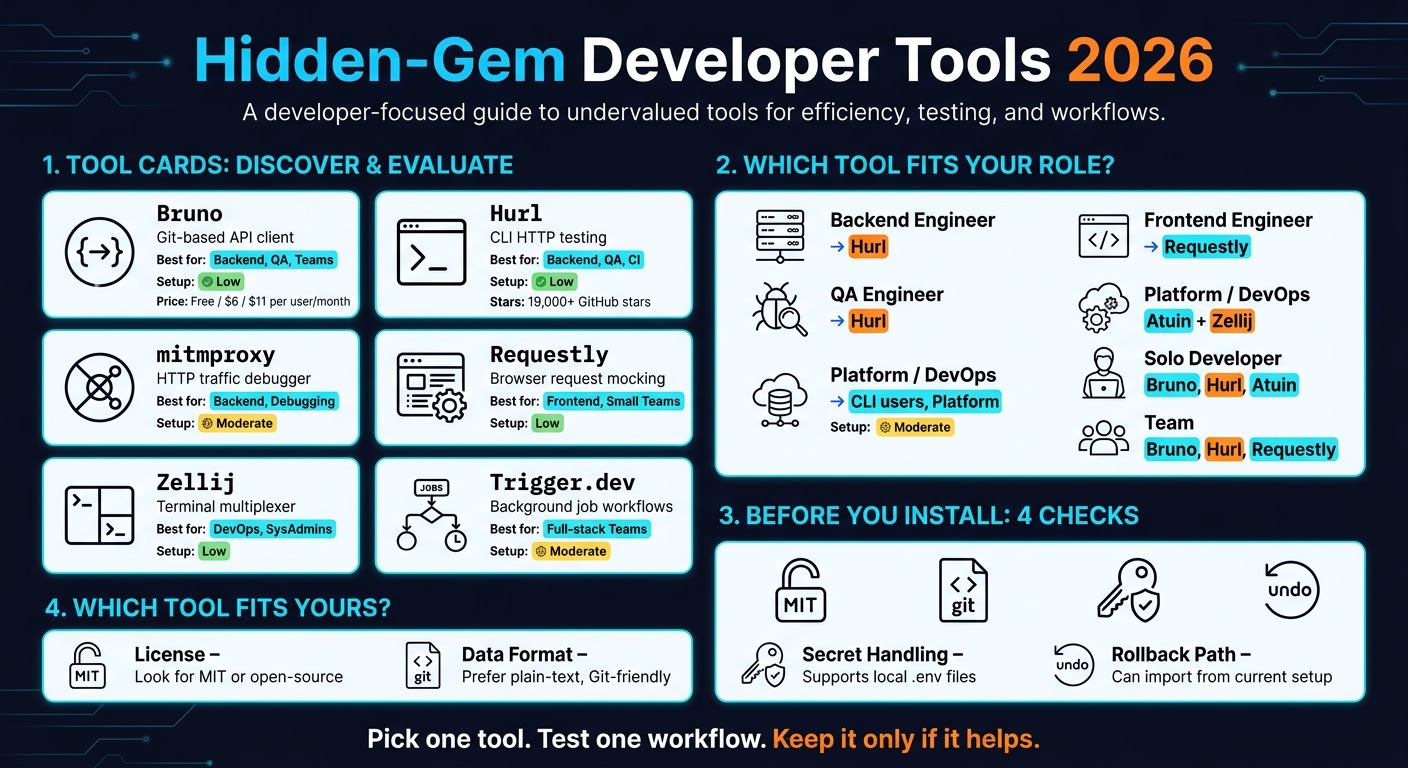
Hidden-gem tools worth trying, grouped by workflow
API and HTTP work: Bruno, Hurl, mitmproxy
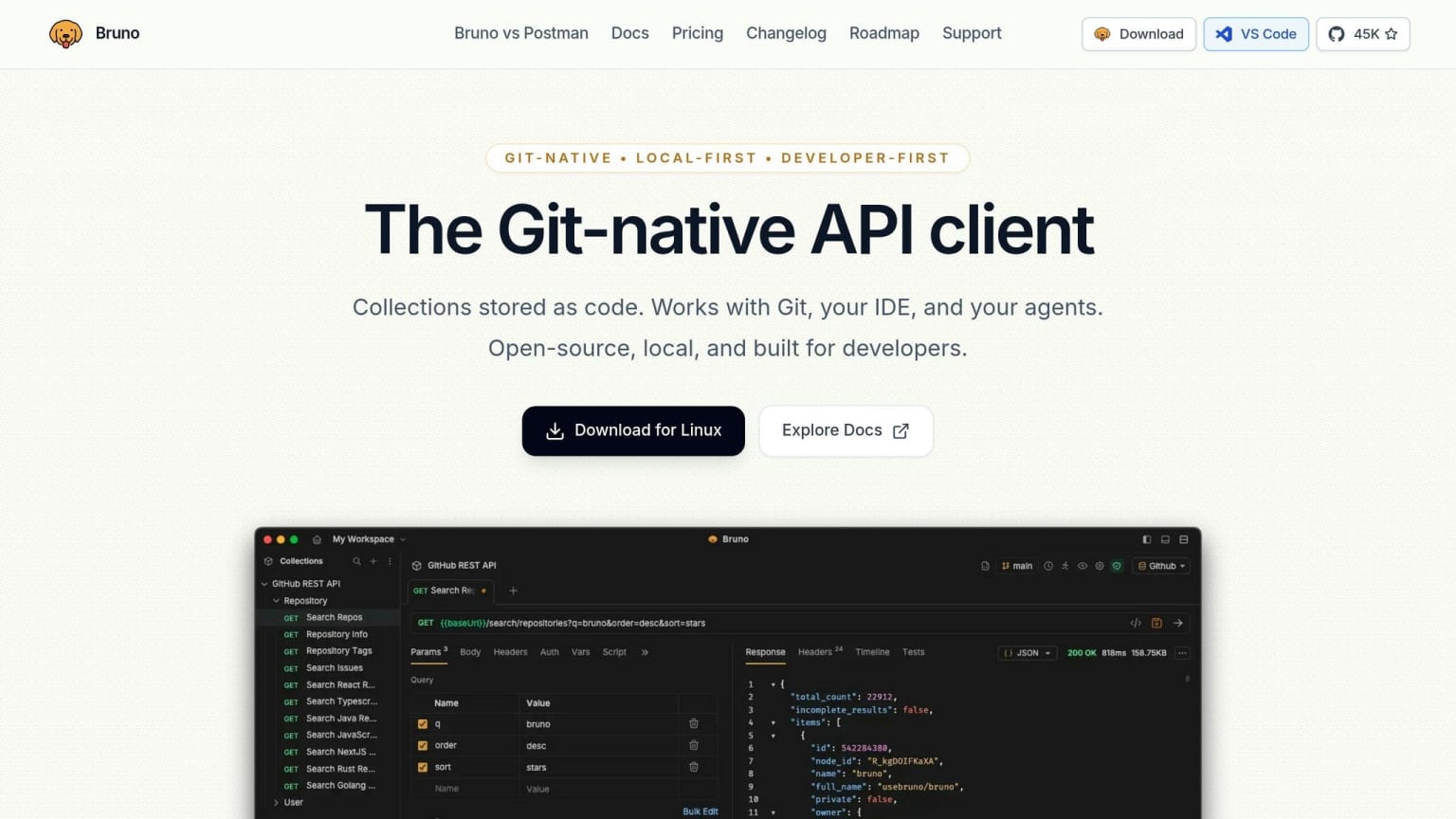
Start with tools that make API work easier to version, test, and debug without leaving your local setup.
Bruno stores API collections in plain-text .bru files, so endpoint changes can sit in Git best practices right next to the code that triggered them. It starts in about 0.8 seconds and is free and open-source. Teams that want Git integration and OpenAPI import/export can use the Pro plan for $6/user/month. It’s a good fit for backend teams that want version-controlled API definitions without needing a cloud account.
Hurl runs HTTP requests from plain-text files in the CLI. It also includes JUnit and HTML reports, which makes chained request tests much easier to run in CI. If you’re in QA or backend development and want HTTP testing without pulling in a separate framework, this is a clean option.
mitmproxy is a proxy for debugging HTTP traffic with AI coding assistants. It can expose requests as structured JSON through a --format agent mode, which helps assistants parse traffic, inspect what’s happening on the wire, and suggest fixes. The main angle here is local debugging first. Your traffic stays in your own environment, and AI help is there only if you want it. That same local-first, low-friction style shows up again in terminal tools built to stay fast and close to the machine.
Which tool fits which type of developer
Best picks for backend, frontend, QA, and platform engineers
Each tool does one job well. The main thing is matching that job to the right role.
Backend engineers should start with Hurl when they want repo-based API tests that stay easy to review in PRs, following code review best practices. With more than 19,000 GitHub stars as of June 2026, Hurl has clearly built a following among teams that want API testing tied straight to the repo .
Frontend engineers should look at Requestly when they need browser-level API mocking without setting up a full proxy . It lets you redirect production APIs to a local server and control browser requests right in the browser. Its Git Sync feature also keeps API mocks aligned with code .
QA engineers get a lot from Hurl's ability to assert on response duration and byte content, which helps with automated API testing and performance baselines . Platform engineers often get the most out of Atuin for searchable, encrypted shell history and Zellij for reusable terminal sessions .
You can see the same divide in adoption too: some tools shine for one person, while others fit a team better.
Best picks for solo developers versus teams
The split here is pretty simple: local tools help individual speed, while Git-friendly tools make team review easier.
Solo developers can start with Bruno, Hurl, or Atuin because they improve day-to-day work without much setup. Atuin is the fastest one to pick up in this group because it improves a daily habit right away .
Teams should lean toward tools that create Git-friendly files and shared workflows. Hurl's plain-text test files and Bruno's Git-native collections fit neatly into normal Git workflows, so changes can move through PR review cleanly . Requestly also works well for small teams that need shared API work .
How to try a lesser-known tool without taking on unnecessary risk
A short adoption checklist for smaller tools
Once a tool looks useful, the next step is simple: make sure it can fit into your workflow without causing a mess later.
Before you commit to any lesser-known tool, do a few fast checks. Start by looking for recent commits and releases. That gives you a first read on whether the project is still being maintained.
Then check these four things before you install anything:
- License: Open-source licenses like MIT let you fork the project if the maintainer changes direction or changes pricing.
- Data format: Plain-text storage keeps your data readable in any text editor and works natively with Git. Bruno’s
.brufiles are a good example of this. - Secret handling: Support for local
.envfiles helps keep secrets out of Git. - Rollback path: See whether the tool can import from your current setup, so you can switch back without much pain.
If a tool clears those four checks, the risk is fairly low. At that point, test it in one isolated workflow first.
Start with one low-risk workflow change
The fastest way to judge a tool is with a small pilot. Drop it into one part of an existing project and leave everything else alone.
For Bruno, that can be as simple as creating a /bruno folder inside a current Git repo and moving one API collection there. Start with a read-only pilot on a non-sensitive collection or a local development environment before you touch production traffic .
A good pilot should lead to clean PRs, steady CI runs, and clear developer time savings.
Comparison table: category, ideal user, setup effort, and limits
Use this quick reference to narrow down your first test.
| Tool | Category | Ideal User | Setup Effort | Limit |
|---|---|---|---|---|
| Bruno | API client | Backend/QA engineers | Low - no account needed | No built-in mock servers |
| Atuin | Terminal history | CLI power users | Moderate | Needs sync for multi-device use |
| Zellij | Terminal multiplexer | DevOps/SysAdmins | Low | Shortcut learning curve |
| Trigger.dev | Background jobs | Full-stack devs | Moderate | Requires code integration |
Bruno’s open-source tier is $0, the Pro plan is $6/user/month, and the Ultimate plan is $11/user/month .
Conclusion: the best hidden gems solve one problem well
These tools have a lot in common: they fix one recurring pain point and do it without making life harder. No signup. No ads. No weird privacy catch. Just a small tool that helps you get a job done.
That’s the whole appeal. The best tools here handle one workflow issue at a time. They don’t pile on extra features or spread into ten other use cases. They stay small because they do one job cleanly, without extra surface area.
A good way to try them is simple: start with one low-risk workflow. If the tool proves itself fast, keep it. If not, move on.
The hard part isn’t using hidden gems. It’s finding them early. That’s where daily.dev comes in. daily.dev surfaces niche tools early by highlighting posts from developers who build and use them.
In practice, the best hidden gems usually show up first in the hands of developers who needed them badly enough to go find a fix.
FAQs
Which tool should I try first?
It depends on what you need, but DevBench is a strong place to start. It puts 141 client-side tools in one fast, well-organized interface.
If you want desktop-native API work and local-first debugging, try adOmnia. For fast browser tasks like JSON formatting, JWT decoding, or regex testing, Devy Tools, MonkKit, and SmartDevUtils give you instant, no-login access while keeping sensitive data on your local machine.
Are these tools safe for sensitive work?
Yes. These tools are generally safe for sensitive work because they run entirely client-side in your browser.
In plain English: computations, conversions, and encodings happen locally with JavaScript. So data like API keys, JWT tokens, and private config files stays on your machine instead of being sent somewhere else.
If you want to double-check, open your browser’s Network tab and confirm that no requests are being sent.
How do I test one without disrupting my workflow?
You can usually try these tools with almost no hassle. Many run fully in your browser, which means your data stays there. And a lot of them don’t ask for an account, sign-up, or install.
If you want to check that for yourself, open your browser’s Network tab while using the tool. After the first page load, you should see no outgoing requests. Some tools also have browser extensions, which makes them even faster to use.