
Learn how to set up Scalafix for Scala code refactoring and linting. Discover rules, configurations, and best practices to enhance your codebase.
Scalafix is a code refactoring and linting tool that automatically fixes and improves Scala code. Here's what you need to know:
What Scalafix Does:
- Spots and fixes code issues automatically
- Updates old code patterns to modern syntax
- Enforces consistent code style
- Helps with Scala version migrations
Key Components:
| Component | What It Does | When to Use |
|---|---|---|
| Syntactic Rules | Checks code structure | Simple pattern matching |
| Semantic Rules | Analyzes code meaning | Complex refactoring |
| Built-in Rules | Ready-to-use fixes | Common code patterns |
| Custom Rules | Your own rules | Team-specific needs |
Quick Setup:
- Add to
project/plugins.sbt:
addSbtPlugin("ch.epfl.scala" % "sbt-scalafix" % "0.13.0")
- Update
build.sbt:
inThisBuild(List(
  semanticdbEnabled := true,
  semanticdbVersion := scalafixSemanticdb.revision
))
Requirements:
| Tool | Supported Versions |
|---|---|
| Java | 8, 11, 17, 21 LTS |
| Scala | 2.12.20, 2.13.15, 3.3.4, 3.5.1 |
| sbt | Latest version |
Most Used Rules:
RemoveUnused: Cleans up dead codeExplicitResultTypes: Adds missing typesOrganizeImports: Structures importsDisableSyntax: Blocks unwanted patterns
This guide walks you through setting up Scalafix, using built-in rules, creating custom rules, and integrating with your build tools.
Related video from YouTube
Before You Start
Here's what you need to set up Scalafix on your machine.
Required Tools
| Tool | Version | Notes |
|---|---|---|
| Java | 8, 11, 17, or 21 LTS | Min. Java 11 for Metals server |
| Scala | 2.12.20, 2.13.15, 3.3.4 LTS, or 3.5.1 | No support for Scala 2.11 |
| sbt | Latest | Build tool for Scala |
| IDE | VS Code or IntelliJ | With Metals extension |
Setting Up Scala
Start by installing Java. Then add these settings to your .jvmopts file:
-Xss8m
-Xms1G
-Xmx8G
Build Tool Setup
First, add this to project/plugins.sbt:
addSbtPlugin("ch.epfl.scala" % "sbt-scalafix" % "0.13.0")
Next, update your build.sbt:
inThisBuild(
  List(
    scalaVersion := "2.13.15",
    semanticdbEnabled := true,
    semanticdbVersion := scalafixSemanticdb.revision
  )
)
IDE Setup
For VS Code:
- Install Metals extension
- Remove other Scala extensions
- Run this command:
scala-cli setup-ide . --scala 2.13
This creates two files:
.bsp/scala-cli.jsonfor Build Server Protocol.scala-build/ide-options-v2.jsonfor IDE settings
For IntelliJ:
- Install Scala plugin
- Import project as sbt project
- Enable Build Server Protocol
Don't forget to restart your IDE after making these changes.
Setting Up Scalafix
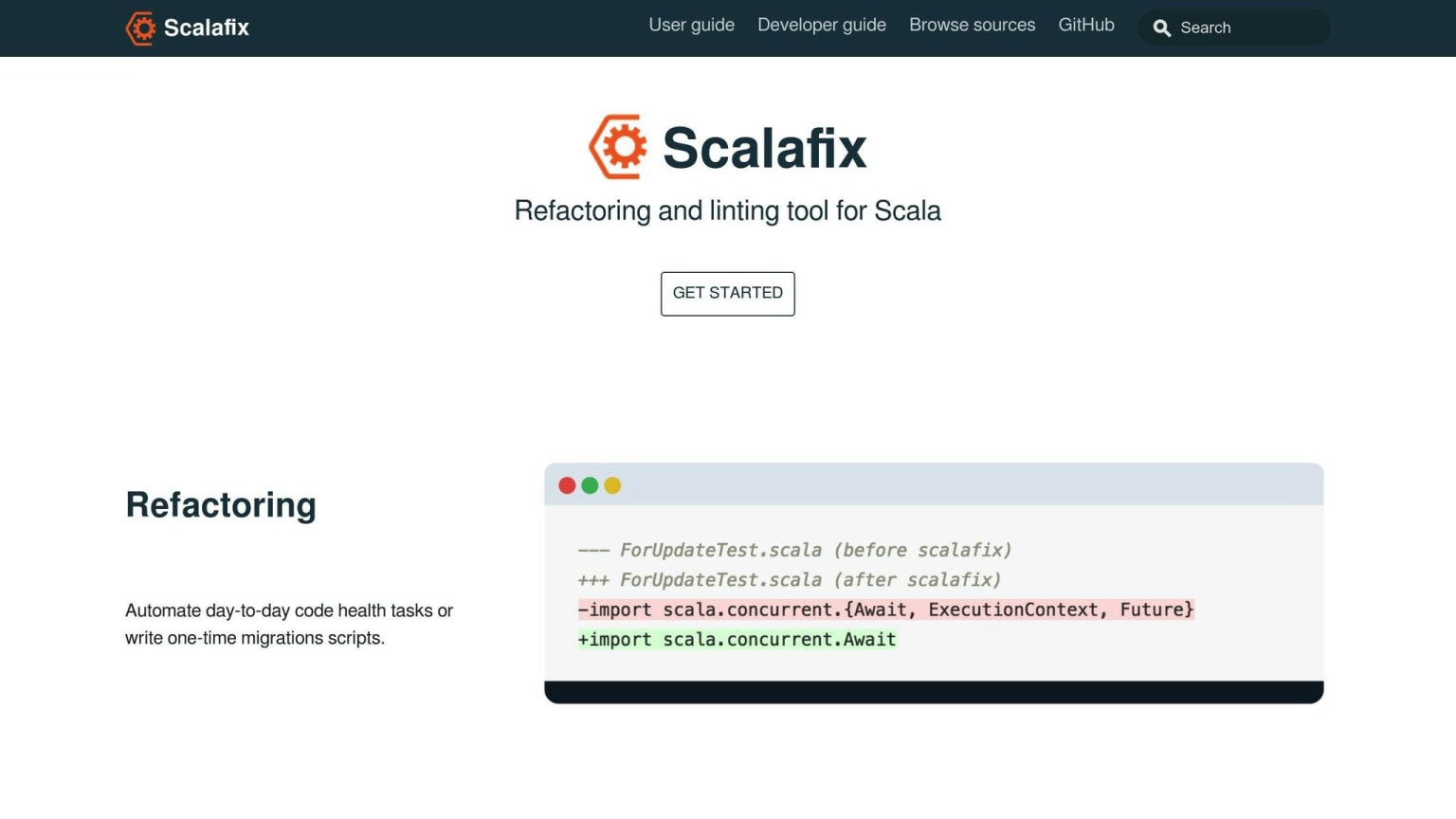
Here's how to add Scalafix to your project.
Adding the Plugin
In project/plugins.sbt, add:
addSbtPlugin("ch.epfl.scala" % "sbt-scalafix" % "0.13.0")
For Scala 2.11, use this instead:
addSbtPlugin("ch.epfl.scala" % "sbt-scalafix" % "0.10.4")
Setting Up SemanticDB
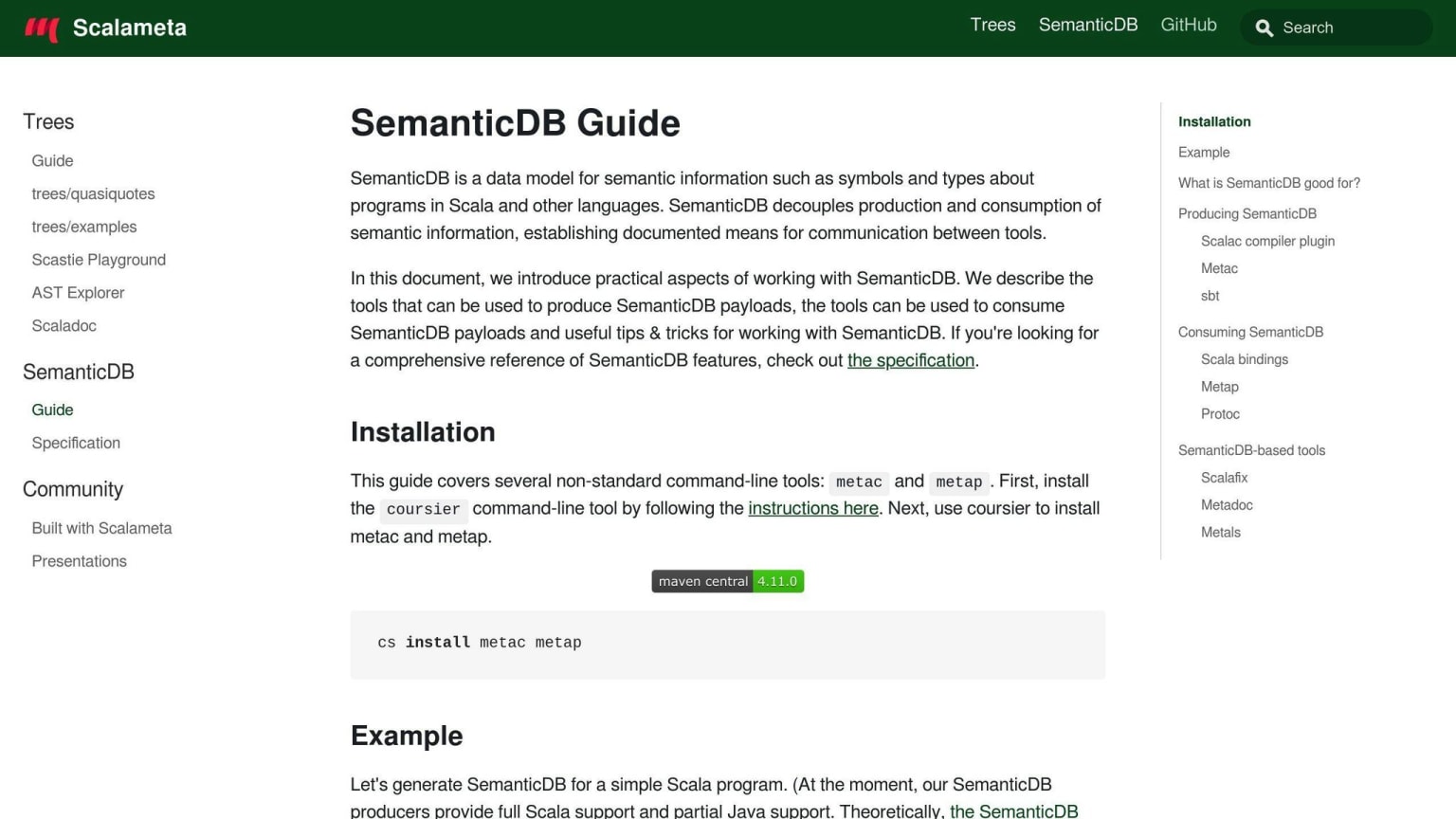
Add to your build.sbt:
inThisBuild(
  List(
    scalaVersion := "2.13.15",
    semanticdbEnabled := true,
    semanticdbVersion := scalafixSemanticdb.revision,
    scalacOptions += "-Wunused:imports"
  )
)
For Scala 2.12, use this option instead:
scalacOptions += "-Ywarn-unused-import"
Project Setup
You'll need these folders:
| Directory | What It's For |
|---|---|
rules/ |
Where you put rule code |
input/ |
Code to check |
output/ |
What code should look like after rules run |
tests/ |
Test setup files |
Want a quick start? Run:
sbt new scalacenter/scalafix.g8 --repo="YourRepoName"
Basic Config File
Make a .scalafix.conf file:
rules = [
  DisableSyntax
]

DisableSyntax.noFinalize = true
For CI, add:
lint.error = [
  ".*"
]
To run Scalafix:
sbt "scalafix RemoveUnused"   # one project
sbt scalafixAll              # all projects
For tests:
sbt "Test / scalafix"
Scalafix Rules Explained
Scalafix comes with two types of rules to fix and improve your code.
Built-in Rules
Here's what each built-in rule does:
| Rule Name | What It Does | When to Use |
|---|---|---|
| ExplicitResultTypes | Adds type annotations for public members | For clearer code interfaces |
| OrganizeImports | Cleans up and structures imports | To maintain consistent import style |
| ExplicitNonNullaryApply | Adds () to Java methods overridden in Scala |
For Java interop |
| IllegalImports | Blocks usage of specific imports | To prevent unwanted dependencies |
| ConstructorProcedureSyntax | Removes old constructor syntax | For modern Scala code |
| FinalObject | Removes unneeded final modifiers |
Code cleanup |
Rule Types
Scalafix splits rules into two main groups:
| Type | Description | Requirements |
|---|---|---|
| Syntactic | Looks at code structure | Works out of the box |
| Semantic | Checks code meaning and types | Needs SemanticDB compiler plugin |
Using Rules
Pick rules based on what you want to fix:
- Need Java/Scala interop? Go with
ExplicitNonNullaryApply - Want better type safety? Add
ExplicitResultTypes - Looking for clean imports? Use
OrganizeImports
Setting Up Rules
Here's how to set up rules in .scalafix.conf:
rules = [
  DisableSyntax,
  ExplicitResultTypes
]

# Rule-specific settings
ExplicitResultTypes {
  memberVisibility = [
    public,
    protected
  ]
  skipSimpleDefinitions = false
}

# Import blocks
OrganizeImports {
  groups = [
    "java.",
    "scala.",
    "*"
  ]
}
Scalafix runs rules in parallel, making it faster than regular compiler plugins.
Basic Settings
Here's how to set up and use Scalafix configuration:
Config File Layout
Scalafix looks for .scalafix.conf in your project's root folder. It uses HOCON format:
# Pick your rules
rules = [
  DisableSyntax,
  ExplicitResultTypes
]

# Set rule options
DisableSyntax.noFinalize = true
ExplicitResultTypes.skipSimpleDefinitions = false
HOCON Basics
| What | How | Example |
|---|---|---|
| Key-Value | : or = |
rule = value |
| Comments | # or // |
# Comment here |
| Objects | {} |
rule { key = value } |
| Arrays | [] |
rules = [item1, item2] |
Rule Settings
You can configure rules in three ways:
| Type | What It Does | Example |
|---|---|---|
| Global | Sets rules for everything | rules = [DisableSyntax] |
| Per-Rule | Sets one rule's options | DisableSyntax.noFinalize = true |
| Triggered | Runs rules automatically | triggered.rules = [RemoveUnused] |
Common Settings
Here's what most teams use:
# Pick rules
rules = [
  DisableSyntax,
  RemoveUnused
]

# Auto-run these
triggered.rules = [
  DisableSyntax
]

# Handle errors
lint.error = [
  "DisableSyntax"
]

# Handle imports
OrganizeImports {
  groups = [
    "java.",
    "scala.",
    "*"
  ]
}
Want to change settings from the command line? Use --settings:
scalafix --settings.DisableSyntax.noFinalize=true
Using Built-in Rules
Scalafix ships with 4 key rules to keep your Scala code clean. Let's see how each one works:
Type Annotations
The ExplicitResultTypes rule adds missing type info to your methods:
// Before
def process = List(1,2,3).map(_ * 2)

// After
def process: List[Int] = List(1,2,3).map(_ * 2)
Here's how to set it up in .scalafix.conf:
ExplicitResultTypes {
  skipSimpleDefinitions = false
  skipLocalImplicits = true
}
Import Cleanup
The OrganizeImports rule keeps your imports tidy. Add this to your config:
OrganizeImports {
  groups = [
    "java.",
    "scala.",
    "*"
  ]
  removeUnused = true
  blankLines = 1
}
| Setting | What It Does | Default |
|---|---|---|
groups |
Sets import order | ["*"] |
removeUnused |
Drops unused imports | true |
blankLines |
Spaces between groups | 1 |
Removing Unused Code
The RemoveUnused rule cuts dead code. First, turn on these compiler flags:
- Scala 2.12:
-Ywarn-unused - Scala 2.13:
-Wunused - Scala 3.3.4+:
-Wunused:all
Then configure what to remove:
RemoveUnused {
  imports = true
  privates = true
  locals = true
  patternvars = true
  params = true
}
| Option | Removes |
|---|---|
imports |
Dead imports |
privates |
Unused private items |
locals |
Unused local defs |
patternvars |
Dead pattern vars |
params |
Unused params (Scala 2) |
Syntax Restrictions
The DisableSyntax rule blocks code patterns you don't want:
DisableSyntax {
  noVars = true
  noNulls = true
  noReturns = true
  noWhileLoops = true
  noFinalize = true
}
| Rule | Stops Usage Of |
|---|---|
noVars |
var |
noNulls |
null |
noReturns |
return |
noWhileLoops |
while |
noFinalize |
finalize |
Making Custom Rules
Let's walk through how to build custom rules for your code checks and fixes.
Creating Rules
Your project needs a specific folder setup. For a single project:
repository/
├── build.sbt
└── src/
    └── scalafix/
        ├── resources/META-INF/services/
        │   └── scalafix.v1.Rule
        └── scala/fix/
            └── MyRule1.scala
Working with multiple projects? Use this structure:
repository/
├── build.sbt
└── scalafix/
    ├── input/src/main/scala/fix/
    ├── output/src/main/scala/fix/
    ├── rules/src/main/scala/fix/
    └── tests/src/test/scala/fix/
Testing Rules
The scalafix-testkit helps you test your rules. Here's what each folder does:
| Folder | Purpose |
|---|---|
input |
Code you want to test |
output |
How code should look after |
rules |
Your rule code |
tests |
Test setup files |
Here's a test case example:
// Input file
val x = List(1, "") // assert: NoInfer.any

// Output file
val x: List[Any] = List(1, "")
Rule Writing Tips
You can write two types of rules:
| Type | Function | When to Use |
|---|---|---|
| Semantic | Changes code | Method renames, pattern fixes |
| Syntactic | Spots problems | Blocks bad syntax |
Look at this semantic rule that adds names to arguments:
// Before
complete(true)

// After
complete(isSuccess = true)
Finding and Fixing Bugs
Here's how to debug your rules:
- Run your rule:
sbt> scalafix MyRule1
Look at what changed between input and output
Add tests for weird cases
Use
// scalafix:okto skip specific lines
For CI, add this to your build:
scalafixDependencies += "org.fix" %% "custom-rule" % "1.0.0"
Run your checks:
sbt "scalafixEnable; scalafixAll --check"
Build Tool Setup
Here's how to set up Scalafix in your project:
sbt Setup
First, add the Scalafix plugin to project/plugins.sbt:
addSbtPlugin("ch.epfl.scala" % "sbt-scalafix" % "0.13.0")
For Scala 2.x, put these settings in build.sbt:
inThisBuild(
  List(
    scalaVersion := "2.12.20",
    semanticdbEnabled := true,
    semanticdbVersion := scalafixSemanticdb.revision
  )
)
Multiple Projects
Working with multiple modules? Here's how to structure your build.sbt:
lazy val core = (project in file("core"))
  .settings(commonSettings)

lazy val mod1 = (project in file("mod1"))
  .dependsOn(core)
  .settings(commonSettings)
| Setting | What It Does | Example |
|---|---|---|
commonSettings |
Shares config across modules | semanticdbEnabled := true |
ThisBuild |
Sets project-wide config | scalaVersion := "2.12.20" |
dependsOn |
Links modules together | mod1.dependsOn(core) |
CI Pipeline Setup
Add these commands to your CI pipeline:
# Verify code without changes
sbt "scalafixEnable; scalafixAll --check"

# Speed up builds with caching
cache:
  paths:
    - ~/.cache/coursier
| Command | When to Use | What It Does |
|---|---|---|
--check |
In CI | Fails if fixes needed |
scalafixAll |
All modules | Fixes every project |
scalafixEnable |
Initial setup | Activates Scalafix |
Auto-checks
Want Scalafix to run automatically? Add this to build.sbt:
scalafixOnCompile := true
Configure auto-run rules in .scalafix.conf:
triggered.rules = [
  DisableSyntax
]
| Setting | What Happens |
|---|---|
scalafixOnCompile |
Checks during compilation |
triggered.rules |
Rules that run automatically |
lint.error |
Treats warnings as errors |
Advanced Settings
Multi-project Config
Here's how to share configs across Scala projects using a core module:
# core/application.conf
rules = [
  DisableSyntax
  NoAutoTupling
]
Want to add these core settings to other modules? Just include them:
# mod1/application.conf
include "core/application.conf"

# Add module-specific rules
rules += RemoveUnused
| Module Type | Config Location | Purpose |
|---|---|---|
| Core | core/src/main/resources |
Base rules, shared settings |
| Sub-modules | modX/src/main/resources |
Module-specific rules |
| Test modules | modX/src/test/resources |
Test-specific configs |
Custom Rule Settings
Here's how to set up rules in .scalafix.conf:
# Customize rule settings
DisableSyntax.noVars = true
DisableSyntax.noNulls = true
RemoveUnused.imports = true

# Override lint behavior
lint.error = [
  ".*"
  "-UnusedScalafixSuppression"
]
| Setting Type | Example | Effect |
|---|---|---|
| Rule-specific | noVars = true |
Controls individual rule options |
| Lint levels | lint.error |
Sets warning severity |
| Triggers | triggered.rules |
Rules that run on compile |
Error Management
Got Scalafix issues? Here's what to do:
| Error Type | Solution | Setting |
|---|---|---|
| Memory errors | Increase JVM heap | -Xmx8G |
| Rule timeouts | Skip slow rules | triggered.rules -= ExplicitNonNullaryApply |
| Build failures | Treat as warnings | SCALA_SCALAFIX_DISABLE_ERRORS = true |
Speed Improvements
Want faster Scalafix runs? Try these settings:
| Setting | Value | Impact |
|---|---|---|
| JVM options | -XX:+UseParallelGC |
Better throughput |
| JIT settings | -XX:MaxInlineLevel=20 |
10-20% faster compilation |
| Memory | -Xms512M -Xmx4G |
Prevents OOM errors |
| GraalVM | Latest version | Up to 50% faster processing |
Pro tip: For codebases with over 10,000 lines, skip the ExplicitNonNullaryApply rule. It can eat up memory because of SemanticDB limits.
Fix Common Problems
Here's what you need to know about fixing Scalafix issues:
Known Issues
| Issue | Error Message | Fix |
|---|---|---|
| Missing dependencies | Error downloading org.scalameta:semanticdb-scalac_2.13.8:4.4.28 |
Update sbt-scalafix plugin to v0.9.28 |
| SemanticDB not found | SemanticDB not found: src/main/scala/my/package/Something.scala |
Add -Yrangepos to scalacOptions |
| Object loading error | error while loading Object, Missing dependency 'object scala.native' |
Check Scala version compatibility |
| Memory issues | java.lang.OutOfMemoryError |
Add JVM flags: -Xms512M -Xmx4G |
Error Guide
| Error Type | Meaning | Action |
|---|---|---|
| Scala version mismatch | Wrong semanticdb-scalac version | Add semanticdbVersion := scalafixSemanticdb.revision |
| Plugin errors | Missing compiler plugin | Add addCompilerPlugin("org.scalameta" % "semanticdb-scalac") |
| Build failures | Failed dependency resolution | Update build.sbt with correct versions |
| Rule timeouts | Rule processing takes too long | Skip slow rules in config |
Fix Configuration
Here's what you need in your build.sbt:
addCompilerPlugin("org.scalameta" % "semanticdb-scalac" % "4.10.2" cross CrossVersion.full)
scalacOptions += "-Yrangepos"
semanticdbVersion := "4.4.11"
Handle Rule Conflicts
| Conflict Type | Example | Solution |
|---|---|---|
| Version conflicts | Different Scala versions | Use cross CrossVersion.full |
| Rule ordering | Import rules clash | Set explicit order in config |
| Multiple projects | Different settings per module | Use separate .scalafix.conf files |
| Plugin conflicts | Compiler plugin clashes | Check plugin compatibility |
Pro tip: Most version-related errors happen when you update Scala but forget to update the Scalafix plugin. Always check your semanticdb version in build.sbt after updates.
Tips and Tricks
File Organization
Here's how to set up your Scalafix files:
| Location | Purpose | Example |
|---|---|---|
.scalafix.conf |
Main config file | rules = [RemoveUnused] |
.scalafix/ |
Custom rules directory | rules/CustomLint.scala |
project/plugins.sbt |
Plugin definitions | addSbtPlugin("ch.epfl.scala" % "sbt-scalafix") |
.github/workflows/ |
CI integration | scalafix.yml for auto-fixes |
Rule Selection
Here's what matters when picking rules:
| Factor | What to Check | Action |
|---|---|---|
| Build time | CI logs | Skip slow rules in large projects |
| Memory usage | JVM metrics | Use -Xmx4g for big codebases |
| Project size | LOC count | Split configs for different modules |
| Team size | Developer count | Add more strict rules for larger teams |
Config Management
Here's a simple config setup:
// .scalafix.conf
rules = [
  RemoveUnused,
  ExplicitResultTypes,
  LeakingImplicitClassVal
]

ExplicitResultTypes {
  memberKind = [Val, Def, Var]
  skipSimpleDefinitions = false
}
Git Integration
Set up GitHub Actions for Scalafix:
name: "Scalafix"
on: [pull_request]
jobs:
  build:
    runs-on: ubuntu-latest
    steps:
      - uses: actions/checkout@v2
      - name: Run Scalafix
        env:
          JAVA_OPTS: -Xmx8G -Xms1G -Xss8M
        run: sbt "scalafix RemoveUnused"
| Integration Point | Command | Purpose |
|---|---|---|
| Pre-commit | sbt scalafix |
Check code before commits |
| PR checks | sbt "scalafix --check" |
Verify PR changes |
| Auto-fixes | sbt "scalafix RemoveUnused" |
Fix issues automatically |
| Batch fixes | git diff --name-only HEAD~1 | xargs scalafix |
Fix changed files only |
Want faster builds? Keep your build graph shallow.
Boost your build speed with these JVM settings:
| Setting | Value | Impact |
|---|---|---|
-XX:MaxInlineLevel |
20 | 10-20% faster compilation |
-XX:+UseParallelGC |
- | Better for Java 9/11 |
-Xmx |
2g-4g | Handles large projects |
GraalVM performance options:
| Component | Speedup | Use Case |
|---|---|---|
| Native Image | 10-50% | CI builds |
| JIT Compiler | 20-30% | Local development |
| Enterprise Edition | 30-40% | Production builds |
Help and Resources
Here's what you need to know about getting started with Scalafix and finding help when you need it.
Core Documentation
The docs cover everything you need to run Scalafix:
| Setup | Details |
|---|---|
| Java Support | Java 8/11/17/21 LTS |
| Scala Versions | 2.12.20, 2.13.15, 3.3.4, 3.5.1 |
| OS Support | macOS, Linux, Windows |
| Build Tools | sbt, Maven, Mill, Gradle |
| Rule Categories | Hygiene, Migration, Code Generation |
Popular Community Rules
These community-made rules can help improve your code:
| Rule | What It Does | Find It Here |
|---|---|---|
| unified | Makes code consistent | ghostbuster91/scalafix-unified |
| named-params | Adds parameter names | jatcwang/scalafix-named-params |
| scaluzzi | Checks Scalazzi rules | vovapolu/scaluzzi |
| pixiv-rule | Catches bad patterns | pixiv/scalafix-pixiv-rule |
Want to use these rules? Add them to your build:
// build.sbt
ThisBuild / scalafixDependencies += "GROUP" %% "ARTIFACT" % "VERSION"
Where to Get Help
Need help? Here's where to go:
| Channel | When to Use It | How to Use It |
|---|---|---|
| GitHub Issues | Report bugs, ask for features | Post on Scalafix repo |
| Issue Triage | Help other users | Get daily emails |
| Pull Requests | Fix issues yourself | Fork and submit changes |
| Community Rules | Share your own rules | Send a pull request |
Stay Up to Date
Keep track of what's new:
| Where to Look | What You'll Find | How It's Shown |
|---|---|---|
| GitHub Releases | Version info | Release notes |
| Scaladex | New rule listings | Package info |
| Build Files | Rule changes | Dependency updates |
| Config Files | Setting updates | HOCON format |
Check if your rules need updates:
sbt "scalafix --check"
Update rules on the fly:
sbt "scalafix dependency:RULE@GROUP::ARTIFACT:VERSION"
Summary
Here's what you need to know about Scalafix:
| Component | Key Details | Usage |
|---|---|---|
| Setup Requirements | Java 8/11/17/21 LTS, Scala 2.12+ | Basic project configuration |
| Rule Types | Syntactic, Semantic | Code analysis and transformation |
| Built-in Rules | ExplicitResultTypes, NoAutoTupling, OrganizeImports | Ready-to-use code improvements |
| SemanticDB | Compiler plugin | Powers semantic analysis |
Let's look at some before/after examples:
| Task | Before | After |
|---|---|---|
| Fix Procedure Syntax | def main(args: Seq[String]) { |
def main(args: Seq[String]): Unit = { |
| Add Volatile | lazy val x = value |
@volatile lazy val x = value |
| Clean Imports | Messy imports | Organized by groups |
What can Scalafix do? It helps you:
- Fix code automatically
- Update old code to modern syntax
- Find and change specific patterns
- Work with sbt, Maven, Mill, and Gradle
- Build your own rules
Here's where teams use it most:
| Case | Description | Tool Support |
|---|---|---|
| Code Cleanup | Remove unused imports | RemoveUnused rule |
| Type Safety | Add missing type annotations | ExplicitResultTypes rule |
| Standards | Enforce coding standards | DisableSyntax rule |
| Migration | Update deprecated features | ProcedureSyntax rule |
Bottom line: Scalafix makes your code better by fixing issues, keeping things consistent, and helping you move to newer Scala versions. It's like having an extra team member who's really good at spotting and fixing code problems.
FAQs
What is the use of Scalafix?
Scalafix is a tool that helps you fix and improve Scala code automatically. It's like a smart assistant that spots issues and helps clean up your code.
Here's what Scalafix does:
| Feature | Description | Example Use Case |
|---|---|---|
| Code Analysis | Reads your code structure | Spots old code patterns |
| Linting | Flags code problems | Finds imports you don't need |
| Refactoring | Changes code automatically | Adds missing types |
| Custom Rules | Lets you make your own rules | Matches your team's style |
Want to start using Scalafix? Here's how:
- Get it running: Add it to your build and set up tests
- Find patterns: Tell it what code to look for
- Check methods: Look up how functions work
- Spot problems: Set up warnings for bad code
- Make it flexible: Add settings to your rules
- Share it: Use it locally or share with others
Here's how to fit Scalafix into your coding:
| Where to Use It | What It Does | Why It Helps |
|---|---|---|
| sbt Plugin | Works with your build tool | Helps you write rules |
| IDE | Works in your editor | Shows issues right away |
| CI Pipeline | Checks code automatically | Keeps code clean |
| Maven Central | Shares rules with others | Everyone uses same rules |
Want to make your own rules? Use the scalafix.g8 template. It gives you:
rules/: Where you write rulesinput/: Code to test onoutput/: What code should look liketests/: Check if rules work
To test your rules, just run tests / test.